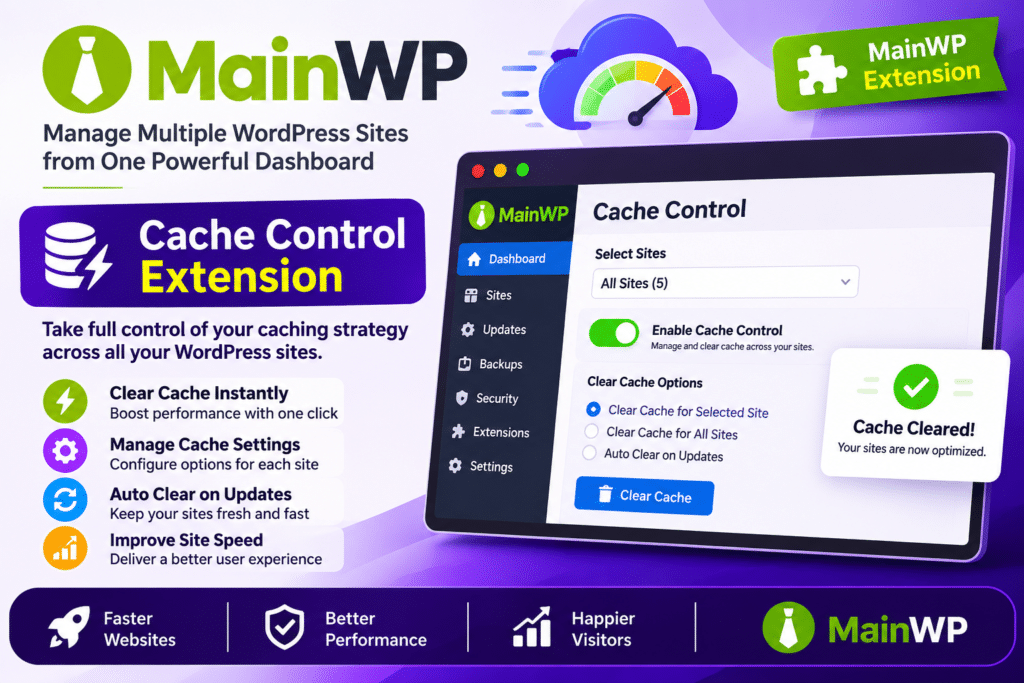
MainWP Cache Control Extension is a WordPress site management add-on that helps you clear cache across multiple websites directly from your MainWP Dashboard. It connects with supported caching plugins and Cloudflare, allowing you to manage cache-purging tasks without logging in to every individual website.
The extension can automatically purge cache after MainWP updates WordPress core, themes, or plugins. You can also manually clear cache on individual websites, selected sites, or all connected child sites using bulk actions. With centralized settings, per-site controls, Cloudflare integration, and detailed purge logs, it simplifies cache maintenance for WordPress developers, agencies, and website managers.
MainWP Cache Control is a Pro add-on that requires a MainWP Dashboard connected to MainWP Child sites. Each child site needs a supported caching plugin or service configured, or Cloudflare cache purging enabled.
Key Features
Automatic Cache Purging After Updates
Automatically clear cache when MainWP updates WordPress core, themes, or plugins on connected child sites. This helps ensure visitors see the latest website content after maintenance tasks.
Centralized Cache Management
Manage cache-purging operations for multiple WordPress websites from one MainWP Dashboard. Reduce the need to access individual WordPress admin panels.
Bulk Cache Purging
Clear cache on one website, selected websites, or all connected child sites. Use the Manage Sites bulk action to run cache-purging operations across multiple websites.
Cloudflare Cache Integration
Connect your Cloudflare account using an email and API key or an API token. Purge Cloudflare cache alongside supported caching plugins from the MainWP Dashboard.
Support for Popular Caching Plugins
Work with 24 supported caching plugins and services, including:
- WP Rocket
- LiteSpeed Cache
- WP Super Cache
- WP Fastest Cache
- W3 Total Cache
- FlyingPress
- Breeze
- Autoptimize
- Cache Enabler
- Hummingbird Performance
- SiteGround Optimizer
- WP-Optimize
- NitroPack
- Swift Performance
- Comet Cache
- Nginx Helper
Per-Site Cache Settings
Configure cache-purging behavior for individual child sites. Use global settings or apply site-specific preferences, including separate Cloudflare credentials where required.
Manual Cache Clearing
Trigger cache purging whenever needed from the MainWP Dashboard. Clear cache through bulk actions or the Clear Cache option available in supported dashboard widgets.
Combined Cache and Cloudflare Purging
Purge a supported caching plugin and Cloudflare cache in the same operation when both are configured for a website.
Bulk Purge Performance Controls
Control the number of concurrent cache-purge requests and configure delays between request batches. These settings help manage large site collections and reduce the risk of overwhelming servers or reaching API rate limits.
Detailed Cache Purge Logs
Review cache-purging activity, detected cache solutions, Cloudflare status, last purge times, and returned messages. Use individual site results to identify successful, incomplete, or failed operations.
Per-Site Results and Retry Options
View separate results for each website during bulk operations. Identify sites with warnings or failures and retry their cache-purging operations when needed.
Secure Cloudflare Credentials
Store Cloudflare API keys and tokens using encrypted storage. Configure authentication methods and validate credentials through the extension’s settings.
MainWP Dashboard Integration
Access cache management through the MainWP interface, including site management screens and supported dashboard widgets. Handle routine cache maintenance without switching between multiple websites.
MainWP Abilities API Support
Use the Cache Control abilities to retrieve a site’s detected cache solution, last reported purge, and automatic-purge configuration through supported MainWP API workflows.