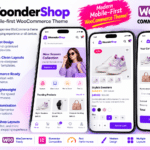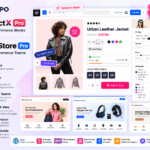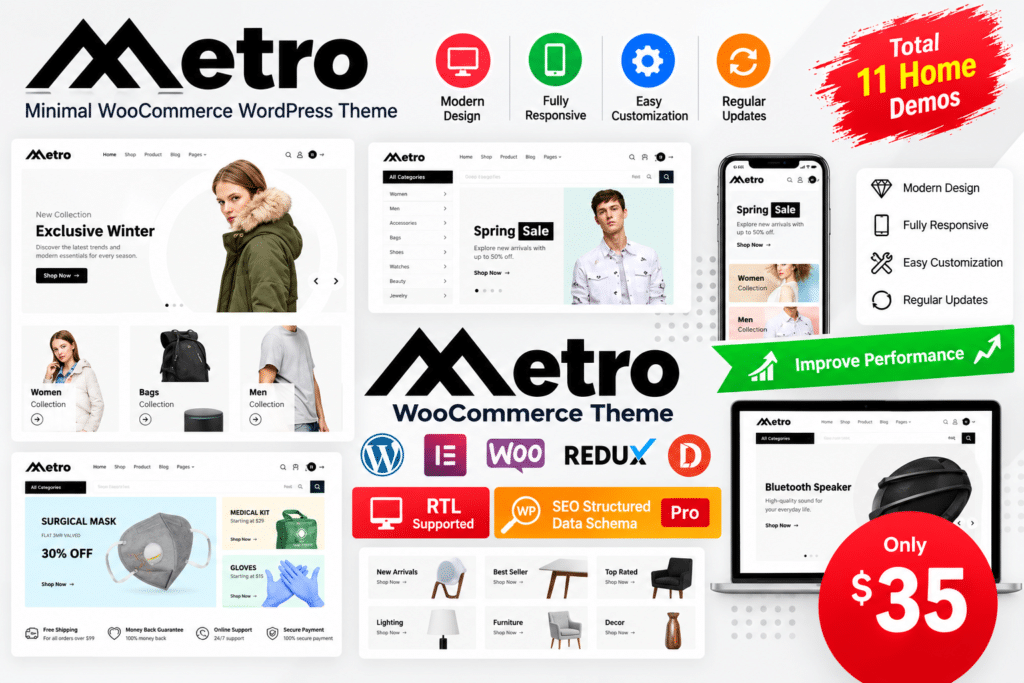
- A minimalist WooCommerce WordPress theme by RadiusTheme.
- Multiple homepage designs and header variations.
- Elementor-based visual page-building options.
- Customizable shop, category, product, and blog layouts.
- Product variation swatches and image gallery functionality through supported bundled plugins.
- Product filtering, promotional elements, and shopping-focused design options.
- Responsive layouts and customization controls.
- Demo import tools and a child theme for supported customization workflows.
Key Features
- 13 Homepage Designs – Choose from a range of homepage layouts suited to different types of online stores.
- Multiple Header Styles – Customize your storefront’s header using different styles and layout combinations.
- Elementor Integration – Build and customize supported pages visually using Elementor’s drag-and-drop editing interface.
- Flexible Shop Layouts – Present products through different shop and category page arrangements.
- Custom Product Pages – Adjust the appearance of individual product pages to suit your store’s branding.
- WooCommerce Integration – Build product catalogs and online shopping experiences using WooCommerce.
- Product Variation Swatches – Display supported product attributes, such as colors and sizes, with visual swatches.
- Product Image Galleries – Present product images using supported gallery and variation-image features.
- Advanced Shopping Elements – Use available ShopBuilder features for product displays and other shopping-focused components.
- Responsive Design – Provide layouts intended to adapt to desktop, tablet, and mobile screens.
- Dokan Multivendor Support – Build a multivendor marketplace when using the compatible Dokan plugin and configuration.
- One-Click Demo Import – Import supported demo content to establish a starting point for your website design.
- Blog Layout Options – Choose from multiple blog layouts to publish news, guides, product updates, and other content.
- Translation Support – Use supported translation workflows, including WPML compatibility, for multilingual websites.
- Customization Controls – Adjust colors, typography, theme settings, and other supported design options.
- Child Theme Included – Use the child theme as a starting point for custom code and theme modifications.
Create a Clean and Professional Online Store
Metro is designed for stores that want their products to take center stage. Its minimalist styling helps create a structured shopping experience in which customers can browse product collections without being distracted by overly complicated page layouts.
You can customize the homepage to highlight featured products, promotions, bestsellers, seasonal collections, or selected categories. Consistent typography, spacing, and color choices can help establish a recognizable brand identity throughout the storefront.
Customize Your Shop with Elementor
With Elementor integration, Metro gives you visual tools for customizing supported pages and layouts. You can arrange content sections, adjust styling, and create landing pages that match your store’s requirements without needing to write code for every design change.
Its range of homepage, header, archive, and product layout options provides a useful starting point for different business models. You can use the supplied designs as they are or adapt them to create a more distinctive storefront.
Improve Product Presentation and Shopping Navigation
Clear product information and useful browsing tools can make an online shop easier to navigate. Metro supports product-focused layouts and, with its compatible extensions, features such as variation swatches and enhanced product image galleries.
For stores selling products in multiple sizes, colors, or styles, these options can help shoppers understand the available choices. Product filters, category layouts, and well-organized shop pages can also help visitors explore larger catalogs.
Remember that the actual shopping experience depends on your WooCommerce configuration, product data, payment methods, shipping settings, and any additional extensions you install.
Who Should Use Metro?
Metro can be a suitable choice for:
- Fashion and apparel stores showcasing clothing, footwear, and accessories.
- Electronics retailers organizing products into clear categories.
- Furniture and home decor shops highlighting product photography and collections.
- Beauty and lifestyle brands looking for a clean storefront design.
- WooCommerce entrepreneurs launching a new online business.
- Freelancers and agencies building eCommerce websites for clients.
- Multivendor marketplace owners using a compatible Dokan setup.
Compatibility and Installation Notes
Metro is a WordPress theme, not a standalone store platform. You need WordPress and WooCommerce for the core online shopping functionality, while Elementor and the theme’s required companion plugins support its page-building and theme features.
The developer lists bundled premium plugins, including LayerSlider, WooCommerce Variation Swatches Pro, and Variation Images Gallery Pro. Bundled plugin files do not necessarily include separate premium license keys or independent update and support entitlements. Confirm the available licensing terms before relying on those entitlements.
For multilingual functionality, install and configure a compatible translation solution. For multivendor features, additional setup with Dokan is required.
Before using Metro on a production website, check the current compatibility requirements for your WordPress, PHP, Elementor, and WooCommerce versions. Test the theme and its companion plugins on a staging site before applying major updates.
Build Your Online Store with Metro
Metro – Minimal WooCommerce WordPress Theme combines clean design, Elementor customization, flexible product layouts, and WooCommerce-focused features in one storefront solution. Its starter designs and shopping-oriented modules can help simplify the process of creating an online store that looks organized and keeps products at the center of the customer experience.
If you want a modern, minimalist design with room to customize your shop pages and product presentation, Metro is worth considering for your next WooCommerce website.