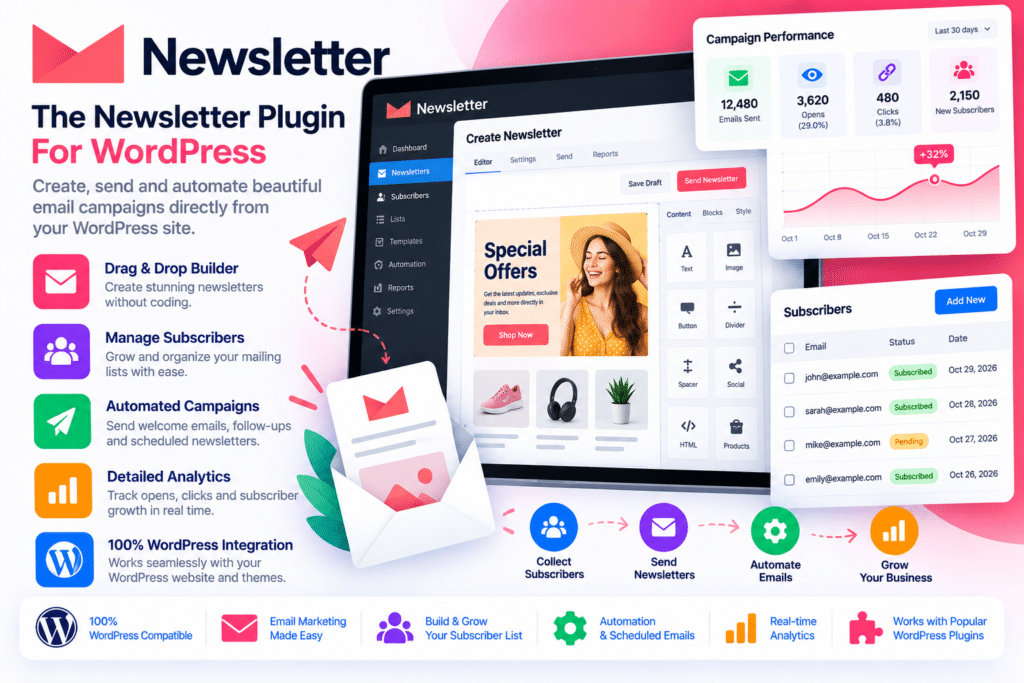
Newsletter is a complete email marketing and subscriber management plugin for WordPress, developed by Stefano Lissa and The Newsletter Team. It helps website owners build an email list, create professional newsletters, manage subscribers, and send email campaigns directly from the WordPress dashboard.
Whether you run a blog, business website, online magazine, membership platform, or WooCommerce store, Newsletter provides tools to collect email addresses and communicate with your audience. You can create subscription forms, organize contacts into lists, design responsive email campaigns, and track basic engagement without relying on a separate email marketing platform.
The plugin includes a free core version with essential newsletter functionality. Additional capabilities, such as advanced reporting, automated newsletters, autoresponders, lead-generation tools, and WooCommerce integration, are available through the relevant premium plans and add-ons.
Key Features
1. Build and Grow Your Email List
Create subscription forms to collect email addresses from website visitors. Newsletter supports multiple form-placement options, including widgets, shortcodes, popups, post-injected forms, and custom HTML forms.
You can place subscription forms in different areas of your website to make it easier for visitors to join your mailing list.
2. Manage Subscribers from WordPress
Manage your subscriber database directly from the WordPress dashboard. Add new contacts, update subscriber information, remove inactive records, and organize your audience without switching between multiple platforms.
The plugin also supports subscriber profile fields, allowing you to collect additional information beyond email addresses.
3. Organize Subscribers with Lists
Create different subscriber lists for different types of audiences. For example, you can maintain separate lists for blog readers, product announcements, business updates, and promotional campaigns.
List-based targeting helps you send more relevant newsletters instead of sending every message to your entire database.
4. Single and Double Opt-In
Choose how visitors confirm their subscriptions. Single opt-in can add subscribers directly, while double opt-in requires confirmation through an email link.
You can also configure privacy checkboxes and customize subscription confirmation and welcome messages.
5. Drag-and-Drop Newsletter Composer
Design email campaigns using the visual newsletter composer. Add content blocks, images, headings, buttons, blog content, and other supported elements to create newsletters that match your website’s branding.
The editor also provides a preview workflow so you can review your design before sending it to subscribers.
6. Responsive Email Templates
Create newsletters that adapt to different screen sizes and email clients. Use available templates to maintain a consistent appearance across campaigns and customize the content to suit your brand.
7. Create and Send Email Campaigns
Prepare newsletters for product announcements, company updates, new blog posts, promotions, event invitations, and other communications.
You can use the visual composer or work with the classic and HTML editing options when you need more control over email content.
8. Target the Right Audience
Use subscriber lists, custom fields, and available targeting rules to select recipients for each campaign. The plugin supports list combinations and language-based filtering, helping multilingual websites communicate with the appropriate audience.
9. Track Opens and Clicks
Monitor basic newsletter engagement through the available statistics. Track email opens and link clicks to understand how subscribers interact with your campaigns.
More detailed campaign reports, geolocation, and retargeting capabilities are available through the relevant premium features.
10. Import and Export Subscribers
Move subscriber information into or out of your WordPress website using the available import and export functionality. This is useful when migrating an existing mailing list or maintaining subscriber records.
Additional import tools and advanced mapping options may require the relevant add-on.
11. Control Newsletter Delivery Speed
Configure the speed at which newsletters are sent. Delivery controls help you manage campaign sending according to your hosting environment and email provider’s limits.
For larger subscriber lists, using a properly configured SMTP service or professional email delivery provider is recommended.
12. SMTP and Email Delivery Integrations
Newsletter can work with compatible SMTP plugins and supported external delivery services. Depending on your setup and plan, you can connect services such as Amazon SES, SendGrid, Mailgun, Postmark, Mailjet, Brevo, and other supported providers.
This gives website owners more flexibility when choosing how campaign emails are delivered.
13. Multilingual Newsletter Support
Run email campaigns for multilingual websites using supported translation and multilingual plugins, including WPML, Polylang, and TranslatePress.
Language-based targeting can help deliver relevant content to subscribers according to their language preferences.
14. REST API and Developer Options
The plugin includes REST API functionality and developer-oriented tools for connecting Newsletter with custom applications and other WordPress workflows.
Developers can use these capabilities to build integrations and extend the newsletter management experience.
15. Extend Functionality with Add-ons
Expand the core plugin with additional tools when your email marketing requirements grow. The available add-ons cover campaign reporting, automation, subscriber acquisition, integrations, and other advanced workflows.
Premium Features and Add-ons
The free core plugin provides the essential tools for collecting subscribers and sending newsletters. Advanced capabilities depend on the premium plan and the add-ons included with it.
Reports and Retargeting
Get more detailed campaign statistics, analyze subscriber engagement, and create follow-up campaigns based on actions such as opening or clicking an email.
Automated Newsletters
Generate newsletters using recent website content and configure recurring delivery schedules. This can be useful for sending regular blog updates, product announcements, or content roundups.
Autoresponder and Email Series
Create automated email sequences that send messages to subscribers according to configured delays and triggers. Use them for welcome series, educational content, follow-ups, and customer communication.
Leads Extension
Add additional subscriber-acquisition options, such as popups and top bars, to encourage visitors to join your mailing list.
WooCommerce Integration
Connect Newsletter with WooCommerce to collect customer subscriptions during checkout or registration, organize subscribers according to purchased products or categories, and include product blocks in newsletters.
Easy Digital Downloads Integration
Connect your email marketing workflow with Easy Digital Downloads to support subscriber collection and customer-related newsletter campaigns.
Form Builder Integrations
Use supported third-party form builders to collect subscribers through existing forms. Depending on the premium plan, integrations include tools such as Contact Form 7, Elementor Forms, Gravity Forms, WPForms, Ninja Forms, Forminator, and Fluent Forms.
Who Should Use Newsletter?
Newsletter can be a practical choice for:
- Bloggers who want to send regular article updates
- Businesses building an email marketing audience
- Online magazines and publishers
- Nonprofits and community organizations
- WooCommerce store owners
- Membership and subscription websites
- Agencies managing WordPress websites
- Website owners who prefer managing newsletters inside WordPress
Compatibility and Setup Notes
- Platform: WordPress
- Plugin: Newsletter – The Newsletter Plugin
- Developer: Stefano Lissa and The Newsletter Team
- Email editor: Visual drag-and-drop composer, classic editor, and HTML editing
- Subscriber management: Lists, custom fields, import, and export
- Email delivery: WordPress hosting mail, compatible SMTP plugins, or supported delivery services
- Multilingual support: WPML, Polylang, and TranslatePress
- Integrations: WooCommerce, Easy Digital Downloads, form builders, membership plugins, and event-management tools, depending on the available add-ons and plan
Important: The Newsletter Plugin does not automatically guarantee email deliverability. Sending performance depends on your hosting environment, sending limits, domain authentication, SMTP configuration, and the reputation of your email delivery provider. Configure SPF, DKIM, and DMARC where applicable.
The plugin includes tools that can help with consent management and privacy workflows, but installing it does not automatically make a website legally compliant. Configure subscription consent, privacy notices, data retention, and unsubscribe processes according to the laws applicable to your audience.
Free Version vs Premium Add-ons
The free core plugin is suitable for creating subscription forms, managing lists, designing newsletters, and sending campaigns. Premium plans extend the platform with additional reporting, lead-generation, automation, autoresponder, and eCommerce features.
Before installation, check which add-ons are included in your package. WooCommerce integration, automated newsletters, advanced reports, and email series should not be assumed to be part of every free or premium download.
Build and Manage Your Email Marketing Directly in WordPress
Newsletter gives WordPress website owners a central place to collect subscribers, create email campaigns, organize their audience, and communicate with readers or customers. Its flexible delivery options and add-on ecosystem make it suitable for both basic mailing lists and more advanced email marketing workflows. If you want to manage your newsletter operations from your own WordPress dashboard, this plugin provides a practical starting point.