
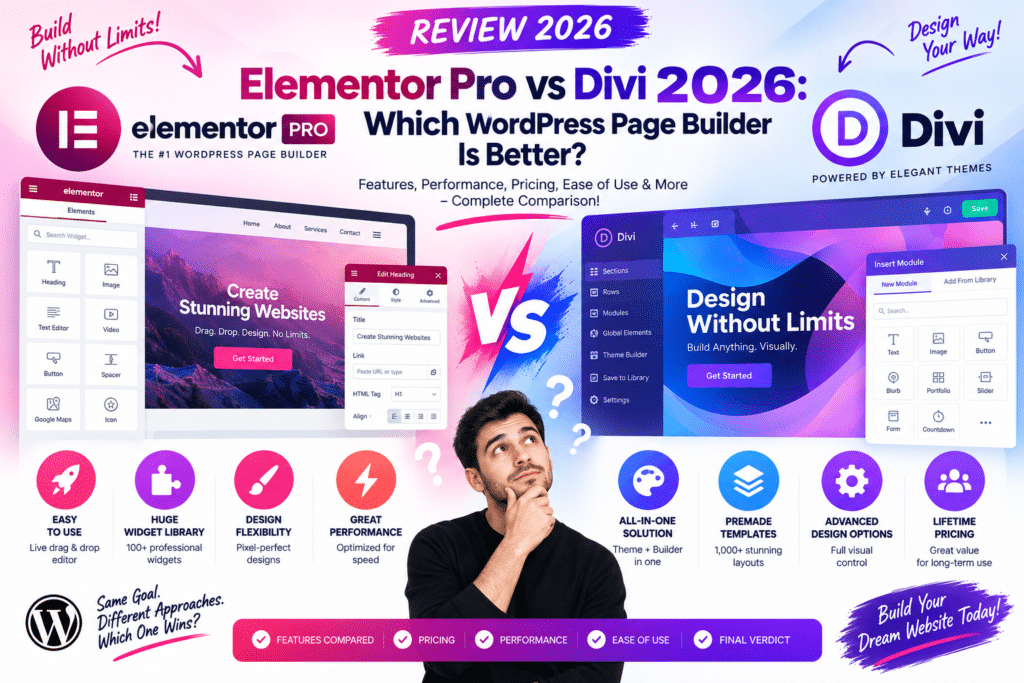
Choosing a WordPress page builder sounds simple until you actually start comparing them.
Elementor Pro and Divi can both build professional websites without requiring you to code every layout from scratch. Both offer visual editing, responsive controls, templates, dynamic content, and WooCommerce design features.
But they don’t feel the same when you’re actually building a website.
Elementor follows a flexible plugin-based approach that works with many WordPress themes. Divi provides a closely connected theme-and-builder ecosystem with extensive visual design controls.
So, which approach makes more sense in 2026?
This comparison looks at their real differences rather than simply counting features.
Quick Comparison
| Feature | Elementor Pro | Divi |
|---|---|---|
| Visual Editing | Excellent | Excellent |
| Drag & Drop | Yes | Yes |
| Theme Building | Yes | Yes |
| Popup Building | Built-in Pro capability | Different workflow/ecosystem |
| WooCommerce Design | Strong | Strong |
| Dynamic Content | Strong | Strong |
| Templates | Extensive | Extensive |
| Responsive Controls | Excellent | Excellent |
| Beginner Friendly | Excellent | Good |
| Design Controls | Excellent | Excellent |
| Third-Party Ecosystem | Very large | Large |
| Best Fit | Flexible WordPress builds | Divi-centered design workflow |
Both are serious website-building tools. The more important difference is how you prefer to work.
What Is Elementor Pro?
Elementor Pro is the premium version of the Elementor website builder for WordPress.
It extends the visual editor with additional widgets and site-building features.
Instead of being limited to page content, Elementor Pro can be used to design areas such as:
- Headers
- Footers
- Single-post templates
- Archive templates
- WooCommerce templates
- Forms
- Popups
- Dynamic layouts
One of Elementor’s biggest strengths is that it can work alongside many different WordPress themes.
You aren’t forced into one particular theme ecosystem.
What Is Divi?
Divi is the WordPress design ecosystem developed by Elegant Themes.
The Divi Builder provides visual drag-and-drop website editing with extensive styling controls and reusable design features.
Divi is particularly attractive to users who want their theme and visual builder to work closely together.
You can build:
- Business websites
- Blogs
- Landing pages
- Portfolios
- Agency websites
- WooCommerce stores
- Marketing websites
Its visual editing experience gives designers a lot of freedom without requiring them to write every layout manually.
1. Visual Editing Experience
Both builders let you edit pages visually.
With Elementor, you can select an element and adjust its content, style, spacing, responsive behavior, and advanced settings through the editor.
The workflow is fairly easy to understand:
Section/Container → Widget → Content → Style → Advanced
Divi also provides direct visual editing with extensive design controls.
Both let you see changes while working instead of constantly switching between the WordPress dashboard and frontend.
Which feels easier?
Elementor’s interface can feel more immediately familiar to new users because its editing controls follow a relatively consistent structure.
Divi provides deep design flexibility, but its large number of options can take some time to learn.
2. Widgets and Modules
Elementor calls its content elements widgets.
Divi generally uses modules.
Both provide common website elements such as:
- Headings
- Images
- Buttons
- Icons
- Testimonials
- Galleries
- Tabs
- Accordions
- Forms
- Pricing elements
- Blog content
Elementor also has a particularly large ecosystem of third-party widget packs.
This can be useful when you need specialized functionality without building a custom widget yourself.
However, installing too many Elementor add-on packs can create unnecessary overlap and increase maintenance.
3. Theme Builder
A modern page builder should do more than design the middle of a page.
Elementor Pro’s Theme Builder lets you create templates for important parts of the website.
For example:
Custom Header
Custom Footer
Single Blog Post
Blog Archive
Custom Post Type Template
This becomes especially powerful when combined with dynamic content tools such as ACF, Meta Box, or JetEngine.
Divi also provides theme-building capabilities for creating site-wide templates and controlling where they appear.
Both are capable of moving beyond basic page design.
4. Templates
Starting from a blank page isn’t always efficient.
Elementor provides templates and website-building resources that can speed up the initial design process.
Divi is also known for its extensive library of premade layouts.
Templates are especially useful for:
- Agencies
- Freelancers
- Beginners
- Landing pages
- Rapid prototypes
However, avoid publishing a template without customization.
Change the typography, colors, images, spacing, and copy so the website doesn’t look like a generic demo.
5. Responsive Design
Most websites now receive a significant amount of mobile traffic, so responsive editing is essential.
Both Elementor and Divi provide controls for adjusting layouts across different screen sizes.
You can modify things such as:
- Font sizes
- Spacing
- Alignment
- Visibility
- Width
- Layout behavior
Always check the finished site on actual phones and tablets rather than relying entirely on the editor preview.
6. Elementor Pro vs Divi for WooCommerce
Both builders can be used to create customized WooCommerce experiences.
Instead of accepting every default WooCommerce layout, you can design more branded product and store pages.
Potential customization includes:
- Product layouts
- Product images
- Pricing
- Add-to-cart areas
- Related products
- Store sections
- WooCommerce widgets/modules
For a serious store, design isn’t the only concern.
Also test:
Product → Variation → Add to Cart → Cart → Checkout → Payment → My Account
A beautiful product page isn’t useful if the buying process breaks.
7. Forms
Elementor Pro includes form-building functionality that works well for common website requirements.
You can use it for:
- Contact forms
- Lead forms
- Quote requests
- Newsletter forms
- Basic registrations
Divi also provides contact-form functionality within its design ecosystem.
For complex workflows involving advanced calculations, conditional processes, payments, or sophisticated data handling, a dedicated WordPress form plugin may still make more sense.
8. Popup Building
Popup functionality is one area where Elementor Pro is particularly convenient.
You can visually design popups and use them for purposes such as:
- Email signup
- Announcements
- Promotions
- Lead generation
- Login forms
- Calls to action
This can reduce the need for a separate popup plugin for many normal marketing websites.
Divi users can create similar marketing experiences through the broader Divi ecosystem and additional approaches, but the workflow isn’t identical to Elementor Pro’s integrated popup builder.
9. Dynamic Content
Dynamic content is important for advanced WordPress websites.
Instead of manually designing every property, team member, course, or listing page, you can build one template and populate it using stored WordPress data.
For example:
Property Name
Dynamic Price
Dynamic Location
Dynamic Gallery
Dynamic Agent
Elementor works particularly well with popular custom-field and dynamic-content ecosystems.
Divi also supports dynamic content workflows.
For complex directory and listing projects, always check compatibility with the exact custom-fields plugin you intend to use.
10. Elementor Pro vs Divi for Blogging
Both can create attractive blogs.
However, you don’t necessarily need to build every blog article manually with a page builder.
A better approach for many content websites is:
Create one post template → Write articles using WordPress → Let the template control the design
This keeps content easier to manage.
Both builders can support this type of workflow through their template systems.
11. Performance
This is one of the most discussed parts of any page-builder comparison.
The reality is that either builder can be part of a fast website or a slow one.
Performance depends on much more than the builder itself:
- Hosting
- Theme
- Number of plugins
- Images
- Fonts
- Animations
- Third-party scripts
- Page complexity
- Caching
- CDN
- Database
A simple Elementor page can be fast.
A heavily overloaded Elementor page can be slow.
The same principle applies to Divi.
Avoid adding elements just because the builder makes it easy.
Elementor Pro vs Divi for Beginners
For someone building their first WordPress website, Elementor’s interface is relatively straightforward to understand.
You select an element, change its content, style it, and move on.
Divi also provides visual editing, but beginners may need additional time to become comfortable with its design workflow and extensive settings.
Once learned, both can dramatically reduce the amount of custom coding required.
Elementor Pro vs Divi for Agencies
Agencies have different priorities.
They need:
- Fast website production
- Reusable templates
- Consistent designs
- Client-friendly editing
- Dynamic content
- WooCommerce support
- Reliable workflows
Elementor’s broad theme and third-party plugin ecosystem makes it particularly flexible across different client projects.
Divi can be very efficient for agencies that standardize their projects around the Divi ecosystem.
Consistency matters more than constantly switching builders.
Elementor Pro vs Divi for Developers
Developers may use a visual builder differently from beginners.
Instead of designing everything manually, they may combine the builder with:
- Custom CSS
- Custom fields
- Custom post types
- Dynamic templates
- Custom code
- WordPress hooks
- Third-party plugins
Elementor’s large ecosystem can make it attractive for complex WordPress builds.
Divi also provides extensive customization opportunities for developers already comfortable with its architecture.
Elementor Pro Advantages
Pros
- Beginner-friendly editor
- Large WordPress ecosystem
- Excellent Theme Builder
- Built-in popup functionality
- Strong WooCommerce tools
- Dynamic content support
- Large template ecosystem
- Many third-party add-ons
- Works with many themes
Cons
- Advanced features require Pro
- Large pages can become complex
- Too many add-ons can create unnecessary overhead
- Requires performance optimization on heavier sites
Divi Advantages
Pros
- Powerful visual editing
- Extensive design controls
- Strong layout library
- Theme-building functionality
- WooCommerce support
- Reusable design workflow
- Strong ecosystem
- Good option for agencies using a standardized stack
Cons
- Interface can take time to learn
- Large number of design settings can feel overwhelming
- Switching established builder ecosystems can require significant work
- Complex designs still need performance attention
Should You Switch From Divi to Elementor?
Not automatically.
If your Divi website works well, performs properly, and is easy for your team to maintain, switching builders simply because another tool is popular may create unnecessary work.
The same applies to Elementor users considering Divi.
Migrating a page-builder website can involve rebuilding layouts and testing many pages.
Switch when there is a clear technical, design, workflow, or business reason—not just because another builder has a different feature list.
Which One Should You Choose?
Your choice should depend on your workflow.
Elementor Pro makes sense when you want:
- A flexible plugin-based builder
- Broad theme compatibility
- Integrated popup building
- A huge third-party ecosystem
- Strong dynamic-content integrations
Divi makes sense when you want:
- A closely integrated theme-and-builder ecosystem
- Extensive visual design controls
- A large library of layouts
- A consistent Divi-based workflow across websites
Neither builder is universally better for every WordPress project.
Final Thoughts
Elementor Pro and Divi remain two capable approaches to visual WordPress website building in 2026.
Elementor Pro is particularly strong when you want flexibility across themes, extensive third-party integrations, dynamic content, and built-in marketing tools such as popup building.
Divi offers a deeply integrated visual design environment that can work especially well for designers and agencies committed to its ecosystem.
The most important factor isn’t which builder has the longest feature list.
Choose the one that lets you build, optimize, update, and maintain your websites comfortably over the long term.
Frequently Asked Questions
Is Elementor Pro easier to use than Divi?
Many beginners may find Elementor’s editor easier to understand initially. Divi is also visual, but its extensive design controls can require more learning time.
Can Elementor Pro and Divi build WooCommerce websites?
Yes. Both provide tools for designing WooCommerce-oriented layouts and store content.
Which is better for dynamic content?
Both support dynamic-content workflows. Elementor has particularly broad integrations with popular WordPress custom-field and dynamic-content tools.
Do Elementor and Divi slow down WordPress?
Either can contribute to heavier pages when designs become overly complex. Hosting, images, plugins, scripts, fonts, and optimization also have a major impact.
Can I use Elementor Pro without changing my theme?
Elementor works with many compatible WordPress themes, which is one of the main advantages of its plugin-based approach.
Is Divi only a WordPress theme?
No. Divi includes a broader visual website-building ecosystem, with the Divi Builder playing a central role in page and template design.
Should I switch from Elementor to Divi or Divi to Elementor?
Only when you have a clear reason. Migrating an established page-builder website can require substantial redesign and testing.



