
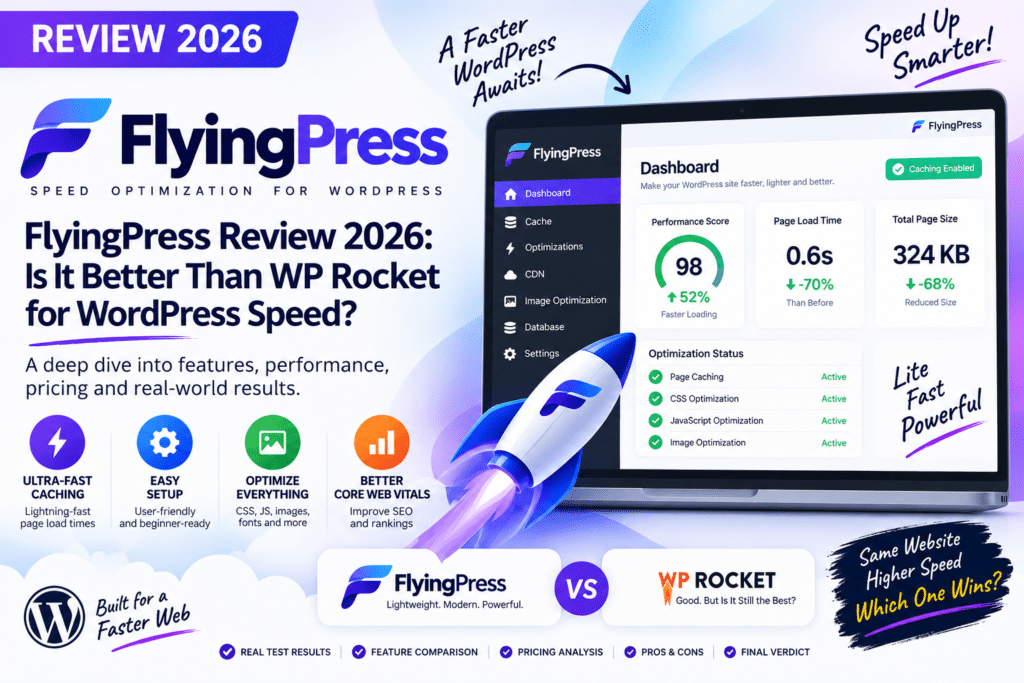
WordPress performance plugins have become more advanced than simple page caching. Modern websites need help with JavaScript execution, unused CSS, images, fonts, caching, and Core Web Vitals.
FlyingPress is a premium WordPress performance plugin designed to handle many of these optimizations from one dashboard. It is frequently compared with WP Rocket, one of the most established premium caching plugins.
So, is FlyingPress better than WP Rocket in 2026?
In this review, we’ll examine its major features, performance approach, advantages, limitations, and which type of WordPress website should use it.
Testing note: This is a feature-based review and configuration assessment. We have not run a controlled head-to-head benchmark, so no fabricated PageSpeed scores or loading-time results are presented.
Quick Verdict
Editorial Rating: 4.7/5
FlyingPress is one of the strongest premium WordPress performance plugins for users who want aggressive frontend optimization without managing several separate plugins.
Its combination of page caching, CSS optimization, JavaScript handling, image optimization features, font optimization, and cache preloading makes it particularly attractive for Core Web Vitals-focused websites.
WP Rocket remains an excellent choice for users who prioritize simplicity and broad compatibility.
What Is FlyingPress?
FlyingPress is a premium WordPress speed optimization plugin created by Gijo Varghese.
It is designed to improve performance through several techniques rather than relying only on traditional page caching.
Its optimization toolkit focuses on areas such as:
- Page caching
- Cache preloading
- CSS optimization
- JavaScript optimization
- Image lazy loading
- Font optimization
- Database optimization
- Core Web Vitals
- CDN integration
This makes FlyingPress suitable for blogs, business websites, WooCommerce stores, and page-builder websites.
1. Page Caching
Page caching reduces the amount of processing WordPress needs to perform for repeat page requests.
FlyingPress creates optimized cached pages that can be served more efficiently to visitors.
This can reduce server processing and improve response times.
Like other caching plugins, dynamic areas of WooCommerce and membership websites require appropriate handling.
2. Remove Unused CSS
Large WordPress themes and page builders can load CSS that isn’t required for every page.
FlyingPress includes unused CSS optimization designed to reduce unnecessary stylesheet overhead.
This can be particularly valuable for websites built with:
- Elementor
- WPBakery
- Gutenberg blocks
- WooCommerce
- Feature-heavy themes
Reducing unused CSS can improve rendering efficiency, but layouts should always be tested after optimization.
3. JavaScript Optimization
JavaScript is one of the most common sources of WordPress performance problems.
FlyingPress provides controls designed to optimize JavaScript delivery, including delaying suitable scripts until user interaction.
This can reduce the amount of JavaScript competing for browser resources during the initial page load.
However, delayed scripts should be tested carefully.
Check:
- Navigation
- Forms
- Popups
- Analytics
- Cookie banners
- Sliders
- Search
- WooCommerce cart
- Checkout
after enabling aggressive JavaScript optimization.
4. Cache Preloading
FlyingPress can preload pages so visitors are less likely to encounter an uncached page.
Instead of waiting for a visitor to generate a cached version, preloading prepares suitable pages beforehand.
This is useful for websites with many important landing pages or articles.
Large websites should still monitor server resources during aggressive cache-preloading operations.
5. Image Optimization Features
Images are often responsible for a large percentage of page weight.
FlyingPress provides image-related performance features such as lazy loading and controls designed to improve image delivery.
Depending on your overall setup, additional image optimization or CDN services may still be useful.
For best results, upload appropriately sized images instead of relying entirely on optimization plugins to fix oversized files.
6. Font Optimization
Custom fonts can negatively affect loading performance when they are configured poorly.
FlyingPress provides font optimization options intended to improve how fonts are delivered.
This is especially useful for websites loading multiple font families and weights.
For maximum performance, avoid loading font variations that your design does not actually use.
7. Database Optimization
WordPress databases accumulate unnecessary information over time.
FlyingPress includes database-cleaning functionality that can help remove suitable unnecessary data.
Depending on the website, this may include items such as:
- Post revisions
- Auto drafts
- Trashed content
- Spam comments
- Expired transients
Always create a database backup before performing cleanup.
WooCommerce and membership websites require additional caution because their databases contain important customer and transaction information.
8. FlyingCDN Integration
FlyingPress can be combined with FlyingCDN for broader content delivery optimization.
A CDN distributes website resources through geographically distributed infrastructure so visitors can receive suitable content from locations closer to them.
A CDN can be particularly valuable for websites serving an international audience.
FlyingCDN is a separate service, so factor its current cost into your performance budget.
FlyingPress and Core Web Vitals
FlyingPress includes several optimizations that can contribute to better Core Web Vitals.
For example:
Largest Contentful Paint (LCP) may benefit from better caching, image delivery, and critical resource optimization.
Interaction to Next Paint (INP) may benefit from reducing unnecessary JavaScript execution.
Cumulative Layout Shift (CLS) can be influenced by properly handling images, fonts, and other visual elements.
However, no plugin can guarantee passing Core Web Vitals.
Hosting, theme design, third-party scripts, advertisements, images, and page structure remain important.
FlyingPress and Elementor
FlyingPress is particularly interesting for Elementor websites because page builders can produce significant CSS and JavaScript.
Optimization features can help reduce the frontend impact of these assets.
After configuration, test:
Header → Mega menu → Elementor widgets → Forms → Popups → Animations → Mobile navigation → Footer
Do not assume every CSS or JavaScript optimization is automatically safe for every Elementor setup.
FlyingPress and WooCommerce
FlyingPress can also be used on WooCommerce stores.
WooCommerce performance is more complicated because several pages contain dynamic or customer-specific information.
Pay special attention to:
- Cart
- Checkout
- My Account
- Product variations
- Mini cart
- Wishlist
- Payment gateways
Test a complete purchase after making major caching or JavaScript changes.
FlyingPress vs WP Rocket
This is the comparison most WordPress users want to see.
| Feature | FlyingPress | WP Rocket |
|---|---|---|
| Page caching | Yes | Yes |
| Cache preloading | Yes | Yes |
| CSS optimization | Strong | Strong |
| JavaScript optimization | Strong | Strong |
| Delay JavaScript | Yes | Yes |
| Image lazy loading | Yes | Yes |
| Font optimization | Strong | Available |
| Database cleanup | Yes | Yes |
| CDN option | FlyingCDN | RocketCDN/integrations |
| Ease of use | Excellent | Excellent |
| Advanced frontend optimization | Excellent | Excellent |
| Best For | Performance-focused users | Broad ease of use |
Both plugins are excellent.
The main difference is less about whether one can cache WordPress and more about their optimization workflow and configuration approach.
Is FlyingPress Faster Than WP Rocket?
There is no universal answer.
On one website, FlyingPress may produce better results. On another, WP Rocket may perform equally well or better.
Results depend on:
- Hosting
- Server caching
- Theme
- Page builder
- Plugins
- Images
- Fonts
- Third-party scripts
- WooCommerce
- CDN configuration
The best comparison is to test both plugins separately on the same staging website using identical conditions.
Do not run FlyingPress and WP Rocket simultaneously during such a comparison.
FlyingPress vs LiteSpeed Cache
LiteSpeed Cache has a major advantage on compatible LiteSpeed infrastructure because it can use server-level caching.
It also offers an extensive optimization ecosystem through QUIC.cloud.
FlyingPress provides a more consistent premium-plugin experience across different hosting environments.
If your hosting uses LiteSpeed, test LiteSpeed Cache first.
For other hosting environments, FlyingPress can be a compelling premium alternative.
FlyingPress vs Swift Performance
Both plugins provide much more than basic page caching.
Swift Performance offers extensive configuration controls, while FlyingPress generally presents modern frontend optimization in a cleaner workflow.
Users who enjoy detailed manual configuration may appreciate Swift Performance.
Users looking for a balance between advanced optimization and usability may prefer FlyingPress.
Pros and Cons
Pros
- Powerful page caching
- Cache preloading
- Unused CSS optimization
- Advanced JavaScript optimization
- Lazy loading
- Font optimization
- Database cleanup
- Core Web Vitals-focused features
- Works with Elementor
- Suitable for WooCommerce
- Optional CDN service
- Clean interface
Cons
- Premium plugin
- FlyingCDN costs separately
- Aggressive optimization requires testing
- Results vary by website
- Some features may overlap with hosting optimization
- LiteSpeed users already have a strong free alternative
Who Should Use FlyingPress?
FlyingPress is particularly suitable for:
- Performance-focused WordPress websites
- Bloggers
- Agencies
- Elementor websites
- WooCommerce stores
- Business websites
- Affiliate websites
- Publishers
- Websites targeting Core Web Vitals improvements
It is especially attractive when you want several optimization features managed from one plugin.
Who Should Skip FlyingPress?
FlyingPress may not be necessary if your hosting stack already provides excellent caching and frontend optimization.
LiteSpeed users should compare LiteSpeed Cache before purchasing another performance plugin.
Likewise, very simple WordPress websites may not need every advanced feature FlyingPress provides.
Is FlyingPress Better Than WP Rocket in 2026?
FlyingPress can be better for users who prioritize advanced frontend optimization, but WP Rocket remains extremely competitive.
FlyingPress provides an impressive combination of caching, CSS optimization, JavaScript controls, font handling, and other performance features.
WP Rocket’s major advantage is its mature, streamlined approach to WordPress optimization and ease of configuration.
Therefore:
Choose FlyingPress if: you want powerful modern optimization controls and don’t mind testing advanced settings.
Choose WP Rocket if: you prioritize a polished, straightforward caching experience with broad WordPress compatibility.
Neither plugin is guaranteed to be faster on every website.
Final Verdict
Overall Rating: 4.7/5
Caching: 4.8/5
CSS Optimization: 4.8/5
JavaScript Optimization: 4.8/5
Core Web Vitals Tools: 4.8/5
Ease of Use: 4.6/5
WooCommerce: 4.5/5
Value: 4.6/5
FlyingPress is one of the strongest WordPress performance plugins available in 2026.
Its biggest appeal is the combination of traditional caching and modern frontend optimization within a relatively straightforward interface.
Is it automatically better than WP Rocket? No.
But for performance-focused website owners willing to fine-tune and test their configuration, FlyingPress is an excellent WP Rocket alternative.
Frequently Asked Questions
What is FlyingPress?
FlyingPress is a premium WordPress caching and performance optimization plugin designed to improve page caching, CSS, JavaScript, images, fonts, and other performance areas.
Is FlyingPress better than WP Rocket?
FlyingPress offers powerful frontend optimization, while WP Rocket provides an extremely polished all-around caching experience. The better option depends on the website and configuration.
Can I use FlyingPress with Elementor?
Yes. It can be used on Elementor websites, although advanced CSS and JavaScript optimizations should always be tested.
Does FlyingPress work with WooCommerce?
Yes. Dynamic WooCommerce pages and customer-specific functionality require appropriate caching rules and testing.
Can FlyingPress improve Core Web Vitals?
Its optimization features can help address several performance bottlenecks, but it cannot guarantee specific Core Web Vitals results.
Can I use FlyingPress and WP Rocket together?
Generally, no. Both provide overlapping caching and optimization features, so using them simultaneously can create conflicts.
Is FlyingCDN included with FlyingPress?
FlyingCDN is a related service rather than something you should assume is included free with every FlyingPress license. Check current plan details and pricing before purchasing.



