
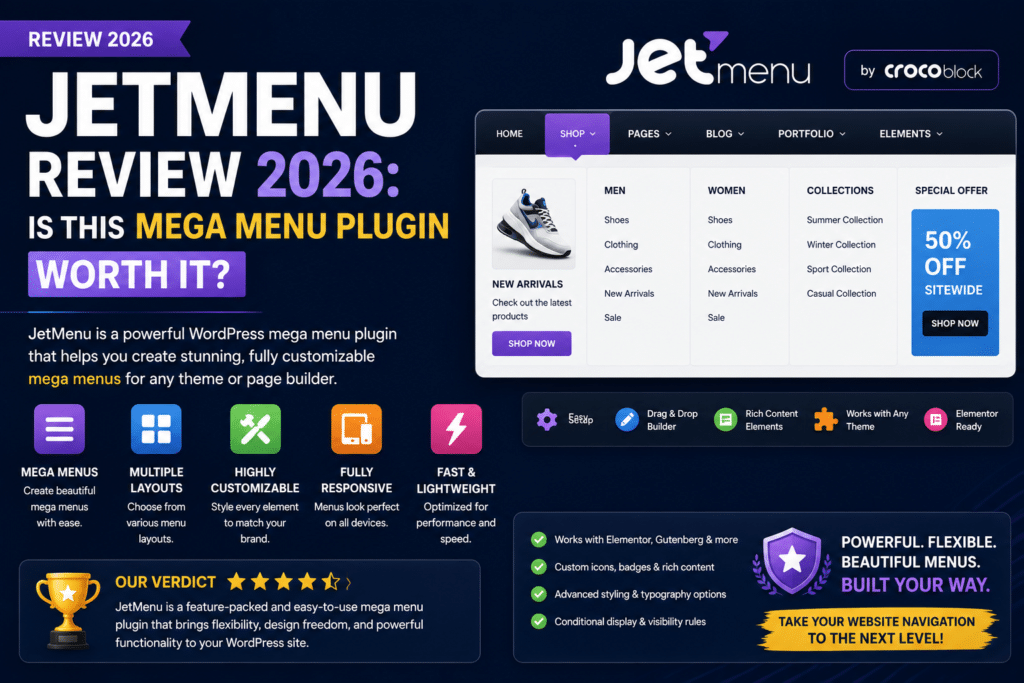
A basic WordPress navigation menu works well for smaller websites, but larger websites often need something more powerful.
Online stores may want product categories with images. Blogs may need multi-column navigation. Business websites might want icons, promotional banners, or featured content directly inside their menus.
That’s where JetMenu comes in.
JetMenu is a WordPress mega menu plugin from Crocoblock designed to help create more advanced navigation menus, including mega menus, dropdowns, and mobile-friendly navigation.
But is JetMenu worth using in 2026?
In this JetMenu review, we’ll look at its main features, customization options, Elementor compatibility, WooCommerce use cases, pros, cons, and who should use it.
JetMenu Review 2026: Quick Verdict
Overall Rating: 4.5/5
JetMenu is a strong choice for WordPress users who need visually rich navigation without developing a mega menu system from scratch.
It is particularly attractive for Elementor and Crocoblock users.
Best For
- Elementor websites
- WooCommerce stores
- Large blogs
- Magazine websites
- Business websites
- Crocoblock users
- Websites with complex navigation
Main Drawback
JetMenu is unnecessary for websites that only need simple navigation.
It also makes the most sense when your website already fits into the Elementor/Crocoblock ecosystem.
What Is JetMenu?
JetMenu is a WordPress plugin developed by Crocoblock for creating advanced navigation systems.
Instead of being limited to ordinary text dropdowns, a mega menu can contain richer content and more sophisticated layouts.
For example, an online store could create:
Shop
→ Men’s Clothing
→ Women’s Clothing
→ Shoes
→ Accessories
→ Featured Products
→ Current Sale
These sections can be organized into a larger visual navigation panel rather than a long basic dropdown.
This can make large websites considerably easier to navigate.
1. Mega Menu Builder
The main reason to use JetMenu is its mega menu functionality.
Traditional WordPress menus usually contain simple hierarchical links.
Mega menus can organize larger amounts of navigation content into visually structured sections.
For example:
WordPress Products
| Themes | Plugins | Popular |
|---|---|---|
| Business Themes | SEO Plugins | Elementor Pro |
| WooCommerce Themes | Cache Plugins | WP Rocket |
| Blog Themes | Security Plugins | ACF Pro |
This approach works especially well when a website contains many categories.
2. Elementor Integration
JetMenu is particularly relevant for Elementor users.
Instead of relying entirely on custom CSS and PHP to design navigation, Elementor-based workflows can be used to create richer menu content.
This is one of JetMenu’s strongest advantages.
If your website already uses Elementor extensively, JetMenu can fit naturally into your existing design workflow.
Good Combination
Elementor + JetMenu
This combination can be useful for:
- Custom headers
- Mega menus
- Navigation dropdowns
- eCommerce navigation
- Marketing websites
3. Vertical Mega Menus
Not every website needs horizontal navigation.
JetMenu can also be useful for building vertical menu structures.
This is particularly useful for eCommerce websites with many product categories.
For example:
All Categories
→ Electronics
→ Computers
→ Fashion
→ Home & Garden
→ Beauty
→ Sports
→ Automotive
Hovering or interacting with a category can reveal additional subcategories.
Vertical mega menus are especially useful for marketplace-style websites.
4. Rich Menu Content
A major advantage of mega menus is that navigation doesn’t need to consist only of text links.
Depending on your layout and setup, menu areas can incorporate richer content such as:
- Images
- Icons
- Headings
- Buttons
- Product categories
- Promotional sections
- Featured content
This allows the navigation itself to become part of the website’s marketing strategy.
For example, a WooCommerce store could include a Summer Sale banner inside its Shop mega menu.
5. Mobile Navigation
Mobile navigation is extremely important in 2026.
A beautiful desktop mega menu isn’t useful if visitors struggle to navigate it on smartphones.
JetMenu provides tools for creating responsive navigation experiences for different screen sizes.
When building a mega menu, always test:
- Smartphones
- Tablets
- Desktop computers
Keep mobile menus simpler than desktop navigation whenever possible.
6. Menu Styling
JetMenu provides extensive styling controls for navigation elements.
Depending on the menu configuration, you can customize elements such as:
- Typography
- Backgrounds
- Spacing
- Menu item appearance
- Dropdown appearance
- Icons
- Hover states
This makes it easier to match navigation with the rest of your website’s branding.
For Elementor users, visual controls are a major advantage compared with manually coding every menu style.
7. WooCommerce Mega Menus
WooCommerce is one of the strongest JetMenu use cases.
Large online stores often have too many categories for a standard navigation menu.
Imagine an apparel store:
Men
- Shirts
- Jeans
- Jackets
- Shoes
- Accessories
Women
- Dresses
- Tops
- Jeans
- Shoes
- Accessories
Collections
- New Arrivals
- Best Sellers
- Sale
A mega menu can organize these options into logical columns.
You can also use visual elements to highlight promotions or important categories.
JetMenu for WooCommerce: 4.7/5
For stores with complex product catalogs, JetMenu can significantly improve navigation.
8. JetMenu for Blogs and Magazine Websites
Mega menus aren’t only for eCommerce.
Large publishing websites can also benefit.
For example, a WordPress-focused blog could organize navigation into:
Themes
Business | Blog | WooCommerce | Multipurpose
Plugins
SEO | Security | Speed | Page Builders
Tutorials
WordPress | Elementor | WooCommerce | SEO
This allows visitors to discover content much faster than navigating through a basic dropdown.
9. JetMenu for Business Websites
A large business website may contain:
- Services
- Industries
- Solutions
- Case studies
- Resources
- Locations
- Company information
A mega menu can organize these pages into logical groups.
However, smaller company websites with five or six main pages probably don’t need JetMenu.
Simple navigation is usually better when the website itself is simple.
JetMenu Ease of Use
Ease of Use: 4.4/5
JetMenu is easier than manually developing a custom mega menu, particularly if you already understand Elementor and Crocoblock.
There is still a learning curve.
Beginners need to understand:
- WordPress menus
- Mega menu structure
- Responsive navigation
- Elementor layouts
- Menu styling
Once the initial setup is understood, creating additional menu sections becomes easier.
JetMenu Performance
Mega menus naturally contain more elements than basic navigation.
That means poor design can increase page complexity.
For good performance:
- Optimize menu images
- Avoid unnecessary animations
- Keep menu structures reasonable
- Avoid excessive widgets
- Use caching
- Test mobile performance
Don’t turn a navigation menu into an entire homepage.
A mega menu should help visitors navigate—not overwhelm them.
JetMenu and SEO
JetMenu isn’t an SEO plugin, but website navigation can influence usability and internal linking.
A well-designed navigation structure can make important sections easier for both visitors and search engines to discover.
However, adding hundreds of unnecessary links to every page isn’t automatically good for SEO.
Keep navigation focused on important categories and pages.
JetMenu vs Elementor Menu
For basic navigation, Elementor’s available navigation tools may be enough.
JetMenu becomes more attractive when you need:
- Complex mega menus
- Rich dropdown content
- Large category navigation
- Vertical navigation
- More advanced menu layouts
Basic Website
Elementor navigation may be enough.
Complex Website
JetMenu provides more specialized mega-menu functionality.
JetMenu vs Max Mega Menu
Max Mega Menu is another popular WordPress mega menu solution.
JetMenu
Best suited to:
- Elementor users
- Crocoblock users
- Visual design workflows
- Dynamic websites
Max Mega Menu
Best suited to:
- General WordPress websites
- Users wanting a dedicated mega-menu solution
- Sites not centered around Elementor
If your website already relies heavily on Elementor and Crocoblock, JetMenu is generally the more natural choice.
JetMenu Pros
Powerful Mega Menus
Create more sophisticated navigation than standard WordPress dropdowns.
Elementor Friendly
Excellent choice for Elementor-based websites.
WooCommerce Friendly
Useful for organizing large product catalogs.
Visual Customization
Menus can match your site’s branding and design.
Rich Content
Navigation can contain more than simple text links.
Vertical Navigation
Useful for stores and marketplace-style websites.
Responsive
Designed with desktop and mobile navigation needs in mind.
JetMenu Cons
Premium Plugin
You’ll need to consider the additional cost compared with using WordPress’s basic navigation.
Learning Curve
Mega menus require more planning than ordinary menus.
Overkill for Small Websites
A five-page business website doesn’t need a complicated mega menu.
Easy to Overdesign
Too many images, animations, columns, and links can hurt usability.
Best Within Crocoblock Ecosystem
Users already working with Elementor and Crocoblock are likely to get the most value from it.
Who Should Use JetMenu?
JetMenu is worth considering if you:
- Use Elementor
- Use Crocoblock products
- Run a WooCommerce store
- Have many categories
- Need multi-column navigation
- Want visually rich menus
- Run a large content website
Who Should Skip JetMenu?
You probably don’t need it if:
- Your site has simple navigation
- You only have a few pages
- You’re happy with your theme’s menu
- You don’t need mega menus
- You want the lightest possible navigation setup
Don’t add a mega-menu plugin simply because it looks impressive.
Use one when it genuinely makes navigation easier.
Is JetMenu Worth It in 2026?
For the right website, yes.
JetMenu solves a specific problem: creating sophisticated WordPress navigation without manually developing a complete mega-menu system.
It is particularly useful for Elementor websites, WooCommerce stores, large blogs, and other sites with complex navigation.
The plugin becomes less valuable when your navigation is already simple.
If visitors can reach everything they need through five clear menu links, adding a giant mega menu could make the experience worse rather than better.
Final Verdict
Overall Rating: 4.5/5
Mega Menu Features: 4.8/5
Elementor Integration: 4.8/5
WooCommerce Use: 4.7/5
Ease of Use: 4.4/5
Customization: 4.7/5
Performance Potential: 4.2/5
Beginner Friendliness: 4.1/5
JetMenu is a strong mega menu plugin for WordPress users who need advanced navigation, especially those already building with Elementor and Crocoblock.
For large WooCommerce stores and content-heavy websites, the additional navigation flexibility can be extremely valuable.
For small websites, stick with a simpler menu.
Frequently Asked Questions
What is JetMenu?
JetMenu is a WordPress mega menu plugin from Crocoblock designed for creating advanced navigation menus and dropdown layouts.
Does JetMenu work with Elementor?
Yes. Elementor integration is one of the primary reasons many users choose JetMenu.
Is JetMenu good for WooCommerce?
Yes. It is particularly useful for WooCommerce stores with many product categories and subcategories.
Can JetMenu create vertical menus?
Yes. Vertical navigation is useful for eCommerce and marketplace-style websites.
Is JetMenu beginner friendly?
It is reasonably beginner friendly, especially for users already familiar with Elementor, although building effective mega menus requires some learning.
Does JetMenu slow down WordPress?
A well-designed menu shouldn’t automatically make a site slow, but complex menus containing excessive images, widgets, effects, or scripts can add frontend weight.
Do I need JetMenu with Elementor?
Not necessarily. Basic websites can use simpler navigation. JetMenu is most useful when you specifically need advanced mega-menu functionality.
Is JetMenu worth buying?
It can be worth it for Elementor websites, WooCommerce stores, and large content sites that genuinely need complex navigation.



