
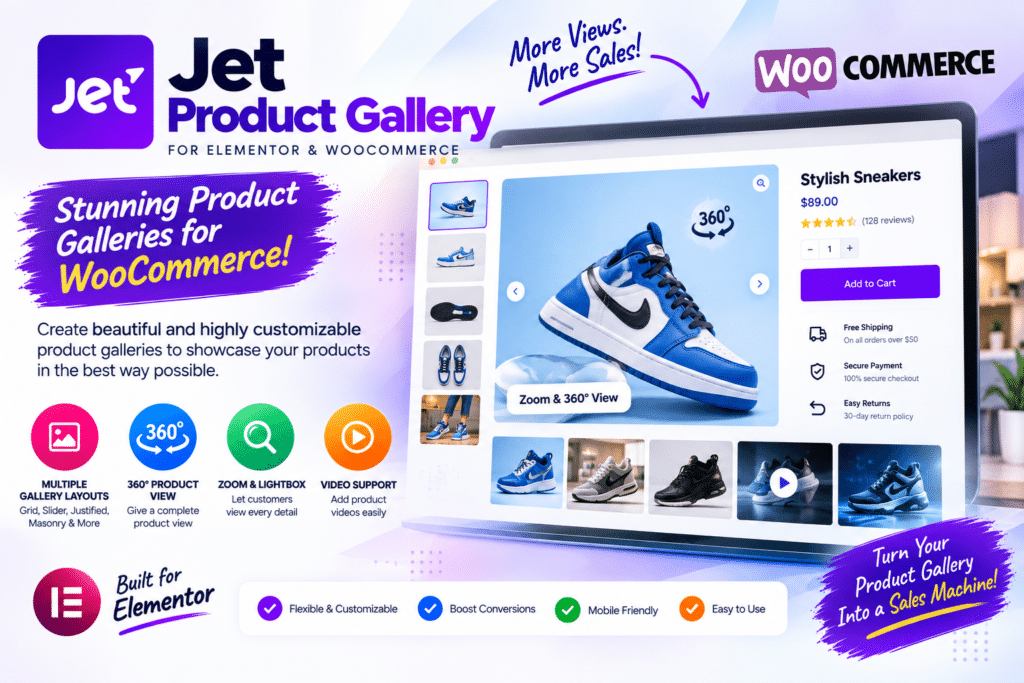
Product images can make or break an online store.
Customers can’t physically inspect a product before buying, so your gallery has to do much of that work. Clear images, multiple angles, zoom functionality, and an easy-to-use gallery can make product pages feel far more professional.
JetProductGallery by Crocoblock is designed to give WooCommerce users more control over how product images are displayed.
But do you actually need another WooCommerce gallery plugin? Let’s look at what JetProductGallery offers and where it makes sense.
Quick Verdict
Editorial Rating: 4.5/5
JetProductGallery is a useful option for WooCommerce stores that want more control over product image presentation, particularly websites already using Elementor and Crocoblock tools.
It can help turn a basic WooCommerce gallery into a more polished product showcase without requiring you to manually code the entire gallery.
For a simple store where the default WooCommerce gallery already works well, however, it may not be essential.
What Is JetProductGallery?
JetProductGallery is a Crocoblock plugin created for displaying WooCommerce product media in more flexible gallery layouts.
It is especially relevant for stores where product photography plays a major role in purchasing decisions.
Think of websites selling:
- Fashion
- Shoes
- Furniture
- Electronics
- Beauty products
- Accessories
- Home décor
- Jewelry
Instead of relying entirely on the default WooCommerce image presentation, you can create a more customized product-gallery experience.
Different Product Gallery Layouts
One of JetProductGallery’s main benefits is layout flexibility.
Different products need different presentations.
A fashion store might prefer a large image with thumbnails, while a furniture website may want a gallery that gives several photographs more visual space.
JetProductGallery provides gallery-oriented widgets/layout options that can be used to build a product-media section that better matches your store design.
Gallery Grid
A grid is useful when you want customers to see several product images without repeatedly navigating through a slider.
For example, a shoe store might display:
Front View | Side View
Back View | Detail View
This works particularly well when product photography is one of the main selling points.
Product Slider
For stores that want a more compact product page, a slider-style presentation can make more sense.
Visitors can move through different product photographs without having every image occupy a large amount of vertical space.
This is useful for products with many images.
However, navigation should remain obvious on mobile devices.
Product Image Zoom
Customers often want to inspect small product details.
Zoom functionality can be especially useful for:
- Jewelry
- Clothing
- Watches
- Furniture materials
- Electronics
- Artwork
- Premium products
A customer looking at a jacket, for example, may want to inspect its fabric texture before buying.
High-resolution product photography combined with a usable zoom experience can make the gallery much more informative.
Lightbox Experience
A lightbox allows customers to view product media in a larger format without permanently leaving the product page.
This can create a cleaner browsing experience, particularly when your original images contain important details.
The gallery should still be tested on both desktop and mobile devices.
An impressive desktop lightbox that is difficult to close on a phone is not a good customer experience.
JetProductGallery and Elementor
JetProductGallery is particularly interesting for Elementor users.
You can combine gallery functionality with the rest of your product-page design rather than treating the WooCommerce gallery as an isolated element.
For example:
Product Gallery
Product Title
Rating
Price
Short Description
Variation Selection
Add to Cart
Delivery Information
This gives designers more control over the overall product-page experience.
Building Custom WooCommerce Product Pages
The plugin becomes more useful when you’re creating custom WooCommerce templates.
Instead of accepting the standard product-page design, you can build a layout around your brand.
For example:
Fashion Store
Large product images → thumbnails → product information → size selection → add to cart.
Electronics Store
Product gallery → specifications → price → purchase controls → technical details.
Furniture Store
Large lifestyle photography → detailed images → dimensions → materials → purchase information.
The best gallery structure depends on what customers need to see before making a decision.
JetProductGallery + JetWooBuilder
JetProductGallery can make particular sense inside a wider Crocoblock WooCommerce setup.
JetWooBuilder focuses on creating customized WooCommerce pages and templates, while JetProductGallery focuses more specifically on product-media presentation.
Together, these tools can give store owners significantly more design control than default WooCommerce layouts.
That said, don’t install additional plugins simply because they belong to the same ecosystem.
Use them when they solve a real design or functionality problem.
JetProductGallery vs Default WooCommerce Gallery
| Feature | JetProductGallery | Default WooCommerce |
|---|---|---|
| Basic product images | Yes | Yes |
| Gallery customization | Stronger | Basic |
| Elementor-focused workflow | Strong | Limited |
| Custom gallery layouts | Strong | Limited |
| Zoom/lightbox experience | More customizable | Basic/theme dependent |
| Setup simplicity | Moderate | Excellent |
| Best for | Custom stores | Simple stores |
The default WooCommerce gallery is not necessarily bad.
For a small store with straightforward products, it may be all you need.
JetProductGallery becomes more valuable when presentation and layout flexibility matter.
JetProductGallery vs Elementor Pro
Elementor Pro provides powerful WooCommerce design capabilities.
So why use JetProductGallery?
The main reason is specialized product-gallery functionality.
Elementor can handle the wider product template, while a dedicated gallery plugin can provide additional control over how product media is presented.
For many stores, these tools can complement each other rather than being direct replacements.
Mobile Experience
Product galleries need special attention on mobile devices.
Customers should be able to:
- Swipe comfortably
- View images clearly
- Open larger images
- Close the lightbox easily
- Understand which image is selected
- Reach the product information quickly
Don’t make customers scroll through ten enormous images before they can even find the price or Add to Cart button.
Mobile usability should influence your gallery layout.
Image Optimization
High-quality product images are important, but uploading enormous image files can slow down the entire store.
Before uploading product photography:
- Resize oversized images
- Compress files
- Use suitable modern image formats where appropriate
- Configure responsive images correctly
- Consider lazy loading
- Use caching carefully
- Test Core Web Vitals
A beautiful gallery that takes several seconds to load can hurt the shopping experience.
WooCommerce Performance
Adding gallery functionality doesn’t automatically mean your store will become slow.
Performance depends on the complete website setup.
Factors include:
Hosting + Theme + Plugins + Images + JavaScript + Fonts + Tracking Scripts + Caching
Product photography is often one of the biggest contributors to page weight.
If you’re using JetProductGallery, optimize the images before blaming the gallery plugin for every performance problem.
User Experience Tips
Don’t treat the gallery as decoration.
Use it to answer customer questions visually.
For a physical product, consider including:
- Main product photo
- Alternative angle
- Close-up
- Product in use
- Size reference
- Important details
- Packaging where relevant
Every image should have a reason to exist.
Five useful photographs are usually better than fifteen repetitive ones.
Pros and Cons
Pros
- Built for WooCommerce product galleries
- Multiple presentation possibilities
- Strong fit for Elementor websites
- Useful image zoom experience
- Lightbox functionality
- Suitable for custom product templates
- Integrates naturally with the Crocoblock ecosystem
- Good for image-focused stores
- Reduces the need for custom gallery coding
Cons
- Not necessary for every WooCommerce store
- Adds another plugin to maintain
- Requires setup and styling
- Large images can still hurt performance
- Some functionality may overlap with your theme or other plugins
- Most valuable when you need custom product-gallery layouts
Who Should Use JetProductGallery?
JetProductGallery makes the most sense for:
- WooCommerce stores
- Elementor users
- Crocoblock users
- Fashion stores
- Furniture stores
- Jewelry websites
- Electronics shops
- Beauty stores
- Product-focused marketplaces
- Agencies building custom WooCommerce sites
If customers need to closely inspect products before purchasing, investing in a better gallery experience can be worthwhile.
Who Should Skip It?
You may not need JetProductGallery if your theme already provides an excellent WooCommerce product gallery.
It can also be unnecessary for stores where product imagery isn’t particularly important or where the default WooCommerce layout already meets all requirements.
Avoid adding plugins without a clear purpose.
Is JetProductGallery Worth It in 2026?
JetProductGallery is worth considering if you want greater control over WooCommerce product-media presentation, especially within an Elementor or Crocoblock workflow.
Its biggest advantage is specialization.
Rather than trying to replace your entire WooCommerce design system, it focuses on an important part of the product page: showing products properly.
For visually driven stores, that can make a meaningful difference to the shopping experience.
Final Verdict
Overall Rating: 4.5/5
Gallery Features: 4.7/5
Elementor Integration: 4.8/5
WooCommerce Use: 4.7/5
Customization: 4.6/5
Ease of Use: 4.4/5
Performance: 4.3/5
Value: 4.5/5
JetProductGallery is a useful WooCommerce enhancement for store owners who have outgrown their basic product gallery.
It is particularly appealing for Elementor and Crocoblock users building highly customized product pages.
Just remember that the plugin is only one part of a good gallery. High-quality photography, sensible image optimization, mobile usability, and a clean product-page layout are equally important.
Frequently Asked Questions
What is JetProductGallery?
JetProductGallery is a Crocoblock WordPress plugin focused on creating more customizable product-media galleries for WooCommerce websites.
Does JetProductGallery work with WooCommerce?
Yes. WooCommerce product presentation is its primary use case.
Is JetProductGallery good for Elementor?
It is particularly relevant to Elementor-based WooCommerce websites and custom product-page workflows.
Does JetProductGallery support product image zoom?
The plugin provides product-gallery functionality designed to improve how shoppers interact with and inspect product media.
Do I need JetProductGallery with Elementor Pro?
Not necessarily. If your existing Elementor and WooCommerce setup already provides the gallery experience you need, an additional plugin may not be required.
Will JetProductGallery slow down WooCommerce?
Performance depends on the full website setup. Large unoptimized product images, scripts, hosting, and other plugins can all affect loading speed.
Who should use JetProductGallery?
It is most useful for WooCommerce stores where product photography is important and the default gallery doesn’t provide enough design flexibility.



