
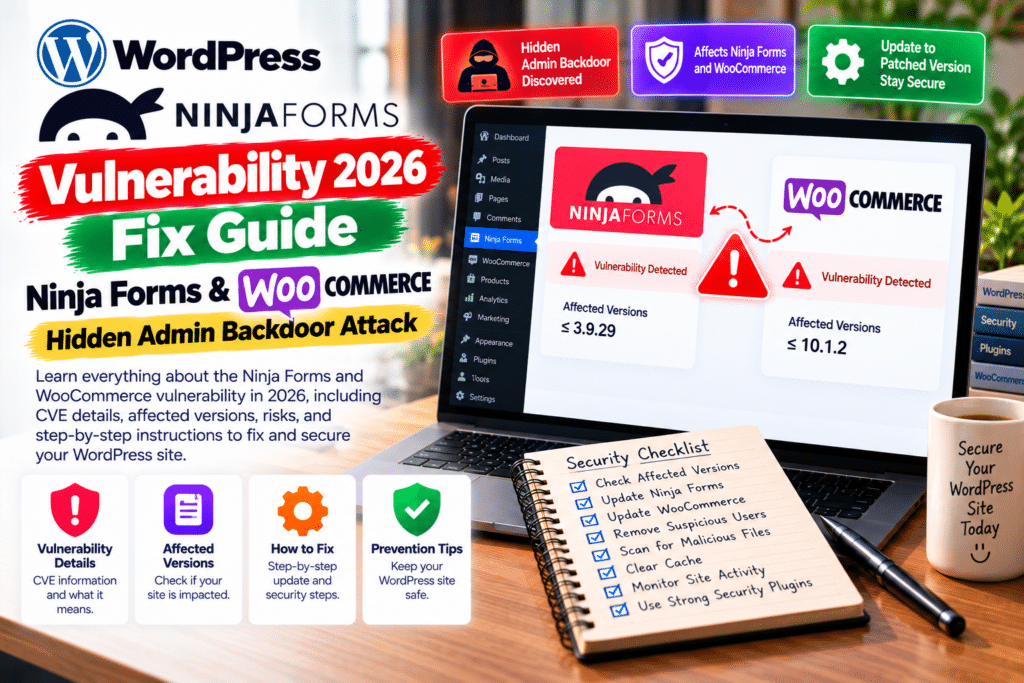
A new WordPress security campaign is targeting two popular plugins: Ninja Forms and WPC Product Bundles for WooCommerce.
According to Patchstack, attackers are exploiting stored cross-site scripting (XSS) vulnerabilities to create unauthorized administrator accounts and install persistent backdoors.
The campaign was first observed on October 4, 2026. Although exploitation attempts appear limited, the consequences of a successful attack can be serious.
Here’s what WordPress website owners need to know.
Vulnerability Summary
| Details | Ninja Forms | WPC Product Bundles |
|---|---|---|
| CVE ID | CVE-2026-94504 | CVE-2026-93836 |
| Vulnerability | Stored XSS | Stored XSS |
| CVSS Score | 7.1 | 7.1 |
| Affected Versions | 3.15.3 and earlier | 8.6.6 and earlier |
| First Patched Version | 3.15.4 | 8.6.7 |
| Exploitation | Observed October 5 | Observed October 4 |
| Recommended Action | Update and scan | Update and scan |
Both vulnerabilities can be triggered without an attacker account. However, successful execution of the malicious script requires an administrator to view the affected content.
What Happened in the October 2026 Attacks?
Patchstack researchers discovered attackers using two unrelated plugin vulnerabilities to deliver the same malicious JavaScript.
The first attacks targeted WPC Product Bundles for WooCommerce on October 4.
A day later, researchers observed similar activity targeting Ninja Forms.
In both cases, malicious content could be stored in information that WordPress administrators normally review.
When an administrator opened the affected submission or order, the injected script could execute within their authenticated session.
This allowed the attack to move beyond a typical website scripting problem.
How Does the Hidden Admin Backdoor Work?
The campaign is particularly concerning because attackers attempted to establish several methods of persistent access.
Patchstack identified four potential access mechanisms:
- A visible unauthorized administrator account.
- A second administrator account hidden from the WordPress dashboard.
- A concealed login mechanism.
- A malicious plugin containing unauthorized file-management functionality.
The hidden account is especially dangerous because it may not appear under Users → All Users.
An administrator could inspect the dashboard and mistakenly believe the website is clean.
Removing the original vulnerable plugin alone may not eliminate these additional access mechanisms.
Ninja Forms Vulnerability: CVE-2026-94504
Ninja Forms is a popular WordPress form builder used for contact forms, surveys, and customer submissions.
The vulnerability affects versions 3.15.3 and earlier.
It involves insufficiently escaped content in the legacy administrative submission editor.
When an administrator views a malicious submission, unwanted JavaScript may execute.
Security fix: Ninja Forms 3.15.4, released September 21, strengthened output escaping on the affected screen.
Version 3.15.5 subsequently introduced additional security improvements for rich-text submissions.
Website owners should install the latest compatible release.
WPC Product Bundles Vulnerability: CVE-2026-93836
WPC Product Bundles helps WooCommerce stores sell multiple products together.
The vulnerability affects versions 8.6.6 and earlier.
Improper handling of certain product bundle quantity information could allow malicious content to be stored in order data.
That content could execute when viewed by a logged-in administrator.
Security fix: Version 8.6.7 addresses the reported vulnerability.
The developer’s changelog also documents additional stored XSS hardening in version 8.7.3.
For stronger protection, update to the latest compatible release.
How to Detect a Possible WordPress Backdoor
If your website used an affected version, investigate carefully.
1. Check Your Administrator Accounts
Review Users → All Users for unfamiliar accounts.
Because this campaign can hide users from the dashboard, ask your hosting provider or security specialist to audit administrator records directly in the database.
2. Scan WordPress Files
Use a reputable security scanner to identify unexpected plugins, modified files, and suspicious PHP scripts.
Investigate any unfamiliar plugin claiming to be WP Smart Thumbnails, particularly files inside its plugin directory.
3. Review Website Logs
Check HTTP and application logs from October 4 onward.
Patchstack identified imgcdn1.com as infrastructure associated with this campaign.
Treat suspicious matches as investigation leads, not automatic proof of compromise.
4. Inspect Must-Use Plugins
Ask your developer to review the wp-content/mu-plugins directory for unauthorized files.
Must-use plugins may not appear in the normal installed-plugin list.
How to Secure Your Website
Follow these steps immediately:
- Create a backup and preserve logs if compromise is suspected.
- Update Ninja Forms to at least version 3.15.4.
- Update WPC Product Bundles to at least version 8.6.7.
- Install newer security releases where compatible.
- Run a complete malware scan and investigate unfamiliar administrator accounts.
- Rotate passwords and access credentials if unauthorized activity is detected.
- Contact your hosting provider for professional incident response when necessary.
Remember: updating a plugin prevents exploitation of the patched vulnerability but does not automatically remove an existing backdoor.
Frequently Asked Questions
What is CVE-2026-94504?
It is a stored XSS vulnerability affecting Ninja Forms versions 3.15.3 and earlier.
What is CVE-2026-93836?
It is a stored XSS vulnerability affecting WPC Product Bundles versions 8.6.6 and earlier.
Are these vulnerabilities actively exploited?
Yes. Patchstack reported exploitation attempts beginning October 4, 2026.
Can hackers hide WordPress administrator accounts?
Yes. The investigated campaign includes malware designed to conceal unauthorized administrator accounts from the normal dashboard.
Is updating enough?
No. Previously compromised websites may require malware removal, database inspection, and credential rotation.
Final Verdict
The Ninja Forms and WooCommerce Product Bundles vulnerabilities in 2026 demonstrate how stored XSS can lead to serious website compromises.
Even patched websites should be investigated if they were exposed during the attack period.
Keep your plugins updated, review administrator access, and maintain secure backups.
For more WordPress security news, WooCommerce tutorials, and plugin updates, visit GPLNESTS.COM.



