
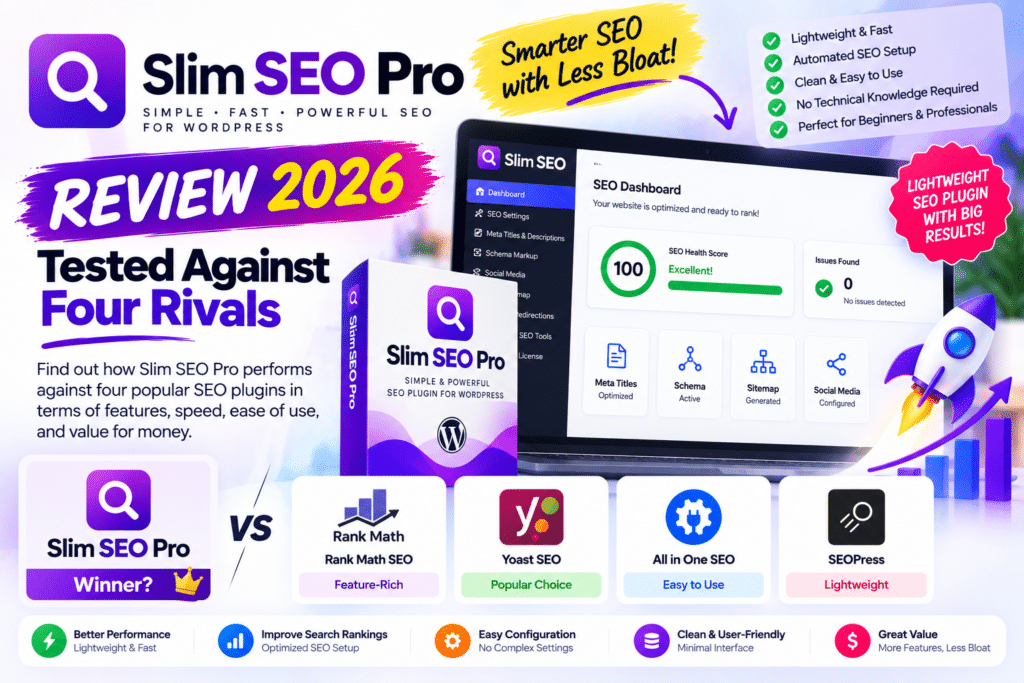
WordPress SEO plugins have become increasingly complicated.
Many now include dozens of settings, dashboards, scoring systems, AI tools, analytics panels, schema controls, redirects, and recommendations. That can be useful—but it can also make basic SEO feel more complicated than necessary.
Slim SEO Pro takes a different approach.
It focuses on advanced SEO functionality such as schema, internal links, Google Search Console data, entities, and content optimization while maintaining the lightweight philosophy behind Slim SEO.
But is Slim SEO Pro actually competitive with established alternatives?
In this review, we’ll compare it with four popular rivals:
Rank Math
Yoast SEO
SEOPress
The SEO Framework
Let’s see where Slim SEO Pro wins, where it falls behind, and whether it’s worth paying for in 2026.
Testing Note: This review evaluates current features, workflow, configuration options, integrations, usability, and SEO capabilities. It is not a controlled ranking experiment. No SEO plugin can guarantee higher Google rankings simply by being installed.
Quick Verdict
Editorial Rating: 4.6/5
Slim SEO Pro is an excellent option for WordPress users who want powerful technical SEO tools without turning their dashboard into a complicated SEO control center.
Its strongest areas are:
- Advanced schema
- Internal link management
- Broken-link monitoring
- Link suggestions
- Google Search Console integration
- Writing assistance
- Entity management
- Custom-field integration
- Clean interface
The biggest difference is its modular structure.
Slim SEO Free and Slim SEO Pro are separate plugins. Pro does not simply unlock every feature inside Free.
For the complete Slim SEO experience, many users will want to run both together.
What Is Slim SEO Pro?
Slim SEO Pro is a premium WordPress SEO plugin from the team behind Slim SEO and Meta Box.
It focuses primarily on advanced SEO functionality.
The current Pro feature set includes areas such as:
- Visual Schema Builder
- 30+ pre-built schema types
- Custom JSON-LD
- Dynamic schema data
- Internal link management
- Contextual link suggestions
- Broken-link monitoring
- Bulk link updates
- Google Search Console integration
- Writing Assistant
- Entity management
- Auto Link functionality
Slim SEO Pro works with posts, pages, and custom post types.
Slim SEO Free vs Slim SEO Pro
This is one of the most important things to understand before buying.
Slim SEO Pro is not simply Slim SEO Free with premium features unlocked.
They are separate plugins.
Slim SEO Free
The free plugin handles many core WordPress SEO requirements, including functionality around:
- Meta tags
- XML sitemaps
- Open Graph
- Basic structured data
- Core SEO automation
Slim SEO Pro
Pro concentrates on more advanced functionality:
- Custom schema
- Link Manager
- Writing Assistant
- Entities
- Search Console integration
- Advanced link tools
Slim SEO Pro can run independently.
However, if you want the free plugin’s automatic SEO functionality alongside Pro’s advanced features, both can be installed together.
This architecture is unusual compared with Rank Math or Yoast, but it keeps the tools more modular.
1. Visual Schema Builder
Schema is arguably one of Slim SEO Pro’s strongest features.
Its visual Schema Builder lets you create structured data without manually writing JSON-LD.
You select a schema type, configure properties, determine where it should appear, and connect the relevant dynamic data.
The plugin currently advertises 30+ pre-built schema types.
It also supports broader schema.org properties.
Dynamic Schema Data
The real value appears when building dynamic WordPress websites.
Schema properties can use dynamic information from areas such as:
Post Data
Site Data
User Data
Custom Fields
Imagine you have a custom post type called:
Software
with custom fields for:
Developer
Price
Version
Operating System
Rather than manually creating structured data for every software page, dynamic values can be mapped into your schema configuration.
That makes Slim SEO Pro particularly interesting for websites using custom post types.
ACF and Meta Box Integration
Custom-field integration is another strong area.
Slim SEO Pro can work with dynamic custom-field information, including workflows involving Advanced Custom Fields (ACF) and Meta Box.
This can be useful for:
- Directory websites
- Product databases
- Review websites
- Real estate websites
- Job boards
- Events
- Courses
- Recipe websites
- Custom business directories
If your WordPress website relies heavily on structured content, this functionality can be more important than basic keyword scoring.
Custom JSON-LD
Advanced users aren’t forced to rely entirely on the visual builder.
Slim SEO Pro also supports custom JSON-LD.
That gives developers and technical SEO users more control when the built-in interface doesn’t cover a specific implementation.
Post-Level Schema
Schema can also be configured for individual posts and pages.
This is useful when one page needs different structured data from the rest of its post type.
For example:
Global Blog Posts → Article Schema
but:
Specific Review → Review Schema
Post-level schema can override the global configuration for that particular piece of content.
Connected Schemas
Slim SEO Pro can connect schemas together.
For example:
Review → Product → Organization
or:
Review → Book → Person
This can help create a more meaningful structured-data graph instead of treating every schema as an isolated object.
For complex content websites, this is a genuinely useful advanced feature.
2. Link Manager
Internal linking is another major reason to consider Slim SEO Pro.
As websites grow, internal links become increasingly difficult to manage manually.
A website with 30 posts is easy.
A website with 3,000 posts is different.
Slim SEO Pro’s Link Manager analyzes links and provides reports covering areas such as:
- Internal outbound links
- Internal inbound links
- External outbound links
- Anchor text
- Follow/nofollow status
- Link status
This makes it easier to understand how content is connected.
Internal Link Suggestions
The plugin can suggest relevant internal-link opportunities based on your content.
For content-heavy websites, this can save significant time.
Imagine publishing:
Best WordPress Cache Plugins in 2026
The plugin may help identify relevant existing content around:
WP Rocket
LiteSpeed Cache
FlyingPress
WordPress Performance
You can then decide which suggestions actually improve the article.
Automatic suggestions should still be reviewed manually.
More internal links aren’t automatically better.
Broken Link Monitoring
Broken links create a poor experience and can become difficult to identify on large websites.
Slim SEO Pro monitors links and provides status information.
This can help locate links that return errors and need attention.
Instead of manually checking hundreds of old posts, you get a centralized view of potential link problems.
Bulk Link Updating
Another useful feature is bulk link updating.
Suppose you linked to the same URL from 70 different posts and that destination changes.
Manually opening 70 articles isn’t an attractive solution.
Bulk link management can make site maintenance significantly easier.
Automatic Link Updating
Slim SEO Pro can also help update internal links when a post URL changes.
This can reduce the risk of old internal links continuing to point at outdated URLs after changing a slug.
For sites that frequently reorganize content, this can be valuable.
3. Auto Link
Slim SEO Pro also provides automatic keyword-based linking.
For example, you could configure:
Keyword: Elementor Pro
Destination: Your Elementor Pro review
When that phrase appears in supported content, Auto Link can generate the relevant link automatically.
Controls include options such as:
- Keyword
- Destination URL
- Ignored post types
- Maximum links
- Priority
Use this carefully.
Automatically linking every occurrence of a keyword can make content look unnatural.
Set sensible limits and prioritize user experience.
4. Google Search Console Integration
Slim SEO Pro can bring Google Search Console information into WordPress.
This gives site owners a convenient way to view important organic-search data without constantly moving between WordPress and Search Console.
Available reporting includes areas such as:
- Search performance
- Keywords
- Page performance
This can help identify content that already receives impressions but could potentially be improved.
For example, a page appearing frequently in search but receiving relatively few clicks may deserve a closer look at its title, intent match, or content.
5. Writing Assistant
Slim SEO Pro includes a Writing Assistant for content optimization.
It provides feedback while you’re writing, including recommendations related to areas such as:
- Keywords
- Images
- Links
- Readability
This makes Slim SEO Pro more competitive with plugins such as Yoast and Rank Math, which have long emphasized content-analysis workflows.
However, SEO scores should always be treated as guidance.
A green score doesn’t guarantee rankings.
A useful article that properly satisfies search intent is more important than mechanically following every plugin recommendation.
6. Entities
Entity functionality is particularly interesting in 2026 as search systems increasingly need clear context about people, organizations, products, concepts, and relationships.
Slim SEO Pro lets you create reusable entities and connect them with content.
Entities can be associated with concepts such as:
About
or
Mentions
For example, an article about Elementor could identify Elementor as the primary subject while mentioning WordPress and WooCommerce as related entities.
The plugin can incorporate this information into supported schema output.
This is a more advanced SEO feature than the typical focus-keyword box.
7. Redirections
Redirect management is important when URLs change.
Slim SEO’s ecosystem provides redirection functionality for creating and managing redirect rules.
Common uses include:
Old URL → New URL
Deleted Page → Relevant Replacement
Changed Slug → Updated URL
Supported redirect types include common options such as 301, 302, and 307.
For most permanent URL changes, a properly implemented 301 redirect is generally the appropriate choice.
Slim SEO Pro Pricing in 2026
At the time of this review, Slim SEO Pro lists the following entry plan:
Personal – $59/year
Includes:
- 1 website
- One year of updates
- One year of support
- Premium SEO functionality
Freelancer – $119/year
Includes use on up to 10 websites plus one year of updates and support.
Slim SEO also advertises a higher-tier plan for broader usage.
The company currently provides a 14-day refund policy.
Pricing and promotions can change, so always verify the official website before purchasing.
Important License Consideration
Slim SEO Pro requires an active license for its premium functionality.
According to its current documentation, when a Pro license expires, premium functionality such as Pro schema output and reports becomes unavailable.
That’s important when comparing the plugin with products where expired licenses may leave more premium functionality operating without updates.
Factor ongoing renewal costs into your purchasing decision.
Slim SEO Pro vs Four Rivals
Now let’s compare Slim SEO Pro with four established WordPress SEO plugins.
Slim SEO Pro vs Rank Math
Rank Math is probably the most obvious competitor.
Rank Math provides a broad all-in-one SEO environment with extensive configuration and many features.
Rank Math Strengths
- Extensive SEO toolkit
- Content analysis
- Schema functionality
- Redirects
- 404 monitoring
- WooCommerce SEO
- Broad integrations
- Large user base
Slim SEO Pro Strengths
- Cleaner workflow
- Less configuration-heavy
- Strong schema customization
- Powerful link management
- Custom-field integration
- Lightweight philosophy
- Modular approach
Winner
Rank Math: Best for users wanting an extensive all-in-one SEO dashboard.
Slim SEO Pro: Better suited to users who value automation, cleaner interfaces, schema flexibility, and link management.
Slim SEO Pro vs Yoast SEO
Yoast SEO is one of the most established WordPress SEO plugins.
Its biggest strengths include familiarity, content analysis, integrations, documentation, and a mature ecosystem.
Yoast Strengths
- Beginner-friendly SEO guidance
- Readability analysis
- Mature ecosystem
- Broad documentation
- Strong brand recognition
- Established schema framework
Slim SEO Pro Strengths
- More minimal interface
- Advanced link management
- Flexible schema building
- Dynamic custom-field data
- Less emphasis on constant configuration
Interestingly, Slim SEO Pro can integrate its schema with Yoast’s schema graph when both are used together.
Winner
Yoast: Better for users who want familiar content-analysis guidance and a mature ecosystem.
Slim SEO Pro: Better for users who want less dashboard complexity and more specialized schema/link functionality.
Slim SEO Pro vs SEOPress
SEOPress takes a broad all-in-one approach.
It provides many traditional SEO features and extensive settings for users who want control over nearly every aspect of their WordPress SEO configuration.
SEOPress Strengths
- Comprehensive settings
- Strong technical SEO functionality
- Flexible configuration
- Broad feature set
- Suitable for agencies
Slim SEO Pro Strengths
- Cleaner interface
- More automation
- Strong Link Manager
- Dynamic schema
- Less configuration overhead
One important technical consideration is schema integration.
Slim SEO Pro currently provides direct unified schema-graph integration with Slim SEO, Yoast, and Rank Math. With SEOPress, the plugins can output separate schema graphs instead.
Winner
SEOPress: Better for users wanting detailed control and a broad all-in-one SEO suite.
Slim SEO Pro: Better for users wanting a simpler workflow and specialized link/schema tools.
Slim SEO Pro vs The SEO Framework
The SEO Framework is probably philosophically closest to Slim SEO.
Both appeal to users who don’t want an SEO plugin constantly demanding attention.
The SEO Framework Strengths
- Clean approach
- Automation
- Lightweight philosophy
- Minimal dashboard clutter
- Developer-friendly reputation
Slim SEO Pro Strengths
- Visual Schema Builder
- Advanced link management
- Search Console reporting
- Writing Assistant
- Entities
- Custom-field schema workflows
If your priority is basic automated SEO without marketing-heavy interfaces, both deserve consideration.
Slim SEO Pro becomes particularly compelling when you need advanced schema and internal-link management.
Winner
The SEO Framework: Excellent for users wanting minimalist core SEO.
Slim SEO Pro: Better when you need a minimalist philosophy plus advanced content, schema, and link tools.
Comparison Table
| Feature | Slim SEO Pro | Rank Math | Yoast | SEOPress | SEO Framework |
|---|---|---|---|---|---|
| Clean interface | Excellent | Good | Good | Good | Excellent |
| SEO automation | Excellent | Good | Good | Good | Excellent |
| Advanced schema | Excellent | Excellent | Strong | Strong | More focused |
| Link management | Excellent | Strong | Strong | Good | Basic/focused |
| Writing guidance | Yes | Yes | Yes | Yes | Less emphasis |
| Search Console tools | Yes | Yes | Integrations | Yes | Limited/focused |
| Custom fields | Strong | Strong | Supported workflows | Supported | Developer-oriented |
| Beginner friendly | Excellent | Good | Excellent | Good | Good |
| Settings complexity | Low | High | Medium | Medium/High | Low |
| Best for | Clean advanced SEO | Feature-rich SEO | Beginners/content | Agencies/control | Minimalists |
Feature availability can vary by free/premium edition and change over time, so verify current plans before purchasing based on one specific feature.
Which Plugin Was Easiest?
For users who dislike SEO configuration screens, Slim SEO and The SEO Framework provide the cleanest philosophy among these options.
Yoast is also beginner-friendly, but it exposes more optimization guidance throughout the editing workflow.
Rank Math provides substantially more controls, which can be either an advantage or disadvantage depending on the user.
Which Has the Best Schema Tools?
Slim SEO Pro is particularly strong here.
The combination of:
Visual Schema Builder + Dynamic Data + Custom Fields + Custom JSON-LD + Connected Schemas
makes it suitable for more advanced structured-data implementations.
Rank Math is also a strong schema competitor.
For straightforward blogs, either may provide far more schema functionality than you actually need.
Which Is Best for Internal Linking?
Slim SEO Pro’s Link Manager is one of the strongest reasons to choose it.
The combination of:
Inbound Links
Outbound Links
Broken Link Monitoring
Suggestions
Bulk Updates
Automatic Link Updating
makes it particularly useful for large content websites.
For a site publishing hundreds of SEO articles, these tools can save considerable maintenance time.
Which Is Best for Beginners?
For users who want traditional step-by-step SEO guidance, Yoast remains approachable.
For users who prefer SEO to happen with less intervention, Slim SEO is extremely attractive.
Rank Math can also work for beginners, but its large feature set can feel overwhelming.
Which Is Best for Agencies?
This depends heavily on workflow.
Rank Math and SEOPress offer extensive all-in-one functionality.
Slim SEO Pro becomes attractive for agencies that value:
- Cleaner client dashboards
- Multiple-site licensing
- Advanced schema
- Custom post types
- Internal-link management
- ACF/Meta Box workflows
The Freelancer plan’s multi-site licensing is particularly relevant here.
Performance and Lightweight Design
Slim SEO has built much of its reputation around keeping WordPress SEO lightweight.
That philosophy continues with Pro.
However, plugin performance shouldn’t be evaluated from marketing claims alone.
Your actual WordPress performance depends on:
Hosting + Theme + Plugins + Database + Traffic + PHP + Caching + Frontend Assets
An SEO plugin should ideally avoid adding unnecessary frontend overhead, but don’t choose your entire SEO strategy based on plugin file size alone.
Migration From Another SEO Plugin
Switching SEO plugins can be intimidating because existing titles, descriptions, and SEO settings matter.
Slim SEO provides migration functionality for SEO data from popular plugins including:
- Yoast SEO
- Rank Math
- All in One SEO
- SEOPress
Back up your website before migrating.
After migration, verify important pages manually before removing the previous SEO plugin.
Check:
Title Tags
Meta Descriptions
Canonical URLs
Robots Directives
Sitemaps
Schema
Redirects
SEO plugin migrations should never be treated as a one-click process that requires no verification.
Pros and Cons
Pros
- Clean interface
- Strong SEO automation philosophy
- Visual Schema Builder
- 30+ schema types
- Dynamic schema data
- Custom JSON-LD
- Connected schemas
- Strong ACF and Meta Box workflows
- Excellent Link Manager
- Internal link suggestions
- Broken-link monitoring
- Bulk link management
- Auto Link functionality
- Google Search Console integration
- Writing Assistant
- Entity management
- Custom post type support
- Works with popular page builders
- Can complement other SEO plugins
- Reasonable entry-level pricing
Cons
- Free and Pro are separate plugins
- Full Slim SEO setup may involve running both
- Less familiar than Yoast or Rank Math
- Smaller ecosystem than major competitors
- Advanced schema requires some SEO knowledge
- Active Pro license is important for premium functionality
- Users wanting hundreds of settings may find it too minimal
- Some competing SEO plugins bundle more functionality into one interface
Who Should Use Slim SEO Pro?
Slim SEO Pro makes the most sense for:
- Bloggers
- Affiliate websites
- SEO-focused content sites
- Agencies
- Developers
- Custom post type websites
- ACF users
- Meta Box users
- Directory websites
- Review websites
- Publishers with large content libraries
It is especially compelling if internal linking and structured data are important parts of your SEO strategy.
Who Should Skip It?
Skip Slim SEO Pro if you’re completely satisfied with Rank Math, Yoast, or SEOPress and don’t need its specialized functionality.
You may also prefer another solution if you want every possible SEO feature bundled into one massive dashboard.
Small websites with only a handful of pages may be perfectly fine with Slim SEO Free or another free SEO plugin.
Is Slim SEO Pro Worth It in 2026?
Yes—particularly for content-heavy and dynamic WordPress websites.
Slim SEO Pro isn’t trying to win by displaying the largest number of settings.
Its strongest value comes from solving practical SEO management problems.
Schema helps search engines understand structured content.
Link Manager helps maintain internal linking.
Search Console integration brings useful performance information into WordPress.
Writing Assistant provides optimization guidance.
Entities provide additional structured context.
For a website with hundreds or thousands of pages, those features become increasingly valuable.
Final Verdict
Overall Rating: 4.6/5
Ease of Use: 4.8/5
Schema: 4.9/5
Internal Linking: 4.9/5
SEO Automation: 4.8/5
Content Optimization: 4.5/5
Integrations: 4.6/5
Performance Philosophy: 4.8/5
Value: 4.6/5
Slim SEO Pro is one of the more interesting alternatives to the traditional all-in-one WordPress SEO plugin.
After comparing its workflow against Rank Math, Yoast SEO, SEOPress, and The SEO Framework, its clearest advantage is balance:
powerful SEO tools without excessive dashboard complexity.
Rank Math remains attractive for maximum functionality.
Yoast remains strong for familiar content optimization.
SEOPress provides extensive control.
The SEO Framework remains excellent for minimalists.
But for users who want advanced schema + serious internal-link management + Search Console data + a clean WordPress experience, Slim SEO Pro deserves serious consideration in 2026.
Frequently Asked Questions
What is Slim SEO Pro?
Slim SEO Pro is a premium WordPress SEO plugin focused on advanced functionality including schema, internal-link management, Search Console integration, writing assistance, entities, and link optimization.
How much does Slim SEO Pro cost?
The Personal plan is currently listed at $59 per year for one website. A Freelancer plan is currently listed at $119 per year for up to 10 websites. Pricing can change, so verify current offers before purchasing.
Do I need Slim SEO Free to use Slim SEO Pro?
No. They are independent plugins. However, Slim SEO Free provides core features such as automatic meta tags, sitemaps, and Open Graph, so using both can provide a more complete Slim SEO setup.
Is Slim SEO Pro better than Rank Math?
Slim SEO Pro is better suited to users who prioritize simplicity, advanced schema, and internal-link management. Rank Math may be preferable for users wanting a very broad all-in-one feature set.
Is Slim SEO Pro better than Yoast SEO?
It depends on workflow. Yoast offers familiar content and readability guidance, while Slim SEO Pro emphasizes automation, schema flexibility, and advanced link management.
Does Slim SEO Pro support ACF?
Yes. Its dynamic schema functionality can work with custom-field data, including Advanced Custom Fields.
Can I migrate from Rank Math or Yoast?
Slim SEO provides migration tools for SEO data from popular plugins including Rank Math and Yoast. Always back up your site and verify metadata, canonical URLs, schema, sitemaps, and redirects after migration.



