
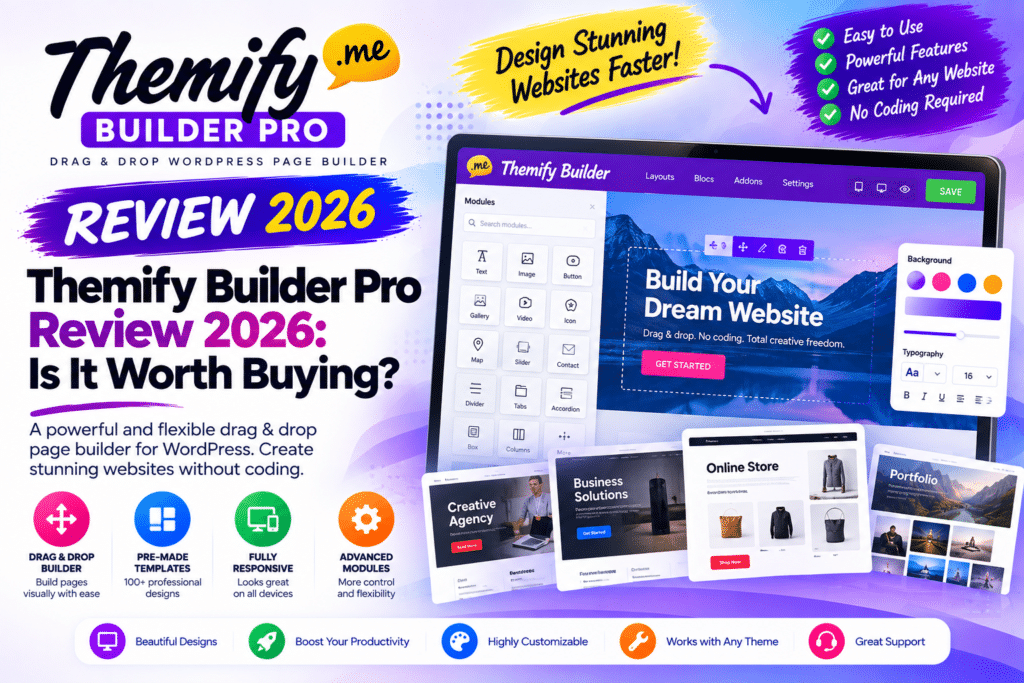
Building individual WordPress pages is easy with a page builder. But what if you want to visually control your entire website—including the header, footer, blog posts, archives, search pages, WooCommerce products, cart, and checkout?
That’s where Themify Builder Pro comes in.
Builder Pro extends the Themify Builder ecosystem from page design into complete WordPress theme and template building.
At a currently listed price of $69, is Themify Builder Pro still worth buying in 2026?
Let’s look at its features, pricing, WooCommerce capabilities, dynamic content, strengths, and limitations.
Quick Verdict
Editorial Rating: 4.5/5
Themify Builder Pro is a capable WordPress theme builder for users who want visual control over more than individual pages.
Its strongest features are full-site templates, display conditions, dynamic content, WooCommerce templates, custom post type support, and integration with popular custom-field solutions.
It is especially attractive for existing Themify users.
However, Elementor Pro, Bricks, Gutenberg-based solutions, and other modern builders make this a highly competitive category.
What Is Themify Builder Pro?
Themify Builder Pro is a visual WordPress theme and template builder.
According to Themify, it can create templates for areas including:
- Headers
- Footers
- Pages
- Single posts
- Post archives
- Search results
- 404 pages
- Custom post types
- WooCommerce products
- WooCommerce archives
- Cart
- Checkout
Instead of modifying PHP theme files manually, you can visually build templates using Themify Builder.
Builder Pro requires either a Themify theme or the free Themify Builder plugin as its foundation.
Themify Builder vs Builder Pro
These two products shouldn’t be confused.
Themify Builder focuses on visual drag-and-drop page layouts.
Builder Pro expands this into theme-level template building.
For example:
With the regular Builder, you might design:
Home Page
About Page
Landing Page
With Builder Pro, you can design:
Header
Footer
Single Post Template
Blog Archive
WooCommerce Product Template
404 Page
So Builder Pro is more comparable to a theme builder than a traditional page builder.
Visual Theme Building
One of Builder Pro’s biggest advantages is being able to customize major WordPress templates without writing theme PHP.
A traditional WordPress workflow might require editing:
header.php
footer.php
single.php
archive.php
or using a child theme and hooks.
Builder Pro provides a visual alternative.
This is useful for designers and site owners who understand how WordPress templates work but don’t want to code every layout manually.
Header Builder
You can create custom header templates containing elements such as:
- Site logo
- Navigation
- Search
- Cart icon
- Dynamic information
Different templates can also be used strategically through display conditions.
For example, your main website could use one header while a particular section uses another.
Footer Builder
The same concept applies to the footer.
You can visually create a footer and reuse it across relevant areas of the website.
A business footer might include:
Logo + Navigation + Contact Details + Social Links
Because it is managed as a template, you don’t have to rebuild the same layout on every page.
Single Post Templates
Builder Pro becomes particularly useful for blogs and content-heavy websites.
Instead of accepting your theme’s default blog-post design, you can create a custom single-post template.
Themify provides modules for content such as:
- Post title
- Featured image
- Post content
- Post meta
- Author information
- Comments
- Post navigation
- Related posts
- Reading time
This lets you control the structure of blog content while individual posts continue using WordPress content normally.
Archive Templates
You can also design archive pages.
These can include areas such as:
Archive Title
Archive Description
Post Loop
Dynamic Images
Pagination/Content
Builder Pro includes an Advanced Posts module intended for dynamic archive layouts.
This is useful for category pages, content directories, custom post type archives, and magazine-style websites.
Display Conditions
Display conditions are one of the most important theme-builder features.
You don’t necessarily want every template displayed everywhere.
For example:
Template A → All Blog Posts
Template B → Tutorials Category
Template C → Specific Post
Builder Pro provides include and exclude conditions for controlling where templates appear.
Themify states that conditions can target areas such as specific pages, posts, categories, and other sections of a website.
This makes one Builder Pro installation capable of supporting multiple layouts across the same site.
Dynamic Content
Static templates would be fairly limited.
Builder Pro therefore supports dynamic content.
Instead of manually entering the title of every post into a template, the template can pull the correct title dynamically.
The same principle can apply to:
- Featured images
- Post metadata
- Custom fields
- Post titles
- Taxonomies
- Dynamic backgrounds
You build the design once and WordPress supplies the relevant content for each item.
Custom Fields
Dynamic custom-field support makes Builder Pro much more useful for advanced websites.
Themify documents compatibility with custom-field data from solutions including:
- Advanced Custom Fields (ACF)
- Pods
- Toolset
- Meta Box
- Themify Post Type Builder
This means Builder Pro can be used to create templates for structured content.
Example: Real Estate Website
Imagine you’re building a property website.
Each property could contain fields such as:
Price
Bedrooms
Bathrooms
Location
Property Type
Floor Area
You can store this information in custom fields.
Then Builder Pro can create one visual property template that dynamically displays the correct information for every listing.
That is far more efficient than manually designing every property page.
Custom Post Types
Builder Pro can also design templates for custom post types.
Potential examples include:
- Properties
- Cars
- Jobs
- Team members
- Courses
- Events
- Restaurants
- Portfolio projects
- Reviews
Themify’s own Post Type Builder can create custom post types, while Builder Pro can handle their visual templates.
Third-party custom post type and field workflows can also be useful depending on your setup.
WooCommerce Templates
WooCommerce support is one of Builder Pro’s stronger features.
Themify currently lists support for visual WooCommerce templates covering areas including:
- Shop
- Product archives
- Single products
- Cart
- Checkout
It also provides WooCommerce-related modules for product titles, prices, images, ratings, descriptions, stock status, add-to-cart functionality, related products, upsells, and more.
This gives store owners more control than simply accepting their theme’s default WooCommerce design.
Custom Product Pages
Imagine the standard product page is:
Image → Title → Price → Add to Cart → Description
With Builder Pro, you can create a more customized template around WooCommerce’s dynamic product information.
For example:
Product Gallery
Product Title
Rating + Price
Short Description
Add to Cart
Trust Information
Product Tabs
Related Products
You design the structure while WooCommerce supplies the actual product data.
Cart and Checkout Templates
Builder Pro’s current feature set also includes modules for WooCommerce cart and checkout layouts.
Available areas include things such as:
- Cart items
- Cart totals
- Cross-sells
- Billing
- Shipping
- Coupon
- Payment
- Order review
Checkout customization should always be tested carefully.
A beautiful checkout isn’t useful if payment, validation, shipping, coupons, or mobile functionality breaks.
Real-Time Template Editing
Builder Pro supports visual template editing with a live preview.
This is particularly useful for dynamic templates because you can see real website content while designing.
Rather than designing a completely empty placeholder, you can understand how titles, images, custom fields, and other dynamic elements fit into the layout.
Pre-Made Themes and Demos
Themify also provides pre-designed Builder Pro themes and demos.
These can speed up the initial design process.
Instead of creating every template from zero, you can import a starting design and customize it.
Templates are most useful when treated as foundations rather than finished websites.
Change typography, branding, spacing, images, colors, and content to match the actual project.
Included Builder Addons
Themify currently states that Builder Pro includes its Builder Addons.
These extend the builder with modules for functionality such as:
- Slider Pro
- Contact forms
- Mosaic layouts
- Tiles
- Counters
- Toggle
- A/B Image
- Video backgrounds
- Slideshow
- Masked images
- Content restriction
This increases Builder Pro’s value compared with evaluating only the theme-builder functionality.
Themify Builder Pro Pricing in 2026
Themify currently lists Builder Pro at $69.
Themify also offers broader membership options.
Master Club
$89/year
Includes Builder Pro along with Themify’s themes, plugins, Builder Addons, and other products.
Lifetime Club
$249 one-time
Provides lifetime access and support to the Themify product collection under the current offer.
Themify states that its products can be used on unlimited personal or commercial sites under its licensing model.
The company also currently advertises a 30-day money-back guarantee.
Pricing can change, so check the official Themify website before purchasing.
Builder Pro vs Elementor Pro
Elementor Pro is one of the obvious alternatives.
| Feature | Builder Pro | Elementor Pro |
|---|---|---|
| Visual editing | Yes | Yes |
| Theme builder | Yes | Yes |
| Header/footer | Yes | Yes |
| Dynamic content | Yes | Yes |
| WooCommerce templates | Yes | Yes |
| Custom fields | Yes | Yes |
| Large ecosystem | Smaller | Very large |
| Themify integration | Excellent | Not applicable |
| Best for | Themify ecosystem | Broad Elementor ecosystem |
Elementor has a significantly larger ecosystem of templates, extensions, tutorials, and third-party integrations.
Builder Pro becomes particularly attractive when you’re already using Themify products.
Builder Pro vs Gutenberg
WordPress’s block editor has become considerably more capable.
Block themes and Full Site Editing can now handle many tasks that once required premium theme builders.
Gutenberg has the advantage of being part of WordPress core.
Builder Pro, however, provides a different visual workflow and may be easier for users already familiar with Themify Builder.
Existing Themify users don’t necessarily need to rebuild their entire workflow simply because block themes exist.
Performance
Page-builder performance depends on much more than the builder name.
A Builder Pro website can still become heavy if you use:
- Huge images
- Multiple sliders
- Videos
- Excessive animations
- Many third-party scripts
- Large numbers of plugins
- Complex fonts
Keep layouts focused and avoid adding visual effects simply because they’re available.
Caching and image optimization can help, but they cannot completely compensate for unnecessarily complicated page design.
Pros and Cons
Pros
- Visual WordPress theme building
- Header and footer templates
- Single-post templates
- Archive templates
- 404 and search templates
- Display conditions
- Dynamic content
- Custom field support
- Custom post type templates
- ACF integration
- WooCommerce templates
- Cart and checkout customization
- Real-time visual editing
- Pre-made designs
- Builder Addons included
- Strong integration with Themify products
- Unlimited-site licensing under current Themify membership terms
Cons
- Requires Themify Builder or a Themify theme
- Smaller ecosystem than Elementor
- Additional learning curve for complete theme building
- Some WordPress users may prefer native block themes
- Existing Elementor users may have little reason to switch
- Complex layouts still require performance optimization
Who Should Use Themify Builder Pro?
Builder Pro makes the most sense for:
- Existing Themify users
- WordPress designers
- Freelancers
- Agencies
- WooCommerce stores
- Dynamic content websites
- Custom post type websites
- ACF users
- Bloggers wanting custom templates
- Users who want visual theme building without PHP
Its value increases when you’re building multiple templates rather than just a few landing pages.
Who Should Skip It?
Builder Pro may not be necessary if your current theme already provides all the customization you need.
Elementor Pro users with an established Elementor workflow may also gain little from switching ecosystems.
Similarly, developers who prefer PHP templates or users committed to WordPress block themes may prefer their existing approach.
Is Themify Builder Pro Worth Buying in 2026?
Yes, for the right type of WordPress user.
Builder Pro goes considerably further than basic page building.
You can visually control headers, footers, posts, archives, custom post types, dynamic content, WooCommerce products, carts, and checkout templates.
At the currently listed $69, the standalone product is reasonably positioned for users who specifically need its theme-building functionality.
However, the $89/year Master Club deserves consideration because it currently includes Builder Pro plus Themify’s wider collection of themes, plugins, and Builder Addons.
For someone building multiple WordPress websites with Themify, that broader package may make more sense.
Final Verdict
Overall Rating: 4.5/5
Visual Editing: 4.6/5
Theme Building: 4.7/5
Dynamic Content: 4.6/5
WooCommerce: 4.6/5
Customization: 4.7/5
Ease of Use: 4.3/5
Value: 4.6/5
Themify Builder Pro remains a capable WordPress theme-building solution in 2026.
Its biggest appeal isn’t simply creating pages. It’s the ability to create reusable, conditional, dynamic templates for an entire WordPress website without manually coding the theme.
For existing Themify users in particular, Builder Pro is a natural upgrade.
Frequently Asked Questions
What is Themify Builder Pro?
Builder Pro is Themify’s visual WordPress theme builder for creating templates for headers, footers, posts, pages, archives, custom post types, WooCommerce, and other areas.
How much does Themify Builder Pro cost?
Themify currently lists Builder Pro at $69. Its broader Master Club is currently $89 per year, while Lifetime Club is listed at $249 as a one-time purchase.
Does Builder Pro require Themify Builder?
Yes. Themify’s documentation states that Builder Pro requires either a Themify theme or the free Themify Builder plugin.
Does Builder Pro work with WooCommerce?
Yes. Builder Pro provides WooCommerce template functionality for product, archive, cart, checkout, and related eCommerce areas.
Does Builder Pro support ACF?
Yes. Themify documents integration with Advanced Custom Fields and support for dynamic custom-field data.
Can Builder Pro create headers and footers?
Yes. Header and footer templates are among its core theme-building capabilities.
Is Themify Builder Pro better than Elementor Pro?
They offer overlapping theme-building capabilities but belong to different ecosystems. Existing Themify users may prefer Builder Pro, while Elementor users may benefit from staying within their existing Elementor workflow.



