
If your WordPress website attracts visitors from different countries, offering content in multiple languages can improve usability and help you reach a wider audience.
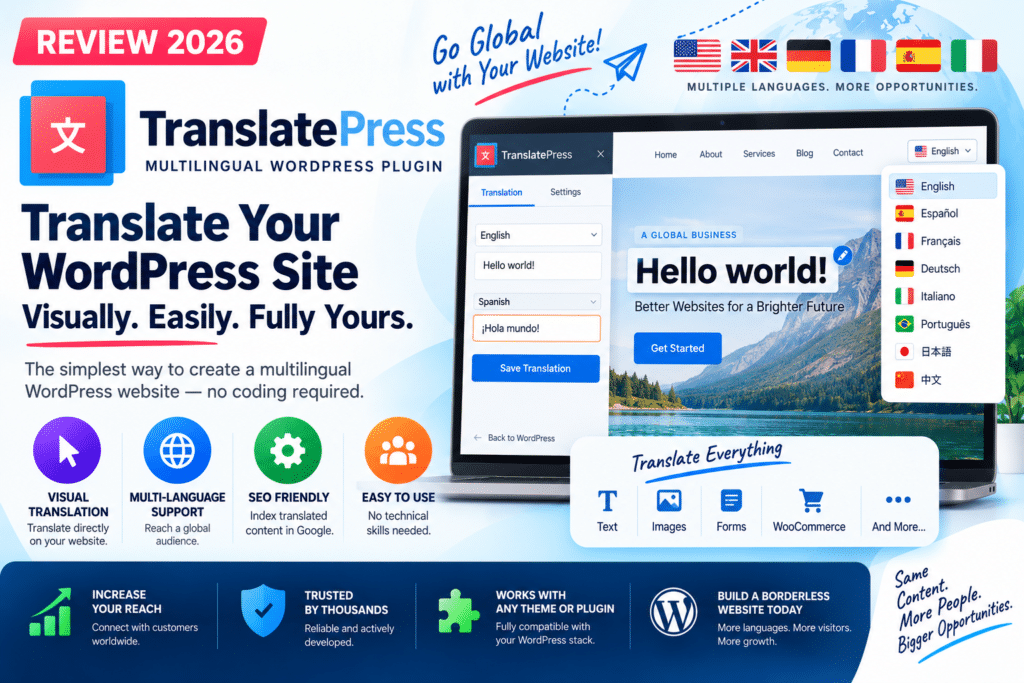
TranslatePress is a multilingual WordPress plugin that lets you translate website content directly from the frontend. Instead of managing translations through complicated backend screens, you can visually select content and translate it while viewing the actual page.
But is TranslatePress worth using in 2026? Let’s look at its features, pricing, SEO capabilities, WooCommerce support, pros, and cons.
Quick Verdict
Editorial Rating: 4.7/5
TranslatePress is one of the strongest multilingual WordPress solutions for users who prefer a visual translation workflow.
It supports manual and automatic translation, WooCommerce, page builders, language switchers, and multilingual SEO through its premium features.
The free version is useful for smaller bilingual websites, while premium plans make more sense for serious multilingual SEO and websites targeting several languages.
What Is TranslatePress?
TranslatePress is a WordPress translation plugin designed to translate an entire website through a visual frontend interface.
You can translate content including:
- Posts
- Pages
- Menus
- Buttons
- Forms
- WooCommerce products
- Theme text
- Plugin-generated text
- Images
- Dynamic strings
- Page-builder content
This visual approach is one of the biggest differences between TranslatePress and traditional translation-management plugins.
1. Visual Translation Editor
TranslatePress’s standout feature is its frontend translation interface.
You open the page you want to translate, select the visible content, enter the translation, and save it.
This makes the workflow easier because you can immediately see where the translated text appears.
It is especially useful for non-technical website owners who don’t want to search through WordPress database strings or theme files.
2. Automatic Translation
TranslatePress supports automatic translation as well as manual editing.
Depending on your plan and configuration, automatic translation can use technologies such as Google Translate, DeepL, or TranslatePress AI.
Automatic translation is useful for creating an initial version of a multilingual website quickly.
However, important pages should still be reviewed manually.
Machine translation can misunderstand:
- Product terminology
- Brand names
- Technical language
- Local expressions
- Marketing copy
For high-value pages, automatic translation followed by human editing is generally the safer workflow.
3. TranslatePress AI
TranslatePress now provides its own AI-powered translation system.
TranslatePress AI combines modern language models and machine-translation engines to automatically translate website content.
Translations are saved in the WordPress database, meaning the same unchanged content does not need to be translated repeatedly.
Premium plans include different allowances of AI-translated words.
This can make large website translation significantly faster than manually translating every page.
4. WooCommerce Translation
TranslatePress works with WooCommerce, making it useful for international online stores.
You can translate frontend content such as:
- Product titles
- Product descriptions
- Buttons
- Shop pages
- Cart content
- Checkout content
- Categories
- WooCommerce-generated strings
For example:
English: Add to Cart
Spanish: Añadir al carrito
The visual translation workflow makes it easier to see WooCommerce content while translating it.
5. Multilingual SEO
SEO becomes particularly important when your website targets users searching in different languages.
TranslatePress’s premium SEO Pack provides additional multilingual SEO controls.
It can help translate:
- SEO titles
- Meta descriptions
- URL slugs
- Image alt text
- Social metadata
It also supports multilingual sitemap functionality with popular WordPress SEO plugins.
This is valuable because simply translating visible page text is not enough for a complete international SEO strategy.
6. SEO Plugin Compatibility
TranslatePress SEO Pack supports popular WordPress SEO solutions including:
- Yoast SEO
- Rank Math
- All in One SEO
- SEOPress
This means you can continue using your preferred SEO plugin while TranslatePress manages translated SEO information.
For a website targeting organic traffic in several languages, the premium SEO functionality is one of the strongest reasons to upgrade.
7. Language Switcher
Visitors need an easy way to switch between available languages.
TranslatePress provides customizable language-switching options that can be added through areas such as menus, blocks, or a floating language selector.
For example:
English | हिन्दी | Español | Français
Keep the language selector easy to find, especially on mobile devices.
8. Multiple Languages
The free version is suitable for translating a website into one additional language.
Premium functionality allows you to add multiple languages, making it more suitable for international websites.
For example:
Original: English
Translations:
- Hindi
- Spanish
- German
- French
- Italian
Businesses targeting multiple countries will generally benefit more from a premium plan.
9. Page Builder Compatibility
TranslatePress works with frontend content generated by popular WordPress builders.
This makes it useful for websites created using tools such as:
- Elementor
- Gutenberg
- WPBakery
Instead of recreating every page for each language, you can translate the content displayed by your existing layouts.
10. Image Translation
Not every language version needs to use exactly the same image.
TranslatePress supports image translation, allowing different images to be displayed according to language.
This can be useful when an image contains text or when marketing graphics are localized for different audiences.
TranslatePress Free vs Premium
| Feature | Free | Premium |
|---|---|---|
| Visual translation | Yes | Yes |
| Manual translation | Yes | Yes |
| Automatic translation | Available | Advanced options |
| WooCommerce support | Yes | Yes |
| Language switcher | Yes | Yes |
| One additional language | Yes | Yes |
| Multiple languages | No | Yes |
| SEO Pack | No | Yes |
| URL slug translation | Limited | Yes |
| Advanced multilingual features | Limited | Yes |
The free version is excellent for testing TranslatePress or creating a basic bilingual website.
Premium becomes more valuable when multilingual SEO and several target languages are important.
TranslatePress Pricing in 2026
At the time of writing, official annual pricing starts at:
Personal – €99/year
- 1 website
- 50K AI translated words
- SEO Pack
- Multiple Languages
- Premium support and updates
Business – €199/year
- 3 websites
- 200K AI translated words
- Advanced add-ons
- DeepL integration
- Automatic user-language detection
- Translator accounts
- Different domain per language
- Navigation based on language
Plans and pricing can change, so check the official website before purchasing.
TranslatePress vs WPML
WPML is another established multilingual WordPress solution.
TranslatePress
Best for:
- Visual frontend translation
- Beginners
- WooCommerce websites
- Page-builder users
- Simple translation workflow
WPML
Best for:
- Complex multilingual projects
- Established translation workflows
- Websites requiring WPML-specific integrations
TranslatePress is particularly attractive when visual translation and ease of use are priorities.
TranslatePress vs Polylang
Polylang is another popular multilingual WordPress plugin.
Polylang follows a more traditional WordPress content-management approach, while TranslatePress emphasizes translating the existing frontend visually.
Users who want to see exactly what they’re translating may find TranslatePress easier.
Performance
TranslatePress stores translations in your WordPress database.
However, multilingual websites naturally contain additional data and language-specific content.
For good performance:
- Use quality hosting
- Configure caching correctly
- Optimize images
- Keep plugins updated
- Avoid unnecessary languages
- Test important pages regularly
WooCommerce stores and large multilingual websites should pay particular attention to database and server performance.
Pros and Cons
Pros
- Easy visual translation interface
- Free version available
- Automatic translation
- TranslatePress AI
- WooCommerce compatible
- Page-builder support
- Multilingual SEO features
- Customizable language switcher
- Image translation
- Manual editing after automatic translation
Cons
- Best SEO features require premium
- Multiple languages require premium functionality
- Automatic translations still need review
- Large multilingual sites require good hosting
- Advanced plans increase overall website cost
Who Should Use TranslatePress?
TranslatePress is a good choice for:
- Business websites
- WooCommerce stores
- Blogs
- Agencies
- Elementor websites
- International websites
- Affiliate websites
- Websites targeting multilingual SEO traffic
It is especially suitable for users who want a visual translation workflow.
Who Should Skip It?
TranslatePress may be unnecessary if your website targets only one language.
You should also compare WPML and Polylang if your project has highly specialized translation-management requirements.
Is TranslatePress Worth It in 2026?
Yes, for most multilingual WordPress projects.
Its visual frontend editor makes translating WordPress considerably easier for non-technical users.
The free version is a good starting point for a bilingual website, while premium plans provide important functionality for multilingual SEO and larger international projects.
WooCommerce compatibility also makes TranslatePress particularly attractive for stores selling to customers in multiple countries.
Final Verdict
Overall Rating: 4.7/5
Ease of Use: 4.8/5
Translation Features: 4.8/5
WooCommerce: 4.7/5
Multilingual SEO: 4.8/5
Automatic Translation: 4.7/5
Value for Money: 4.5/5
TranslatePress is one of the most user-friendly ways to turn a WordPress website into a multilingual site.
Its combination of visual editing, automatic translation, WooCommerce compatibility, AI translation, and multilingual SEO makes it a strong choice in 2026.
For simple bilingual websites, start with the free version. For businesses that depend on international search traffic, premium multilingual SEO functionality makes the upgrade much more compelling.
Frequently Asked Questions
Is TranslatePress free?
Yes. TranslatePress offers a free version for basic multilingual website functionality. Premium plans unlock additional languages and advanced features.
Does TranslatePress work with WooCommerce?
Yes. TranslatePress supports WooCommerce and can translate products, shop content, buttons, cart and checkout content, and other frontend strings.
Does TranslatePress support Elementor?
Yes. TranslatePress can translate frontend content created with Elementor and other supported WordPress builders.
Can TranslatePress automatically translate a website?
Yes. Automatic translation options include TranslatePress AI and integrations with external translation services depending on your configuration and plan.
Is TranslatePress good for SEO?
Yes, particularly with its premium SEO Pack, which supports translated titles, descriptions, URL slugs, image alt text, and multilingual sitemaps.
Which is better: TranslatePress or WPML?
TranslatePress is particularly strong for visual frontend translation and ease of use. WPML may appeal to websites requiring its more traditional translation-management ecosystem. The better choice depends on the project.



