
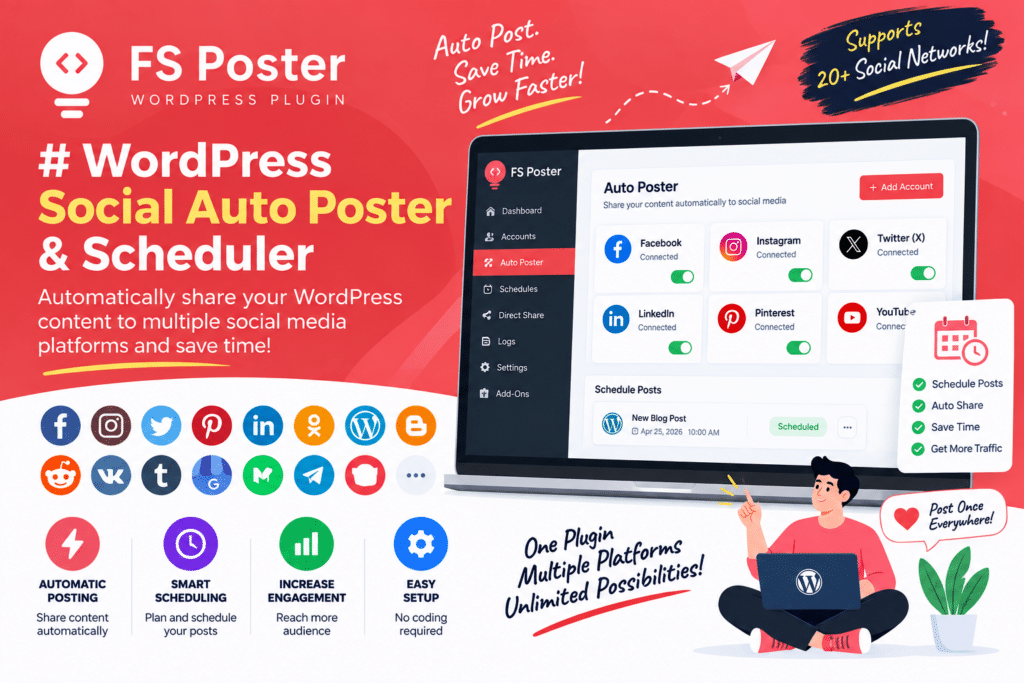
Publishing a new WordPress post is only half the job. You still need to get that content in front of people.
Normally, this means opening Facebook, LinkedIn, X, Pinterest, or other social platforms one by one, writing a post, adding the link, and publishing it manually. If you run an active blog or online store, that routine can quickly become repetitive.
A WordPress Social Auto Poster & Scheduler helps automate this process. You can prepare social posts in advance, schedule them, and automatically share new WordPress content across supported social networks.
But is a social auto-posting plugin actually useful in 2026? Let’s take a practical look.
Quick Verdict
Editorial Rating: 4.5/5
A WordPress social auto poster can save a lot of time for bloggers, agencies, publishers, and businesses that regularly promote new content.
The biggest benefit isn’t that it replaces your social media strategy. It simply removes repetitive publishing work.
For the best results, automation should support your social activity rather than making every account look completely automated.
What Is a WordPress Social Auto Poster?
A social auto poster connects your WordPress website with supported social media platforms.
When you publish content, the plugin can help distribute it to connected accounts according to your configured settings.
A simple workflow might look like this:
Publish WordPress Post → Generate Social Post → Add Featured Image & Link → Publish to Connected Social Account
Depending on the plugin, you may also be able to schedule posts instead of publishing them immediately.
Why Use Social Media Automation?
Imagine you publish four blog posts every week.
If every article needs to be manually shared across four different social networks, you could end up creating 16 separate social posts every week.
Automation reduces this repetitive work.
Instead of remembering to share every new article manually, you can create a consistent publishing workflow inside WordPress.
This leaves more time for content creation, customer support, SEO, and other important work.
1. Automatic Social Posting
Automatic posting is the main feature people expect.
After publishing a WordPress article, the plugin can share it with supported connected networks.
For example:
New Blog Published
↓
Facebook Post
LinkedIn Post
X Post
This is particularly useful for websites publishing content frequently.
2. Social Media Scheduling
You don’t always want to publish everything immediately.
Scheduling lets you prepare content today and publish it later.
For example:
Blog: Monday, 10 AM
Facebook: Monday, 12 PM
LinkedIn: Monday, 3 PM
Another Social Post: Wednesday
Spreading promotion across different times can be more useful than sending every update simultaneously.
3. Custom Social Messages
Copying the exact same text to every social platform isn’t always ideal.
A useful auto-posting tool should give you control over the message being published.
Instead of simply sharing:
New Post Published: WordPress Speed Guide
you could write:
Is your WordPress website taking too long to load? Here are practical ways to improve its performance.
That sounds much more natural.
Good automation saves time without making your social accounts feel robotic.
4. Featured Images
Visual content is important on social media.
Many social posting workflows can use information from your WordPress post, including its featured image.
This means your social update can contain:
Image + Headline + Description + Link
Before relying on automation, make sure your WordPress featured images are correctly sized and optimized.
Also remember that each social network may display link previews differently.
5. Custom Post Type Support
WordPress isn’t limited to blog posts.
Websites may contain:
- Products
- Courses
- Events
- Properties
- Deals
- Portfolio items
- Custom post types
A capable social automation plugin may allow supported content types to be included in your publishing workflow.
This is particularly useful for WooCommerce stores and directory websites.
6. WooCommerce Social Posting
Online stores constantly add and update products.
A social auto poster can make product promotion easier by helping share new products or selected store content.
For example:
New Product Published → Social Post → Product Image + Name + Store Link
This can be useful for:
- Fashion stores
- Digital downloads
- Electronics
- Beauty products
- WordPress products
- Online marketplaces
However, avoid automatically posting every minor product update. Social followers usually respond better to useful, intentional content than endless automated product links.
7. Reposting Older Content
Older WordPress articles can still be valuable.
Some social scheduling solutions provide ways to bring evergreen content back into your publishing calendar.
For example, a detailed WordPress tutorial published six months ago may still be useful today.
Re-sharing quality evergreen content can help you get more value from articles you have already created.
Avoid repeatedly posting outdated news, expired offers, or products that are no longer available.
8. Multiple Social Accounts
Businesses and agencies may manage more than one social profile.
Depending on the plugin and platform integrations, multiple accounts can make it possible to manage several publishing destinations from a single WordPress workflow.
This can be especially useful for agencies managing multiple brands.
Always check the current plan limits because the number of accounts or supported connections can vary.
WordPress Social Auto Poster for Bloggers
Bloggers are one of the clearest use cases.
Every time you publish a tutorial, review, guide, or news article, social promotion can become part of the same workflow.
For example:
Publish Article → Share to Social Media → Schedule Follow-Up Post
You still need good headlines and useful content, but automation removes some of the repetitive work.
Social Auto Posting for Business Websites
Business websites can use scheduling for:
- New blog posts
- Company news
- Product launches
- Events
- Offers
- Case studies
- Tutorials
A planned schedule can also prevent social profiles from becoming inactive simply because nobody remembered to post.
Social Auto Poster vs Manual Posting
| Feature | Auto Poster | Manual Posting |
|---|---|---|
| Saves time | Excellent | Low |
| Scheduling | Excellent | Platform dependent |
| Personal control | Good | Excellent |
| Multiple networks | Easier | Time-consuming |
| Consistency | Excellent | Depends on team |
| Unique platform content | Requires setup | Excellent |
| Best for | Regular publishing | Personal engagement |
The best strategy often combines both.
Use automation for predictable content distribution and manual posting for conversations, timely updates, and community engagement.
Does Social Auto Posting Hurt SEO?
Simply sharing your WordPress content on social media does not automatically improve Google rankings.
However, social distribution can help more people discover your content and potentially bring referral traffic to your website.
Your SEO strategy should still focus on:
- Helpful content
- Search intent
- Internal linking
- Technical SEO
- Website performance
- Quality backlinks
- User experience
Think of social automation as a distribution tool rather than an SEO shortcut.
Performance Considerations
Every WordPress plugin adds some functionality to your website, so performance should still be monitored.
A well-designed social posting plugin should perform most automation without unnecessarily slowing down the visitor-facing pages.
For a cleaner setup:
- Connect only the networks you use
- Remove unused integrations
- Avoid duplicate automation plugins
- Keep the plugin updated
- Monitor scheduled tasks
- Test after major WordPress updates
If you already use an external social scheduling service, check whether you actually need another WordPress plugin doing the same job.
Social Network API Limitations
This is one of the most important things to understand.
Social networks control their own APIs and publishing permissions.
Facebook, Instagram, LinkedIn, X, Pinterest, and other platforms can change their API requirements, permissions, or posting restrictions.
That means a feature working today may require changes after a platform updates its API.
Before purchasing any premium social auto-posting plugin, check its current list of supported networks and posting features.
Don’t rely only on an old review or screenshot.
Pros and Cons
Pros
- Saves manual posting time
- Automatically promotes new content
- Useful scheduling features
- Helps maintain consistency
- Good for blogs and publishers
- Useful for WooCommerce stores
- Can promote older evergreen content
- Helpful for agencies
- Centralizes social publishing workflows
Cons
- Social API changes can affect features
- Premium versions may be required
- Too much automation can feel spammy
- Every platform has different content requirements
- Some networks may have publishing restrictions
- Does not replace real social engagement
Who Should Use It?
A WordPress social auto poster is particularly useful for:
- Bloggers
- News websites
- Affiliate websites
- WooCommerce stores
- Digital product websites
- Marketing agencies
- Content teams
- Business websites
- Websites publishing frequently
The more content you publish, the more time automation can potentially save.
Who Should Skip It?
You probably don’t need a dedicated plugin if you publish only occasionally and prefer creating every social update manually.
It may also be unnecessary if your existing social media management platform already handles WordPress content exactly the way you need.
Avoid adding another automation plugin simply because it has a long feature list.
Is a WordPress Social Auto Poster Worth It in 2026?
For websites publishing content regularly, yes, it can be very useful.
The main value is simple: time.
Instead of manually copying every new article or product to multiple social networks, you can automate the repetitive parts and focus on creating better content.
Just don’t automate everything.
Personal replies, conversations, community interaction, and platform-specific posts still need a human touch.
Final Verdict
Overall Rating: 4.5/5
Automation: 4.7/5
Scheduling: 4.7/5
Ease of Use: 4.5/5
Content Distribution: 4.6/5
WooCommerce Use: 4.4/5
Social Engagement: 4.0/5
Value: 4.5/5
A WordPress Social Auto Poster & Scheduler can be a genuinely useful addition to a content-heavy website.
It won’t create a successful social media strategy for you, but it can handle much of the repetitive publishing work behind one.
For bloggers, businesses, stores, and agencies regularly publishing WordPress content, that time saving alone can make a good social scheduling plugin worth considering.
Frequently Asked Questions
What is a WordPress social auto poster?
It is a tool that helps automatically publish or schedule WordPress content on supported social media networks.
Can I schedule WordPress posts for social media?
Many social automation tools provide scheduling options, although exact functionality depends on the plugin and social network.
Can it automatically share new blog posts?
Yes, automatic sharing of newly published content is a common use case for social auto-posting plugins.
Can I automatically post WooCommerce products?
Some tools support WooCommerce products or custom post types. Check the specific plugin’s current integrations before purchasing.
Can I post to Facebook and Instagram automatically?
Some WordPress social posting solutions support Meta platforms, but available features depend on current API permissions and account requirements.
Can I repost old WordPress articles?
Some scheduling tools support evergreen-content recycling or reposting. Make sure old content is still accurate before automatically promoting it again.
Should I automate all my social media posts?
No. Automation works best for routine content distribution. Personal conversations, replies, timely updates, and community engagement should still receive human attention.



