
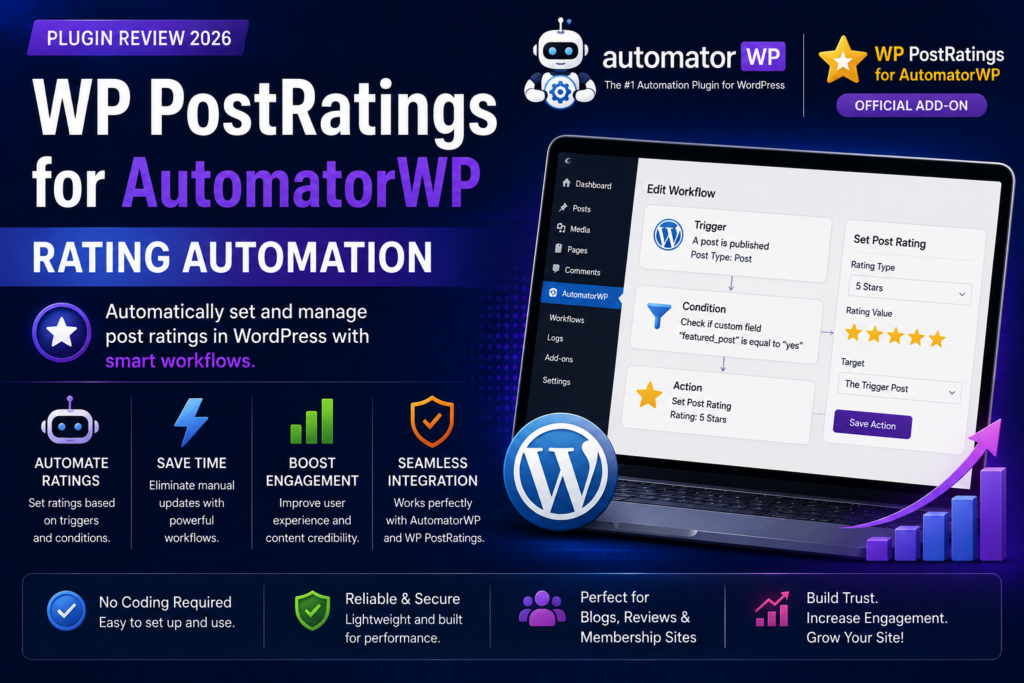
WP PostRatings for AutomatorWP 2026: Rating Automation Add-On
Ratings can tell you much more than whether visitors liked a WordPress post.
A rating can become a trigger for automation.
Imagine a visitor gives an article a high rating. Instead of simply storing that rating, your WordPress website could use the event as part of a larger automated workflow—such as updating user information, awarding something through another supported plugin, sending data to an external service, or triggering another connected action.
That’s the idea behind WP PostRatings integration with AutomatorWP.
AutomatorWP is a no-code WordPress automation platform built around triggers and actions. When a supported event happens, AutomatorWP can automatically perform one or more configured actions.
By connecting this automation system with WP PostRatings, site owners can incorporate post-rating activity into broader WordPress workflows.
What Is WP PostRatings for AutomatorWP?
WP PostRatings is a WordPress rating solution that allows visitors to rate content.
AutomatorWP is a WordPress automation plugin designed to connect plugins, WordPress activity, and external services through automated workflows.
AutomatorWP currently lists WP PostRatings among its supported integrations.
The integration is useful when you want ratings to become more than passive statistics.
Instead of:
User rates content → Rating gets stored
you can build workflows around the rating event:
User rates content → Automation starts → Connected action runs
This opens up interesting possibilities for blogs, communities, review websites, membership platforms, educational websites, and other interactive WordPress projects.
How AutomatorWP Works
Understanding the integration is easier if you first understand AutomatorWP.
AutomatorWP automations contain two fundamental components:
Triggers
A trigger defines when something happens.
For example:
When a user performs an activity…
Actions
An action defines what should happen afterward.
For example:
Send an email
or
Update information
or
Add the user to another system
AutomatorWP describes this simply as:
When this happens → Do this
Automations can contain triggers and actions from different supported WordPress integrations, which is what makes the platform useful for connecting otherwise separate plugins.
Why Automate WordPress Ratings?
Ratings are valuable because they represent user engagement.
If someone takes the time to rate an article, product, tutorial, resource, or another piece of content, your website has received a useful interaction signal.
Automation allows you to build workflows around that signal.
Potential use cases include:
- Engagement workflows
- Community rewards
- User segmentation
- CRM workflows
- Membership processes
- Notifications
- Gamification
- External integrations
- Content analysis
- Marketing automation
The exact possibilities depend on the other AutomatorWP integrations and actions installed on your website.
Example: Reward Engaged Users
Imagine you operate a community website where users regularly rate articles.
Instead of treating every rating as an isolated event, you could incorporate rating activity into your engagement strategy.
A conceptual workflow could look like:
Trigger: User submits a qualifying rating.
Action: Run a connected reward or engagement action.
This type of automation can help transform ordinary interactions into part of a larger gamification system.
AutomatorWP supports integrations across a broad WordPress ecosystem, allowing triggers from one supported plugin to be paired with actions from another.
Example: Rating-Based Marketing Workflow
Ratings can also provide useful information about user interest.
Suppose someone gives a particular type of content a strong rating.
That activity could potentially become part of a broader marketing workflow using another supported integration.
For example:
Rating activity → AutomatorWP workflow → CRM or marketing action
This could help you build more personalized experiences without manually processing every user interaction.
Always ensure your marketing workflows comply with applicable privacy and consent requirements.
Example: Send Rating Data to External Services
WordPress automation doesn’t necessarily need to stay inside WordPress.
AutomatorWP provides webhook functionality capable of sending data through HTTP requests when an automation is completed. Its webhook tools support methods including POST, GET, and PUT and can send configurable fields and headers.
This creates possibilities for connecting WordPress activity with:
- Custom applications
- Automation platforms
- Internal dashboards
- Reporting systems
- CRM tools
- Other websites
A conceptual workflow could therefore be:
Rating event → AutomatorWP → Webhook → External system
This can be especially useful for developers and businesses with custom automation infrastructure.
Example: Connect Ratings With Other WordPress Plugins
AutomatorWP’s major advantage is its large integration ecosystem.
The platform currently advertises integrations with more than 200 WordPress plugins and platforms.
Its integration catalog includes categories covering eCommerce, memberships, forms, LMS platforms, communities, marketing tools, advertising, WordPress utilities, and more.
That means WP PostRatings activity doesn’t need to exist in isolation.
You can potentially combine rating-related workflows with compatible actions provided by the other integrations installed on your website.
No-Code Automation
One of AutomatorWP’s main advantages is that you don’t need to build every workflow manually in PHP.
The platform provides a WordPress-based automation editor.
You choose triggers, configure the required conditions, add actions, and activate the automation.
AutomatorWP currently supports several automation types, including:
- Logged-in user automations
- Anonymous automations
- All-users automations
- All-posts automations
The availability of particular triggers and actions depends on the integration being used.
For site owners who aren’t developers, this can make cross-plugin automation considerably more accessible.
Automation Completion Controls
AutomatorWP also gives administrators control over how often an automation can run.
For example, its automation settings include controls for:
Times per user — limits how many times an individual user can complete an automation.
Total times — limits how many times an automation can be completed overall.
AutomatorWP also supports automation availability dates and expiration settings.
These controls can be important for rating-based workflows.
Imagine an automation that awards a valuable benefit.
You probably don’t want someone repeatedly rating content just to trigger the same reward hundreds of times.
Completion limits can help prevent poorly designed workflows from running indefinitely.
Potential Uses for Blogs
Blog owners can use rating activity to better understand and respond to audience engagement.
Potential workflows include:
- Identify highly engaged readers
- Connect ratings with gamification
- Trigger internal notifications
- Send rating information elsewhere
- Build content-engagement workflows
Ratings can therefore become more than decorative stars underneath an article.
They become usable events inside your WordPress automation strategy.
Potential Uses for Membership Websites
Membership websites often depend heavily on user activity.
Members may:
- Read resources
- Complete lessons
- Participate in communities
- Rate content
- Submit forms
- Purchase products
AutomatorWP can connect different supported activities together.
A rating could therefore become one step inside a larger membership workflow.
For example:
Member rates content → Workflow runs → Membership-related action occurs
The exact actions available depend on the membership plugin and corresponding AutomatorWP integration.
Potential Uses for Community Websites
Community websites can benefit particularly strongly from engagement automation.
Ratings indicate participation.
That activity can potentially be combined with:
- Gamification
- User groups
- Notifications
- CRM segmentation
- Community processes
This can help create a more interactive website without requiring administrators to manually react to every interaction.
Potential Uses for Review Websites
Review websites naturally collect large amounts of rating information.
A site might allow users to rate:
- Software
- WordPress plugins
- Themes
- Services
- Restaurants
- Products
- Courses
- Hosting companies
Integrating those ratings into AutomatorWP gives administrators additional opportunities to build automated processes around visitor engagement.
AutomatorWP Integration Ecosystem
WP PostRatings becomes much more useful when viewed as one component of a larger automation system.
AutomatorWP currently lists integrations including:
- WooCommerce
- WooCommerce Memberships
- WooCommerce Subscriptions
- WPForms
- WP Fusion
- Tutor LMS
- BuddyPress
- BuddyBoss
- Paid Memberships Pro
- Restrict Content Pro
- Advanced Ads
- AffiliateWP
- SureCart
- SureMembers
- The Events Calendar
- WPCode
- Zapier-related workflows
- Webhooks
- WP PostRatings
and many others.
The large integration ecosystem is the main reason an apparently simple rating event can become much more useful.
AutomatorWP Webhooks
Advanced users can expand their workflows beyond WordPress using AutomatorWP’s Webhooks functionality.
The platform’s send-data-to-webhook action can make HTTP requests to configured URLs and supports dynamic data through AutomatorWP tags.
This can help connect rating-related automation to external systems where supported by your workflow.
For developers, webhooks significantly expand what can be built.
Ease of Use
Ease of Use Rating: 4.4/5
AutomatorWP is designed as a no-code automation system, so building a basic workflow is considerably easier than writing custom PHP integrations.
The basic process is generally:
- Install the required plugins.
- Open AutomatorWP.
- Create an automation.
- Select an appropriate trigger.
- Configure the trigger.
- Add one or more actions.
- Configure completion limits if needed.
- Activate the automation.
- Test it.
More complicated workflows still require planning.
The challenge usually isn’t writing code.
It’s deciding exactly when the automation should run and what it should do.
Performance Considerations
Automation plugins add background processing to WordPress.
That doesn’t automatically mean your website will become slow.
However, poorly designed workflows can create unnecessary work.
For example, avoid building an automation that performs multiple expensive actions every time an extremely common event occurs unless those actions are actually necessary.
For better performance:
- Keep workflows focused
- Avoid unnecessary actions
- Set sensible completion limits
- Use reliable hosting
- Keep WordPress updated
- Test automations before deploying them widely
High-traffic sites should pay particular attention to automation frequency.
Pricing
AutomatorWP’s core plugin is open source and available for free, while Pro add-ons extend its capabilities.
AutomatorWP also offers Access Passes that include its premium add-ons.
At the time of this 2026 review, annual pricing is listed as:
Personal Pass — $149/year
Includes access to all add-ons for up to 2 sites.
Professional Pass — $249/year
Includes access to all add-ons for up to 10 sites.
All Access Pass — $499/year
Includes access to all add-ons for unlimited sites.
AutomatorWP also currently offers discounted three-year and five-year subscription options.
Individual add-ons may also be purchased separately when available, so you don’t necessarily need an Access Pass simply to use one specific integration.
Because pricing and add-on availability can change, verify the current licensing before purchasing.
What Happens If You Don’t Renew?
According to AutomatorWP’s current licensing FAQ, premium add-ons continue to function if a subscription isn’t renewed.
However, once the license expires, you no longer receive premium updates or support.
For a production website, maintaining updates is generally recommended for compatibility and security.
Pros
No-Code Workflow Builder
You can create automations without developing a custom WordPress integration from scratch.
Makes Ratings Actionable
Instead of simply recording ratings, you can incorporate them into automated processes.
Large Integration Ecosystem
AutomatorWP supports more than 200 plugins and platforms.
Flexible Trigger-and-Action Model
Events from one supported integration can initiate actions elsewhere.
Webhook Support
Advanced workflows can send data outside WordPress.
Completion Limits
You can control how often automations run per user or globally.
Free AutomatorWP Core
You can begin experimenting with AutomatorWP without purchasing the core plugin.
Cons
Requires Multiple Plugins
This isn’t a standalone rating solution.
You’ll need the relevant rating plugin, AutomatorWP, and any required integration components.
Advanced Workflows Require Planning
No-code doesn’t mean no thinking.
Complicated automation logic still requires careful configuration and testing.
Premium Costs Can Add Up
If you need multiple Pro integrations, purchasing an Access Pass may become necessary.
Over-Automation Can Create Complexity
Creating dozens of unnecessary workflows can make a WordPress site harder to maintain.
Limited Value Without an Automation Goal
If all you want is to display star ratings underneath articles, you don’t need AutomatorWP simply for that.
The integration becomes valuable when you actually want something to happen as a result of rating activity.
Who Should Use WP PostRatings With AutomatorWP?
This integration makes the most sense for:
- Community websites
- Membership sites
- Review websites
- Educational platforms
- Content-heavy blogs
- Gamified websites
- Publishers tracking engagement
- Developers building automated WordPress systems
It is particularly useful when ratings need to interact with other parts of your website.
Who Should Skip It?
You probably don’t need the integration if:
- You only need simple star ratings
- You don’t have any automated workflows
- You aren’t using AutomatorWP
- Rating activity doesn’t need to trigger anything
- You want the smallest possible WordPress setup
In those situations, WP PostRatings on its own may be enough.
Is It Beginner Friendly?
For simple workflows, yes.
AutomatorWP’s trigger-and-action approach is relatively easy to understand:
When something happens → automatically do something else.
That is much easier for most site owners than developing custom PHP hooks.
However, more complicated automations involving multiple plugins, conditions, webhooks, and external services can require technical understanding.
Is It Worth Using in 2026?
If your WordPress website already collects ratings and you want those ratings to become part of a larger automation system, WP PostRatings integration with AutomatorWP can be very useful.
The real value isn’t the rating system itself.
It’s what happens after the rating.
You can connect engagement activity with other supported WordPress plugins and external systems, turning a basic interaction into part of a broader automated workflow.
For simple blogs that only display ratings, this may be unnecessary.
For membership, community, review, LMS, and highly interactive websites, however, the possibilities are much more interesting.
Final Verdict
Overall Rating: 4.3/5
Automation Flexibility: 4.7/5
Ease of Use: 4.4/5
Integration Potential: 4.8/5
Beginner Friendliness: 4.2/5
Value for Simple Blogs: 3.5/5
Value for Interactive Websites: 4.7/5
WP PostRatings combined with AutomatorWP turns ratings from passive feedback into potential automation triggers.
If you already use AutomatorWP and WP PostRatings, the integration is worth exploring—especially when you want rating activity to interact with membership, marketing, gamification, community, or external automation workflows.
Frequently Asked Questions
What is WP PostRatings for AutomatorWP?
It is an integration that connects WP PostRatings-related activity with the AutomatorWP automation ecosystem. AutomatorWP currently lists WP PostRatings among its supported integrations.
What is AutomatorWP?
AutomatorWP is a no-code WordPress automation plugin that connects WordPress plugins, websites, and apps using triggers and actions.
What is a trigger in AutomatorWP?
A trigger is the event that starts or contributes to an automation—for example, when a particular supported user activity occurs.
What is an action in AutomatorWP?
An action is what AutomatorWP performs after the automation’s triggers have been completed.
Is AutomatorWP free?
The core AutomatorWP plugin is free and open source. Premium add-ons are available for advanced integrations and functionality.
Does AutomatorWP support other WordPress plugins?
Yes. AutomatorWP currently advertises integrations with more than 200 WordPress plugins and platforms.
Can AutomatorWP send data outside WordPress?
Yes. Its webhook functionality can send HTTP requests containing configured static or dynamic data.
Do I need coding knowledge?
Basic AutomatorWP workflows are designed to be created without coding. Advanced integrations and custom external workflows may still benefit from technical knowledge.
Can I limit how many times an automation runs?
Yes. AutomatorWP provides per-user and total completion limits for automations.
Is this useful for membership websites?
It can be. Rating activity can become part of larger workflows involving other supported membership, community, CRM, or engagement integrations



