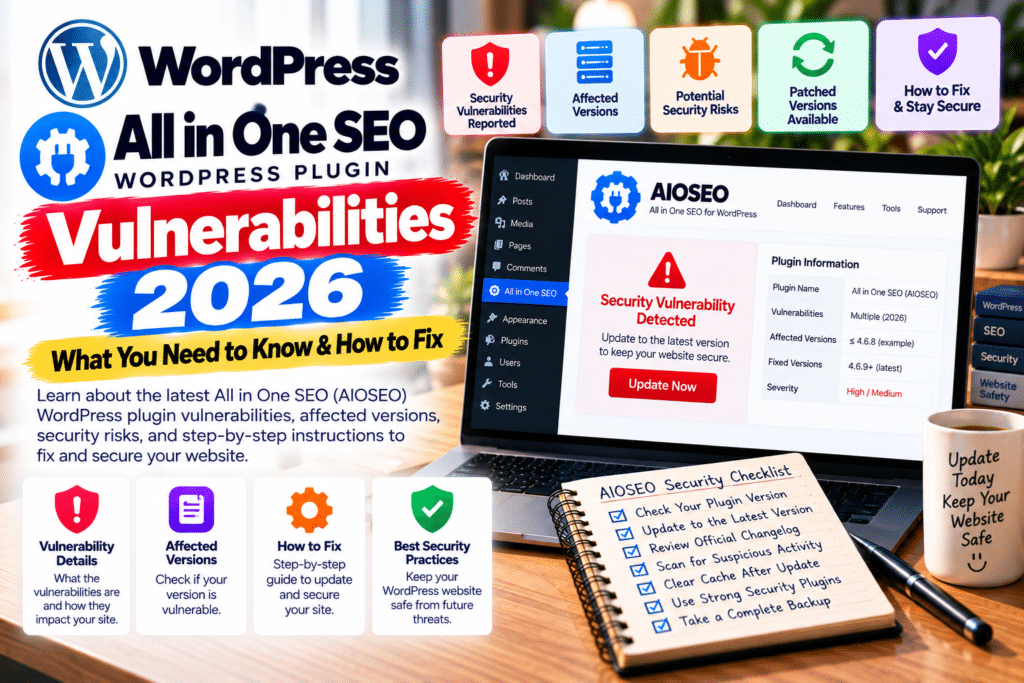
Two security vulnerabilities have been disclosed in All in One SEO (AIOSEO), a popular WordPress plugin used to optimize websites for search engines.
The issues, identified as CVE-2026-100152 and CVE-2026-85492, involve unauthorized shortcode execution and cross-site scripting (XSS).
Both vulnerabilities have been patched. However, website owners running outdated versions should update immediately to reduce potential security risks.
Here’s what happened, which versions are affected, and how to protect your WordPress website.
AIOSEO Vulnerabilities 2026: Quick Overview
| Details | Vulnerability 1 | Vulnerability 2 |
|---|---|---|
| CVE ID | CVE-2026-100152 | CVE-2026-85492 |
| Vulnerability Type | Arbitrary shortcode execution | DOM-based XSS |
| Affected Versions | 5.0.2 and earlier | 5.0.1.1 and earlier |
| First Patched Version | 5.0.2.1 | 5.0.2 |
| Wordfence CVSS | 6.5 (Medium) | 6.1 (Medium) |
| Authentication Required | No | No attacker login |
| Confirmed Active Exploitation | Not established | Not established |
Recommended version: AIOSEO 5.0.3 or newer, subject to compatibility.
1. CVE-2026-100152: Arbitrary Shortcode Execution
The first vulnerability affects AIOSEO versions 5.0.2 and earlier.
Wordfence researchers identified insufficient validation before certain content was processed as WordPress shortcodes.
The issue could allow unauthenticated attackers to trigger registered shortcodes under specific circumstances.
How Does It Work?
The vulnerable behavior requires AIOSEO breadcrumbs to appear on a search results page.
Those breadcrumbs may be displayed through a block, widget, shortcode, or theme template.
If the affected conditions are present, an attacker could potentially cause unintended shortcode execution.
The actual impact depends on which shortcodes are registered on the website and what functionality they expose.
Important: This vulnerability does not automatically grant attackers unrestricted PHP execution or complete control of the server.
Which Version Fixes It?
AIOSEO released version 5.0.2.1 on October 1, 2026, introducing additional shortcode security protections.
This update addresses CVE-2026-100152.
2. CVE-2026-85492: DOM-Based Cross-Site Scripting
The second vulnerability affects AIOSEO versions 5.0.1.1 and earlier.
It involves insufficient handling of certain URL information within the plugin’s SEO Preview functionality.
An attacker could potentially create a malicious URL designed to execute unwanted JavaScript in a user’s browser.
Who Is at Risk?
Successful exploitation requires specific conditions.
The targeted user must have the aioseo_manage_seo capability and open the SEO Preview panel from the WordPress administration toolbar while visiting the crafted URL.
Therefore, simply visiting any website page does not automatically trigger this vulnerability.
Which Version Fixes It?
AIOSEO version 5.0.2, released September 22, 2026, includes improved security and access protections for SEO Preview and related features.
This release addresses CVE-2026-85492.
Are These AIOSEO Vulnerabilities Being Actively Exploited?
As of October 14, 2026, the reviewed Patchstack and Wordfence advisories do not establish confirmed active exploitation of either vulnerability.
Both issues have publicly documented security fixes, but disclosure does not necessarily mean attackers are actively exploiting them.
Website owners should still update promptly because publicly disclosed vulnerabilities may attract future attacks.
How to Check Your AIOSEO Plugin Version
Checking your installed version takes only a few minutes.
- Log in to your WordPress dashboard.
- Navigate to Plugins → Installed Plugins.
- Find All in One SEO.
- Check the installed version number.
- Compare it with the patched versions listed above.
If you’re using an affected version, plan an update immediately.
How to Update All in One SEO Safely
Step 1: Create a Website Backup
Back up your WordPress database and website files.
A recent backup helps you recover if an update causes compatibility problems.
Step 2: Check Compatibility
Review your WordPress version, PHP version, theme, and important plugins.
AIOSEO 5.0.2 raised its minimum PHP requirement to PHP 7.4.
Step 3: Update the Plugin
Navigate to Plugins → Installed Plugins and select Update Now beside All in One SEO.
Install the latest supported release rather than stopping at the minimum patched version.
Step 4: Test Your SEO Features
After updating, check:
- SEO titles and meta descriptions
- XML sitemaps
- Breadcrumb navigation
- Search results pages
- SEO Preview functionality
- WooCommerce product SEO settings
Step 5: Run a Security Scan
Use a reputable WordPress security scanner to review your website.
If you discover suspicious activity, investigate administrator accounts, modified files, and server logs.
Updating fixes the vulnerable software but does not automatically remove an existing compromise.
Frequently Asked Questions
What is CVE-2026-100152?
It is an arbitrary shortcode execution vulnerability affecting AIOSEO versions 5.0.2 and earlier.
What is CVE-2026-85492?
It is a DOM-based XSS vulnerability affecting AIOSEO versions 5.0.1.1 and earlier.
Which AIOSEO version fixes both vulnerabilities?
Version 5.0.2.1 fixes both reported issues. Version 5.0.3 also includes these earlier fixes.
Is All in One SEO safe to use?
The reported vulnerabilities have been patched. Keeping the plugin updated and following WordPress security best practices reduces your exposure.
Were these vulnerabilities actively exploited?
The reviewed security advisories do not confirm active exploitation.
Final Verdict
The All in One SEO vulnerabilities in 2026 highlight why even widely used WordPress plugins require regular security updates.
Fortunately, both reported issues have available patches.
Update AIOSEO, verify your SEO features, and maintain reliable backups to keep your website protected.
For more WordPress security news, plugin reviews, and website optimization guides, visit GPLNESTS.COM.