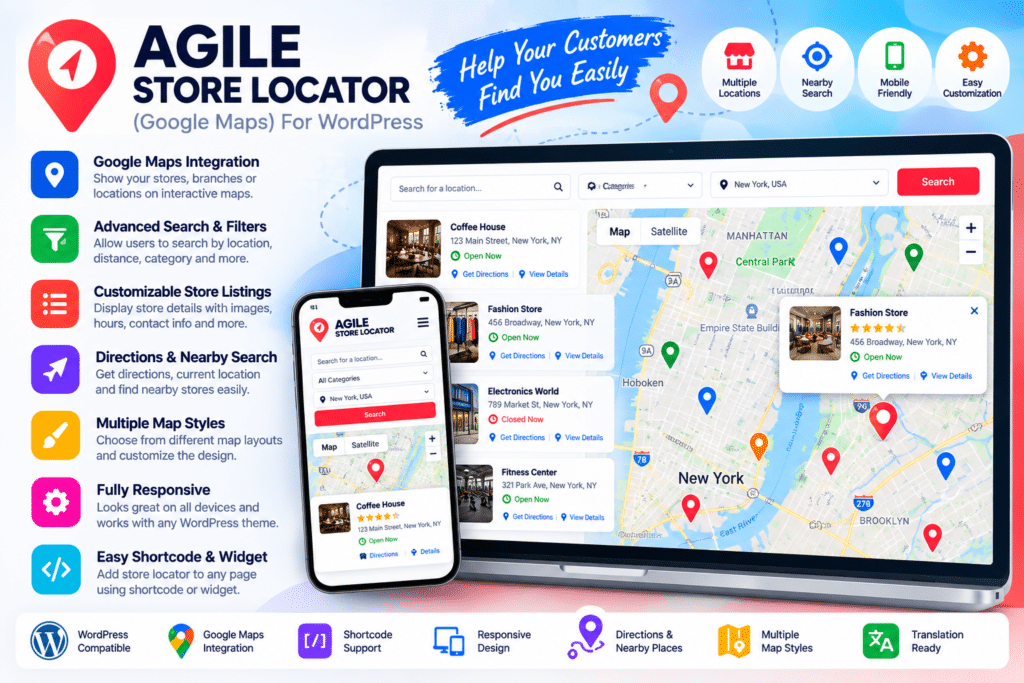
Agile Store Locator is a WordPress location finder plugin designed to help businesses display stores, branches, dealers, offices, restaurants, and other physical locations on an interactive map.
Visitors can search for nearby locations using addresses, cities, states, streets, or postal codes, while geolocation functionality can help identify locations close to the user’s current position.
Whether you manage a retail chain, dealer network, restaurant group, service business, or multi-location company, Agile Store Locator provides a flexible way to help customers find your physical locations.
Key Features
- Interactive Store Locator – Display business locations using an interactive map and organized location listings.
- Address Search – Let visitors search by supported addresses, cities, states, streets, and postal codes.
- Geolocation Support – Help users find nearby locations based on their current position.
- Distance-Based Sorting – Show supported locations ordered by proximity to the searched location.
- Custom Map Markers – Assign custom icons and supported marker styles to individual locations.
- Multiple Store Locator Templates – Choose from several layouts for presenting stores and maps.
- List, Accordion & Grid Layouts – Present location results using supported visual layouts.
- Custom Map Styling – Adjust supported map styles and overlays to better match your website.
- Store Categories – Organize locations into categories to make filtering and browsing easier.
- Store Detail Information – Display addresses, business information, descriptions, opening hours, and other supported data.
- Analytics & Search Tracking – Review supported searches, store views, and user interactions.
- CSV Import & Export – Manage larger location databases using supported bulk import and export tools.
- Responsive Design – Keep store-finder functionality usable across desktop, tablet, and mobile devices.
- WordPress Integrations – Designed to work with supported WordPress tools including WooCommerce, Elementor, WPForms, Gravity Forms, WPML, and other compatible plugins.
Perfect For
Agile Store Locator is suitable for retail chains, restaurants, dealerships, pharmacies, clinics, franchise businesses, service centers, real estate offices, hotels, distributors, showrooms, pickup locations, and other businesses operating from multiple physical locations.
Help Customers Find the Nearest Location
When a business operates from several branches, customers should not need to manually search through long lists of addresses.
Agile Store Locator gives visitors a location-focused search experience where they can enter an address or use supported geolocation functionality to discover nearby stores.
Locations can then be displayed with useful information such as addresses, opening hours, categories, directions, and other configured details.
Build a Better Store Finder
Make physical locations easier to discover with Agile Store Locator – Google Maps Store Finder Plugin for WordPress.
With location search, geolocation, custom map markers, distance sorting, multiple layouts, analytics, bulk import tools, and responsive design, Agile Store Locator provides a practical solution for building professional store and branch finders in WordPress.