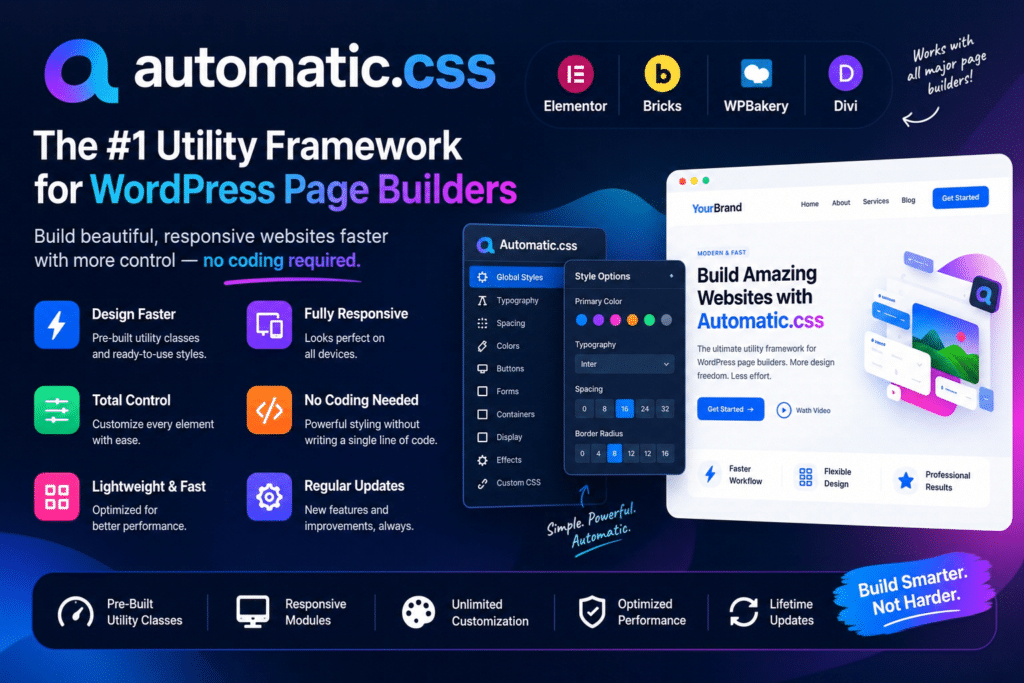
Automatic.css (ACSS) is a powerful utility-first CSS framework designed specifically for WordPress website development. It helps designers, freelancers, agencies, and developers create consistent, responsive, and maintainable websites using reusable CSS classes, global design variables, and customizable styling systems.
Instead of writing repetitive CSS for every section, you can use ACSS utility classes and design tokens to control colors, typography, spacing, layouts, buttons, forms, and other website elements from a centralized dashboard.
Automatic.css combines a flexible design system with page builder integrations, responsive layout utilities, accessibility-focused styling features, and advanced development tools. It is particularly useful for professionals who build multiple WordPress websites and want a consistent workflow across projects.
The framework is designed to reduce repetitive styling work while keeping your designs flexible and your underlying CSS manageable.
What You’re Getting
Automatic.css provides a comprehensive collection of CSS utilities, design variables, responsive systems, and developer tools for building WordPress websites.
Its centralized dashboard allows you to configure your website’s visual foundation, including brand colors, typography, spacing scales, breakpoints, and other design settings. You can then apply those settings throughout your website using reusable classes and variables.
The framework also includes advanced tools for managing layouts, styling forms, building reusable components, and improving the overall website development workflow.
Key Features
1. Centralized Design System
Manage your website’s visual styles through one dashboard. Configure global colors, typography, spacing, sizing, and other design properties to maintain consistency across different pages and sections.
2. Automatic Color Shade Generation
Define your brand colors and generate related shades, transparencies, and color variations automatically. Use the generated color variables and utility classes throughout your website without manually creating every shade.
3. Fluid Responsive Typography
Create typography systems that automatically scale across different screen sizes. Configure heading sizes, body text, and responsive typography scales using mathematical values and adjustable minimum and maximum sizes.
4. Responsive Spacing System
Use a structured spacing system with intuitive size labels such as XS, S, M, L, XL, and larger variations. The fluid spacing scale helps maintain consistent gaps, padding, and margins across different layouts.
5. CSS Grid and Flexbox Utilities
Build flexible page layouts using reusable Grid and Flexbox utilities. Create responsive columns, content grids, alignment systems, and advanced layouts without repeatedly writing custom CSS.
6. Automatic Grid Layouts
Use auto-grid utilities to create responsive layouts that adapt to available space. These tools help reduce the amount of manual breakpoint configuration needed when building card grids, content sections, and other repeating layouts.
7. Mobile-First Responsive Development
Apply responsive utility classes and breakpoint modifiers to control how elements behave on different screen sizes. Build layouts that adapt to desktop, tablet, and mobile devices while maintaining consistent design rules.
8. Global CSS Variables
Use reusable CSS variables for colors, typography, spacing, borders, shadows, widths, and other design properties. These variables make it easier to update a website’s visual appearance without editing every individual element.
9. Button Styling Framework
Create consistent button designs using the built-in button framework. Configure button styles, sizes, colors, hover states, and focus appearances to match your website’s branding.
10. Card and Component Framework
Build reusable card components with consistent styling variables for backgrounds, spacing, borders, radius, and other visual properties. This makes it easier to maintain a unified appearance across repeated website elements.
11. Advanced Form Styling
Apply consistent styling to supported form elements using ACSS form utilities and global settings. Configure field appearances, labels, focus states, colors, and other form-related design properties.
12. Accessibility-Focused Styling
Use features designed to support accessible website interactions, including customizable focus outlines, focus colors, and clickable parent utilities. These tools help developers implement more consistent interaction patterns.
The framework provides accessibility-related styling features, but using ACSS alone does not guarantee WCAG or other accessibility compliance.
13. Automatic Header and Scroll Offsets
Manage common layout problems associated with sticky headers, overlay headers, sticky elements, and anchor links. Automatic offset features help prevent content from being hidden behind fixed or sticky website elements.
14. Smart Content Spacing
Apply intelligent spacing between headings, paragraphs, buttons, links, lists, and other content elements. This helps maintain a consistent vertical rhythm without manually adjusting every gap.
15. Automatic REM Conversion
Convert pixel-based measurements into REM units through the framework’s conversion workflow. This helps developers work with scalable CSS measurements without repeatedly calculating unit conversions manually.
16. Automatic Text Balancing
Use automatic text balancing to improve the appearance of headings and shorter text blocks. It helps reduce awkward final lines and creates more visually balanced typography.
17. Automatic Variable and Math Expansion
Speed up CSS authoring with string expansion and variable validation tools. ACSS can automatically expand shorthand variables into var() expressions and mathematical expressions into calc() syntax.
18. Contextual Class Menus
Access available utility classes and variables through contextual menus in supported page builders. Right-click options and live previews make it easier to discover and apply the correct styles while designing pages.
19. Built-In Cheat Sheet
Use the framework’s cheat sheet to reference available utility classes, variables, and recipes. This is particularly useful when working with a large design system or learning the ACSS naming conventions.
20. SCSS Mixins and Recipes
Use reusable SCSS mixins and predefined recipes to handle common styling patterns. These tools help experienced developers build complex layouts and custom components with less repetitive code.
21. Auto-BEM Methodology
Use Auto-BEM tools to organize CSS classes according to the Block, Element, Modifier naming approach. This supports more structured class naming and helps keep larger projects easier to maintain.
22. Borders, Dividers, Icons, and Effects
Extend your design system with additional styling frameworks for borders, dividers, icons, shadows, backgrounds, overlays, textures, and visual effects.
These utilities help maintain consistent styling across different website components.
23. Lightweight Pro Mode
Disable utilities and framework features that your project does not need. This allows you to configure a more focused setup instead of loading every available styling feature.
24. Live Preview and Dashboard Customization
Configure framework settings through the ACSS dashboard and preview design changes while working. The live preview workflow makes it easier to test colors, spacing, typography, and other design decisions.
25. Settings Import and Export
Save and transfer framework settings between projects using the dashboard’s import and export functionality. This is useful for agencies and developers who want to reuse their preferred design configurations across multiple websites.
Supported WordPress Editors and Page Builders
Automatic.css 4.x officially supports:
- Bricks Builder: Deep integration with the framework’s utility classes, variables, color system, and recipes.
- Gutenberg: Integration with the native WordPress Block Editor.
- Etch: Flagship integration with the Etch visual development environment.
Compatibility is version-specific. The current ACSS 4.x documentation no longer lists Elementor, Divi, Breakdance, Oxygen, GeneratePress, or GenerateBlocks as supported integrations.
Who Should Use Automatic.css?
Automatic.css is suitable for:
- WordPress website developers
- Freelance web designers
- Web development agencies
- Bricks Builder developers
- Gutenberg website designers
- Etch users
- WordPress UI and UX designers
- Front-end developers
- Developers managing multiple client websites
- Professionals building reusable design systems
Compatibility and Important Notes
Automatic.css is a CSS framework, not a WordPress theme or standalone page builder. It works alongside supported WordPress editors and page builders to provide reusable styling systems and development utilities.
The current official release is Automatic.css 4.0.2, dated November 1, 2026. Version 4.x has a different compatibility scope from earlier releases. In particular, ACSS 4.0 is not backward compatible with ACSS 3, and existing version 3 websites should follow the vendor’s upgrade guidance before moving to the new version.
The framework’s official 4.x integrations are Etch, Gutenberg, and Bricks Builder. If you specifically need Elementor or another page builder that is no longer listed as supported, check the appropriate ACSS version and documentation before installing.
Frames is a separate product in the Automatic.css ecosystem and should not be assumed to be included with an ACSS-only package.
Build Consistent WordPress Websites with Automatic.css
Automatic.css provides a structured approach to WordPress website styling through reusable utility classes, global CSS variables, responsive design systems, and advanced developer tools. From automatic color generation and fluid typography to responsive grids, form styling, accessibility-focused utilities, and SCSS recipes, it helps create a more consistent and maintainable development workflow. Whether you’re building client websites or managing a collection of WordPress projects, ACSS gives you a flexible foundation for organizing and reusing your design system.