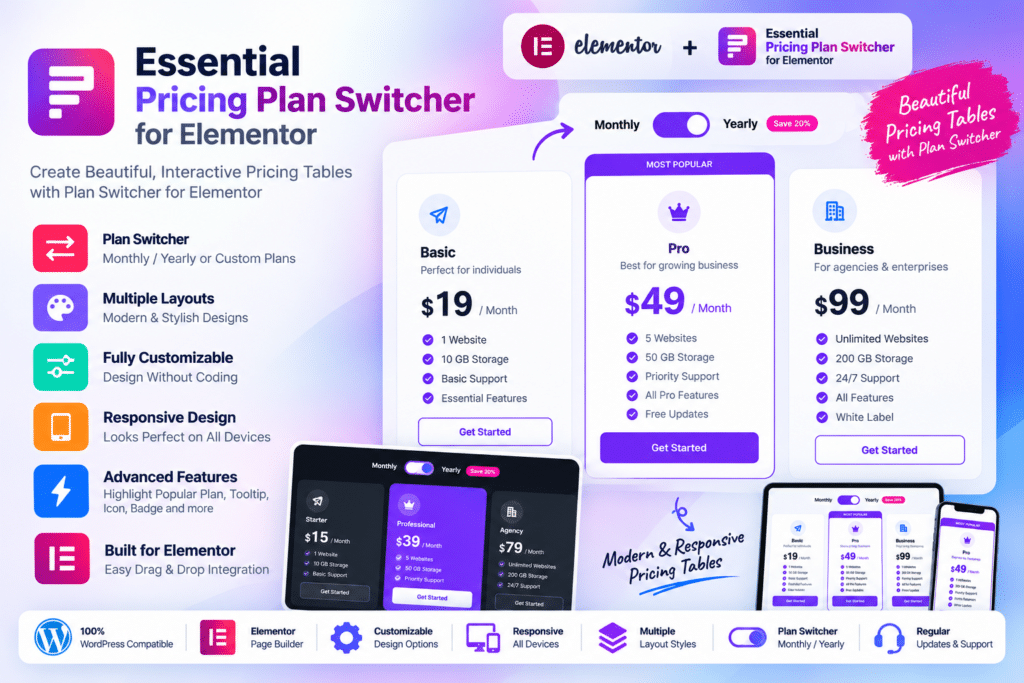
Essential Pricing Plan Switcher for Elementor is a WordPress Elementor addon designed to help you create attractive pricing tables with switchable pricing plans directly inside the Elementor page builder.
It is particularly useful when you want customers to compare different billing periods or packages, such as monthly and yearly subscriptions, without displaying multiple separate pricing sections.
The plugin provides five ready-made pricing presentation styles along with controls for plan names, prices, features, buttons, badges, colors, typography, currencies, and other design elements.
Whether you’re building a SaaS website, hosting company, agency, subscription service, coaching platform, cloud service, or membership site, Essential Pricing Plan Switcher provides a straightforward way to present plans visually.
Key Features
- Pricing Plan Switcher – Let visitors switch between different pricing options within the same pricing section.
- Monthly & Yearly Pricing – Create supported billing comparisons such as monthly versus yearly plans.
- 5 Pricing Designs – Choose from five unique pre-built pricing-plan presentation styles.
- Highlight Any Plan – Draw attention to recommended, popular, premium, or featured pricing packages.
- Unlimited Table Rows – Add as many supported plan features and benefit rows as required.
- Multiple Currency Symbols – Display pricing using the currency symbol appropriate for your offer.
- Elementor Integration – Add and customize pricing plans directly from the Elementor interface.
- Elementor Pro Compatible – Use the addon alongside supported Elementor Pro websites.
- Typography Controls – Customize fonts and text presentation to match your website design.
- Unlimited Color Options – Adjust supported colors for pricing cards, text, buttons, backgrounds, and other elements.
- Custom Call-to-Action Buttons – Add buttons that direct visitors toward signup, checkout, contact, or other pages.
- Plan Badges & Labels – Highlight offers using labels such as Popular, New, Recommended, or other custom text.
- Responsive Design – Keep pricing tables usable across desktop, tablet, and mobile devices.
- Translation Ready – Adapt pricing-table text for multilingual Elementor websites.
Perfect For
Essential Pricing Plan Switcher for Elementor is suitable for SaaS websites, web hosting businesses, subscription services, cloud-storage companies, agencies, membership websites, coaching businesses, software companies, internet-service providers, financial-service websites, and businesses selling tiered plans.
Create Monthly & Yearly Pricing Tables
Subscription websites often need to show more than one billing option.
For example, a service may offer:
- Monthly billing
- Annual billing
Instead of displaying two separate sets of pricing cards, a pricing-plan switcher allows visitors to move between the available options while keeping the layout compact.
The plugin’s official demo demonstrates monthly and yearly pricing with different prices and feature sets for each state.
Showcase Multiple Pricing Tiers
You can create several plan levels such as:
- Basic
- Standard
- Professional
- Premium
- Business
- Enterprise
Each pricing card can contain its own price, billing period, description, features, labels, and call-to-action button.
This makes the plugin suitable for businesses where customers need to compare packages before choosing a plan.
Highlight Your Recommended Plan
Not every package needs equal visual emphasis.
Essential Pricing Plan Switcher allows plans to be highlighted, helping you draw attention to the option you want customers to notice first.
For example, you could label a middle plan as:
- Popular
- Recommended
- Best Value
- Most Popular
- New
The official changelog notes that plan-highlighting functionality was expanded in version 1.0.1.
Add Unlimited Feature Rows
Pricing plans often need more than just a title and price.
You can add supported feature rows describing what customers receive with each package, such as:
- Storage
- Number of users
- Email accounts
- Support level
- Website limits
- Product limits
- Cloud storage
- Premium features
- Included services
There is no need to keep every package description extremely short when your offer requires a more detailed comparison.
Customize Pricing Tables with Elementor
The plugin is built specifically for Elementor.
You can drag its widget into a supported Elementor page and customize the content and styling from the familiar Elementor editing interface.
Controls for colors, typography, icons, pricing information, buttons, and other visual details help you adapt the pricing section to your existing website instead of using a completely separate design system.
Match Your Brand Colors & Typography
Essential Pricing Plan Switcher provides extensive visual controls.
Official product information highlights:
- Unlimited color options
- Unlimited font options
- Typography customization
- Icon controls
- Flexible content styling
These options make it easier to match pricing tables with an existing SaaS, agency, hosting, business, or membership website.
Display Different Currency Symbols
The plugin supports multiple currency symbols, which is useful when building pricing tables for different markets.
You can configure the pricing presentation to match the currency used by your products or services rather than being restricted to a single predefined symbol.
The plugin is primarily a pricing presentation tool. It does not by itself function as a full payment gateway, subscription processor, or checkout system.
Your pricing buttons can instead direct customers to WooCommerce, a membership system, payment page, external checkout, registration page, or another supported destination.
Responsive Pricing Tables
Pricing sections need to remain readable on smaller screens because customers may compare plans from phones or tablets.
Essential Pricing Plan Switcher is designed to adapt its presentation across smartphones, tablets, laptops, and desktop displays.
Actual mobile appearance will still depend on your selected design, amount of content, Elementor layout settings, and surrounding theme styles.
Translation-Ready Design
The developer lists the plugin as translation ready, making it more suitable for multilingual Elementor websites.
Pricing labels, buttons, feature descriptions, billing periods, and other text can therefore be adapted to match the language used by your website.
Build Better Elementor Pricing Sections
Create attractive pricing comparisons with Essential Pricing Plan Switcher for Elementor.
With switchable pricing plans, five design styles, unlimited feature rows, featured-plan highlighting, currency options, extensive colors and typography controls, responsive layouts, and Elementor integration, the plugin provides a simple way to build professional pricing sections without custom coding.