MemberPress Courses is a WordPress learning management solution designed to help website owners create, organize, and sell online courses from within WordPress.
It works as part of the MemberPress ecosystem, making it useful for membership websites that want to combine protected content, course access, subscriptions, and structured learning in one setup.
Whether you’re building a coaching program, membership academy, employee training portal, or premium educational website, MemberPress Courses provides a practical way to deliver lessons and manage access to your learning content.
Key Features
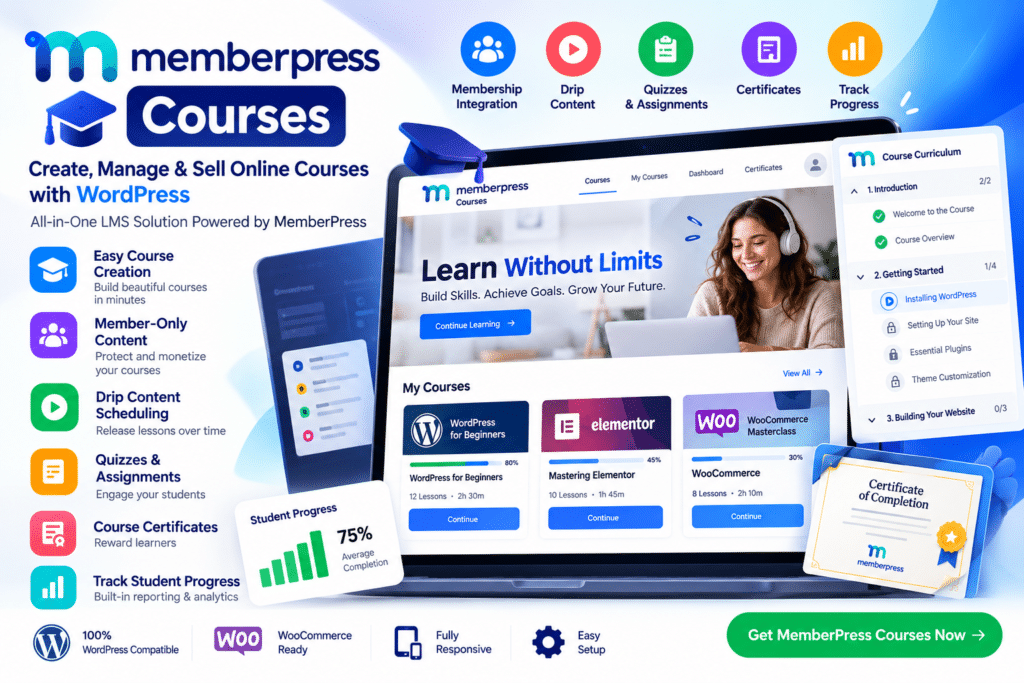
- Online Course Builder – Create structured courses with lessons, topics, and supported learning content.
- MemberPress Integration – Connect courses with memberships, subscriptions, and access rules.
- Protected Course Content – Restrict lessons and courses to eligible members or customers.
- Course Curriculum—Organize educational content into a clear learning structure.
- Visual Course Management – Build and arrange supported course content through a user-friendly WordPress workflow.
- Student Progress Tracking – Let learners keep track of supported course progress.
- Quizzes & Assessments—Add supported quizzes to reinforce learning and evaluate student understanding.
- Certificates—Provide supported completion certificates for eligible courses.
- Course Dripping—Release protected learning content according to supported schedules and access rules.
- Membership-Based Learning – Create courses available only to specific membership levels.
- Subscription Course Access – Sell recurring access to educational content through compatible MemberPress membership plans.
- Responsive Course Layouts – Keep learning content accessible across desktop, tablet, and mobile devices.
- Instructor-Friendly Workflow—Useful for coaches, teachers, creators, and businesses managing online education.
- WordPress Integration – Manage courses, memberships, and website content from a familiar WordPress environment.
Perfect For
MemberPress Courses is suitable for coaches, teachers, consultants, membership websites, online academies, course creators, corporate training platforms, educational businesses, fitness instructors, professional trainers, and organizations selling premium learning content.
Combine Courses with Memberships
Many online learning businesses need more than a simple course page. They may also need recurring subscriptions, protected content, multiple membership levels, and controlled access.
MemberPress Courses helps combine these elements by allowing course content to work alongside MemberPress membership rules.
This makes it possible to create learning experiences where different members receive access to different courses, lessons, or educational programs based on their subscription or membership level.
Build Your WordPress Learning Platform
Create structured online education with MemberPress Courses—WordPress LMS & Online Course Add-On.
With course creation, membership integration, protected lessons, progress tracking, quizzes, certificates, content dripping, and subscription-based access, MemberPress Courses provides a flexible foundation for building membership-powered learning websites.