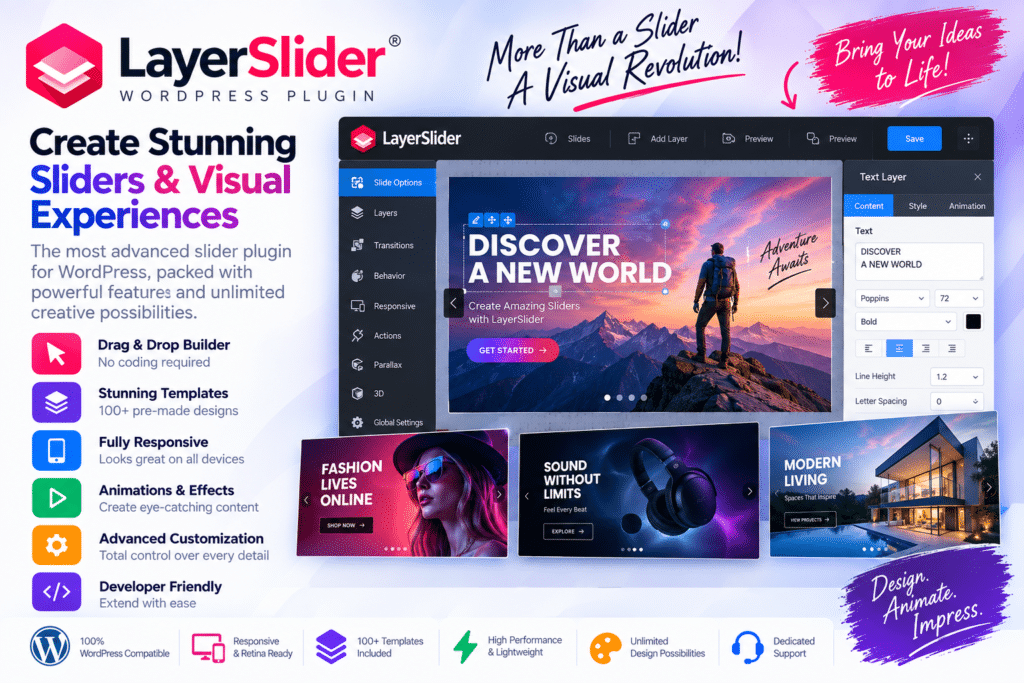
LayerSlider is a versatile WordPress plugin for creating animated sliders, hero sections, image galleries, and interactive website content. Its visual editing tools allow you to combine images, text, buttons, videos, and other elements into engaging designs without writing complex code.
More than a traditional slider plugin, LayerSlider gives you the flexibility to create promotional banners, landing-page sections, product showcases, and animated presentations. Its layer-based approach makes it easier to control how individual elements appear and move, helping you create polished visual experiences for your website.
Whether you’re building a business website, creative portfolio, WooCommerce store, or marketing landing page, LayerSlider provides a flexible toolkit for bringing your content to life.
Key Features
- Visual Drag-and-Drop Editor – Create and customize sliders and animated content through an intuitive visual interface.
- Layer-Based Editing – Combine text, images, buttons, videos, and other elements with precise positioning controls.
- Advanced Animations – Add transitions, motion effects, and animated sequences to individual layers.
- Responsive Design – Create layouts that adapt to desktop, tablet, and mobile screens.
- Sliders & Carousels – Showcase products, services, portfolio projects, and featured content.
- Hero Sections & Banners – Build eye-catching homepage headers and promotional sections.
- Interactive Elements – Add buttons, links, and supported interaction effects to encourage visitor engagement.
- Animation Timeline – Control the timing and sequence of visual elements for more polished presentations.
- Video Support – Incorporate supported video content into your designs.
- Flexible Layout Options – Create full-width, full-screen, and other responsive visual layouts.
- Reusable Designs – Save and reuse customized projects across your website.
- WordPress Integration – Add completed designs to pages, posts, and other supported WordPress areas.
Perfect For
LayerSlider is suitable for:
- Business websites
- WooCommerce stores
- Landing pages
- Creative portfolios
- Photography websites
- Digital marketing agencies
- Product showcases
- Promotional campaigns
- Blogs and magazines
- Interactive homepage sections
Create More Than Basic Sliders
LayerSlider gives you the creative freedom to build visual sections that go beyond rotating images. Combine multiple layers, animations, and interactive elements to create content that highlights your products, services, and important messages.
From a simple image carousel to a detailed animated hero section, you can customize your designs to match your website’s style and goals.
Bring Your Website Content to Life
Create engaging visual experiences with LayerSlider – WordPress Slider & Animation Plugin. Its visual editor, advanced animation tools, responsive controls, and flexible layouts make it a practical choice for building professional sliders and interactive website sections.
Design, animate, and showcase your content in a way that helps your website stand out.