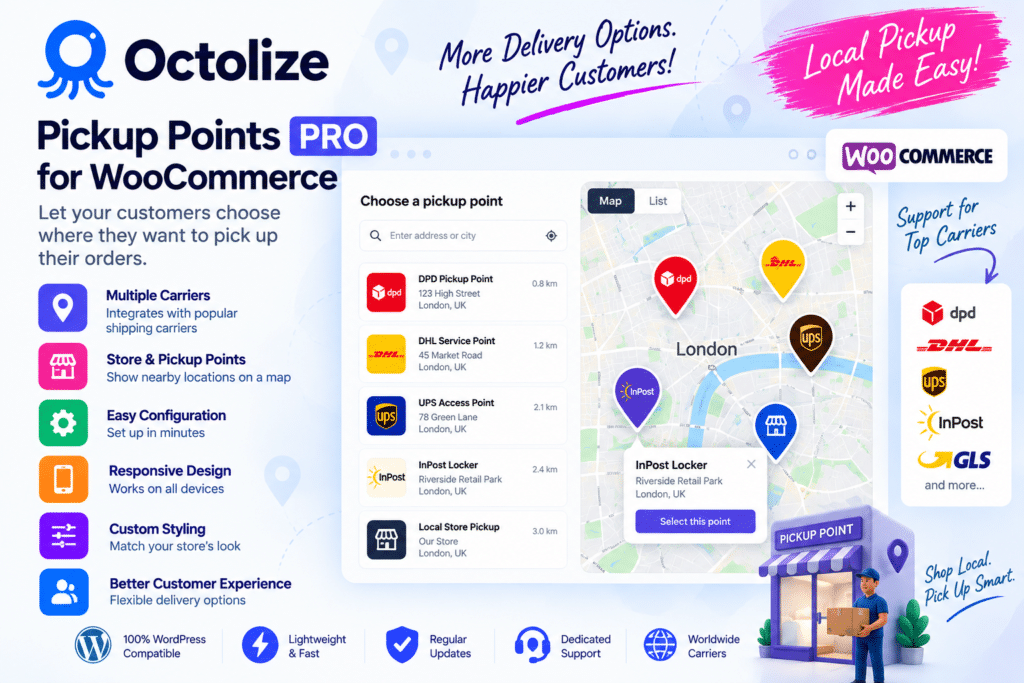
Octolize Pickup Points PRO for WooCommerce is a shipping plugin designed to give online shoppers the option to collect their orders from available pickup locations instead of using traditional home delivery.
It helps WooCommerce stores provide a more flexible checkout experience by allowing customers to select a convenient pickup point during the ordering process. This can be especially useful for stores working with supported shipping carriers and pickup-point networks.
Whether you run a small online shop or a growing WooCommerce business, Pickup Points PRO can help you expand your delivery options and give customers greater control over where they receive their orders.
Key Features
- Pickup Point Delivery – Give customers the option to collect eligible orders from supported pickup locations.
- WooCommerce Integration – Add pickup-point functionality directly to your WooCommerce shipping workflow.
- Pickup Point Selection – Allow customers to choose an available collection location during the ordering process.
- Multiple Carrier Support – Work with supported shipping providers and pickup-point networks.
- Flexible Shipping Setup – Configure pickup options according to your WooCommerce shipping requirements.
- Convenient Checkout Experience – Give shoppers an alternative to standard home delivery.
- Location-Based Selection – Help customers find suitable pickup locations based on supported location data.
- Shipping Method Integration – Connect pickup-point options with compatible WooCommerce shipping methods.
- Store Management Tools – Manage supported pickup delivery settings through your WordPress dashboard.
- Customer-Friendly Delivery – Provide shoppers with more flexibility when choosing how to receive their purchases.
- WooCommerce Store Compatibility – Designed specifically for stores powered by WordPress and WooCommerce.
Perfect For
Pickup Points PRO is useful for:
- WooCommerce stores
- Fashion and clothing shops
- Electronics stores
- Beauty and cosmetics shops
- Accessories stores
- Online retail businesses
- Stores offering multiple delivery options
- Businesses using supported pickup networks
- Local and international eCommerce stores
Give Customers More Delivery Flexibility
Not every customer wants to wait at home for a delivery. Pickup-point shipping can provide a convenient alternative by allowing shoppers to collect eligible packages from a location that better fits their schedule.
Octolize Pickup Points PRO brings this option into your WooCommerce checkout, helping you create a more flexible delivery experience while keeping shipping management within your existing store workflow.
Expand Your WooCommerce Shipping Options
Improve your store’s delivery experience with Octolize Pickup Points PRO for WooCommerce.
With pickup-location selection, WooCommerce integration, and support for compatible shipping services, the plugin provides a practical way to offer customers additional delivery choices and create a more convenient checkout experience.