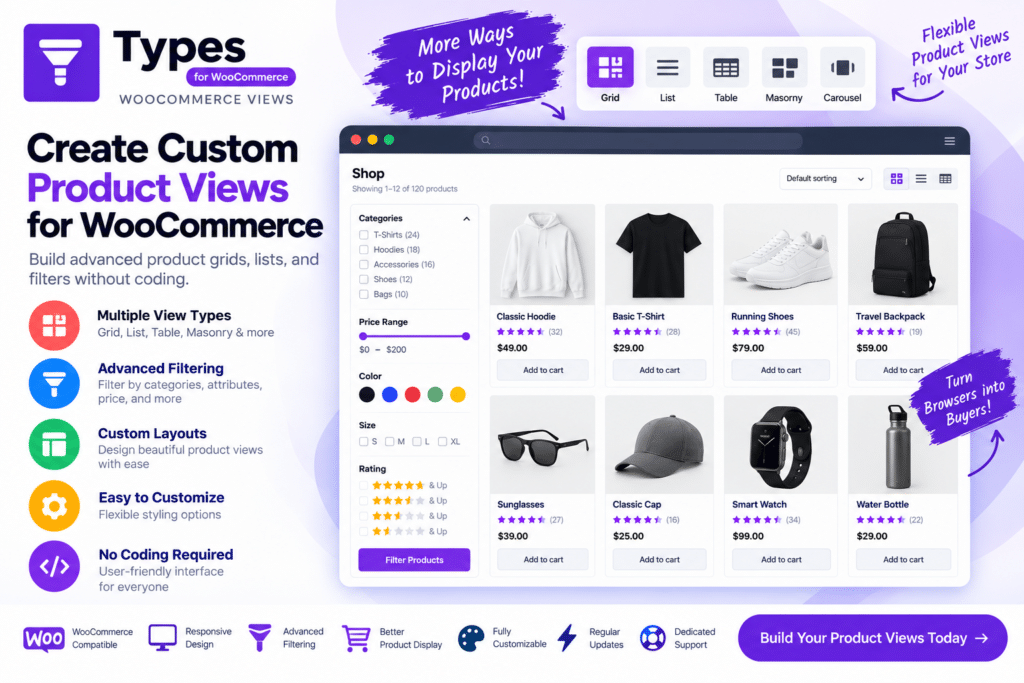
Types | WooCommerce Views is a WordPress solution designed to give developers and website builders more control over how WooCommerce product information is displayed.
Instead of relying entirely on the default WooCommerce templates, it can be used within a compatible Toolset-based setup to create customized product and store layouts. This makes it useful when building WooCommerce websites that require more specialized product presentation or custom content structures.
From individual product templates to shop-related content, WooCommerce Views can help connect WooCommerce data with custom WordPress layouts without requiring every template to be built manually in PHP.
Key Features
- Custom WooCommerce Views – Create customized layouts for displaying supported WooCommerce product information.
- Product Template Control – Build alternative product presentations instead of depending only on default WooCommerce templates.
- WooCommerce Data Display – Work with supported product information such as titles, prices, images, descriptions, and other store data.
- Custom Product Layouts – Arrange WooCommerce information according to the needs of your website design.
- Toolset Integration – Work within compatible Toolset workflows for building custom WordPress websites.
- Custom Fields Support – Combine supported WooCommerce information with additional custom product data.
- Dynamic Content – Display product information dynamically within supported templates and views.
- Product Listing Layouts – Create organized presentations for collections of WooCommerce products.
- Custom Content Structures – Combine products with supported custom post types, taxonomies, and fields.
- Reusable Templates – Build supported layouts that can be reused across multiple products.
- Filtering Compatibility – Work with supported Toolset filtering functionality when properly configured.
- Developer Flexibility – Useful for projects that require more control than a standard WooCommerce theme provides.
- Responsive Layout Possibilities – Create layouts suitable for different screen sizes according to your theme and configuration.
- WordPress & WooCommerce Integration – Extend an existing WooCommerce store while continuing to use familiar WordPress product management.
Perfect For
Types | WooCommerce Views is useful for WordPress developers, WooCommerce developers, agencies, advanced store builders, custom product catalogs, directory-style stores, product databases, B2B websites, and eCommerce projects requiring specialized product layouts.
Go Beyond Default WooCommerce Templates
Standard WooCommerce templates work well for many online stores, but specialized websites may need to present products differently.
A business might need additional product specifications, custom fields, unique catalog structures, or layouts that combine WooCommerce data with other WordPress content.
WooCommerce Views provides tools for creating these more customized presentations within a compatible Toolset environment, giving developers greater flexibility over how store information appears to visitors.
Build Custom WooCommerce Experiences
Take greater control of product presentation with Types | WooCommerce Views.
With customizable product templates, dynamic WooCommerce data, custom-field support, reusable layouts, product listings, and Toolset integration, WooCommerce Views provides a flexible approach for building more specialized WordPress eCommerce websites.