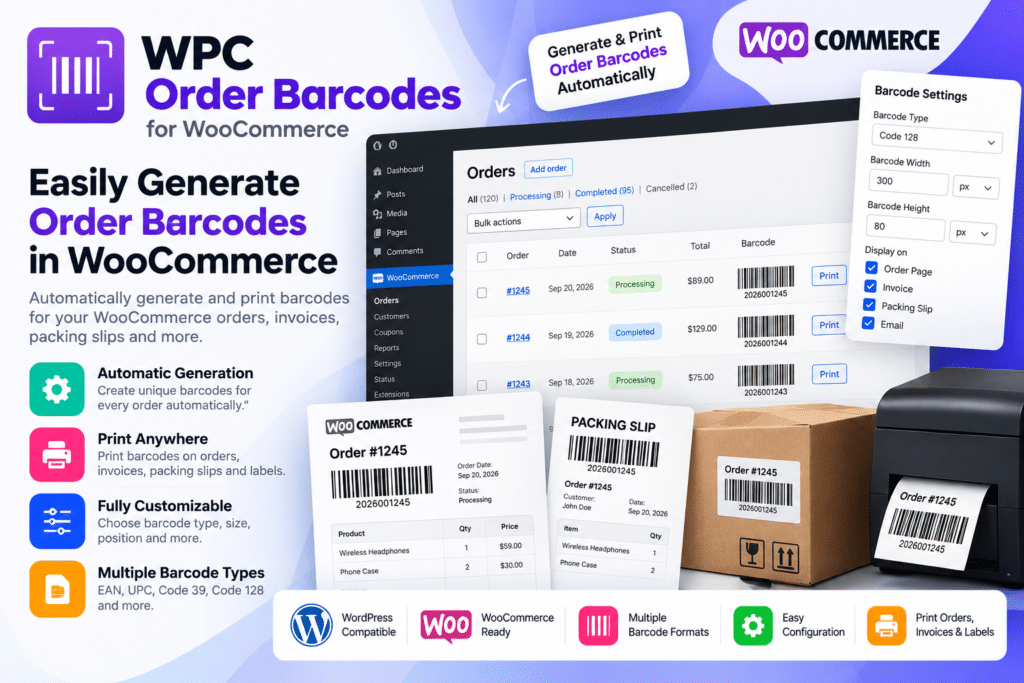
WPC Order Barcodes for WooCommerce is a WordPress plugin designed to automatically generate unique barcodes or QR codes for WooCommerce orders.
It helps store owners and staff identify orders faster by scanning a barcode to retrieve order information, making it useful for packing, fulfillment, pickup counters, warehouses, and other order-management workflows.
Whether you run a retail shop, warehouse, delivery business, restaurant, or growing WooCommerce store, WPC Order Barcodes provides a practical way to connect physical order handling with your WooCommerce system.
Key Features
- Automatic Barcode Generation – Generate a unique barcode or QR code for each supported WooCommerce order.
- Multiple Barcode Formats – Supports formats including QR Code, EAN-13, Code 128, Data Matrix, and Code 39.
- Built-In Barcode Scanner – Scan supported order barcodes using a camera or manual input to access order information.
- Fast Order Lookup – Retrieve supported order details without manually searching by order number.
- Barcode Customization – Configure supported barcode formats, prefixes, dimensions, and display behavior.
- Order Email Display – Show barcodes in supported WooCommerce order emails.
- Thank You Page Support – Display order barcodes on the WooCommerce order-received page.
- Customer Account Display – Show supported barcodes within customers’ View Order pages.
- Shortcode Support – Insert order barcodes or scanner interfaces into supported WordPress content areas.
- Scanner Popup Mode – Use a supported popup scanner interface where compact layouts are preferred.
- WooCommerce Integration – Works directly with WooCommerce order data and management workflows.
- Order Fulfillment Support – Help staff identify and process orders more efficiently.
- Pickup & Collection Use – Useful for verifying supported customer orders at pickup counters.
- Flexible Store Applications – Suitable for retail, warehouses, restaurants, delivery businesses, and other WooCommerce operations.
Perfect For
WPC Order Barcodes for WooCommerce is suitable for online stores, warehouses, retail shops, click-and-collect businesses, restaurants, delivery services, wholesale stores, fulfillment centers, event merchandise businesses, and other WooCommerce websites handling physical orders.
Make Order Processing Faster
Manually searching for an order every time a customer arrives or warehouse staff begin packing can slow down fulfillment.
WPC Order Barcodes assigns supported orders their own scannable code. Staff can scan that code to retrieve relevant order information more quickly, helping create a smoother workflow between WooCommerce and real-world order handling.
The plugin currently supports multiple barcode formats along with a built-in scanner and flexible barcode/scanner shortcodes.
Simplify WooCommerce Order Identification
Improve your order workflow with WPC Order Barcodes for WooCommerce.
With automatic barcode generation, QR codes, multiple barcode formats, scanning tools, order-email display, shortcode support, and WooCommerce integration, the plugin provides a practical solution for managing and identifying customer orders.