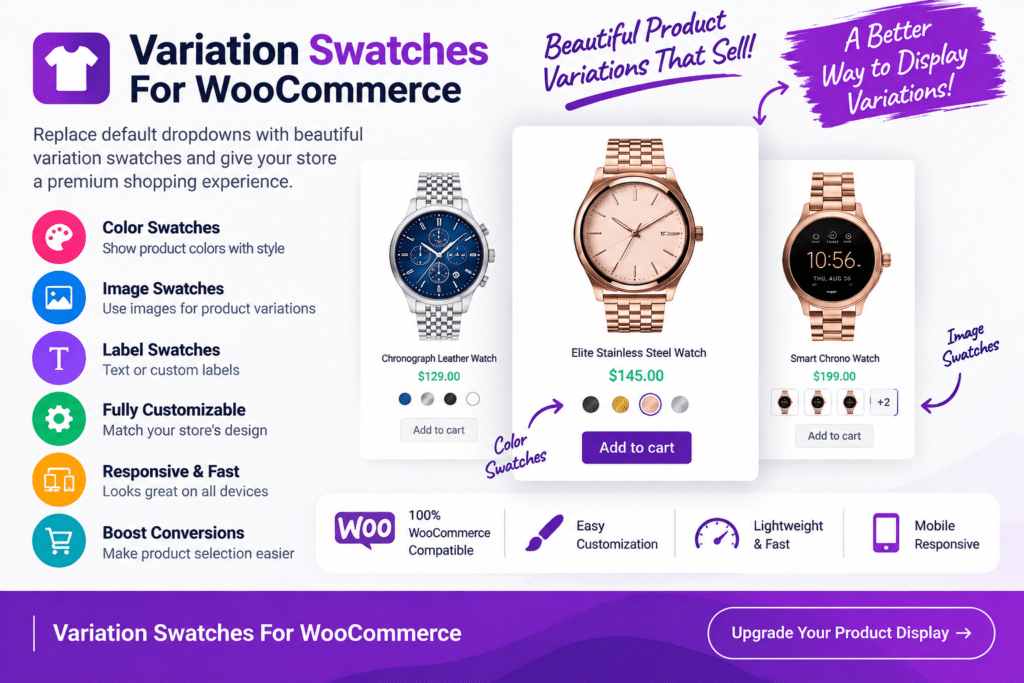
Variation Swatches for WooCommerce is a WordPress plugin designed to make variable product options more visual, attractive, and easier for customers to understand.
Instead of relying only on standard WooCommerce dropdown menus, the plugin can present supported product attributes as color, image, label, or button-style swatches. This allows shoppers to see available choices such as colors, sizes, styles, patterns, and other variations more clearly.
Whether you sell clothing, shoes, accessories, furniture, electronics, beauty products, or other variable products, Variation Swatches for WooCommerce can help create a smoother product-selection experience.
Key Features
- Color Swatches – Display product color options as visual color selections instead of plain dropdown text.
- Image Swatches – Use supported images to represent patterns, styles, materials, or other product variations.
- Label Swatches – Turn attributes such as sizes into clear text-based buttons.
- Button-Style Variations – Create cleaner and more interactive choices for supported product attributes.
- WooCommerce Integration – Enhance existing WooCommerce variable products without changing your basic product workflow.
- Multiple Attribute Types – Present different product attributes using the swatch style that best suits each option.
- Variation Selection – Help shoppers understand and select available product combinations more easily.
- Product Page Enhancement – Give variable product pages a cleaner and more modern shopping experience.
- Responsive Design – Keep supported swatches easy to use across desktop, tablet, and mobile devices.
- Flexible Styling – Customize supported swatch sizes, shapes, borders, and other visual settings.
- Unavailable Variation Handling – Visually manage unavailable or out-of-stock combinations where supported.
- Shop Page Swatches – Display variation choices on supported product archive or shop layouts when available.
- Tooltip Support – Provide additional information for supported swatches without overcrowding the product page.
- User-Friendly Shopping – Make it easier for customers to compare and choose between available product variations.
Perfect For
Variation Swatches for WooCommerce is ideal for fashion stores, clothing shops, shoe stores, jewelry businesses, furniture stores, beauty and cosmetics shops, electronics stores, accessories businesses, home décor shops, and other WooCommerce stores selling products with multiple variations.
Make Product Options Easier to Understand
Traditional dropdown menus work, but they don’t always give customers a clear visual idea of what they’re selecting.
Swatches can make choices more intuitive. A shopper looking for a blue shirt can select a blue color swatch, while sizes can appear as simple S, M, L, and XL buttons. Products with different patterns or materials can use images where supported.
This creates a more visual shopping experience while keeping WooCommerce variation management familiar.
Improve Your WooCommerce Product Experience
Make variable products easier to explore with Variation Swatches for WooCommerce – Product Variation Plugin.
With color, image, label, and button swatches, responsive layouts, flexible styling, and WooCommerce integration, the plugin provides a practical way to improve how customers view and select product variations.