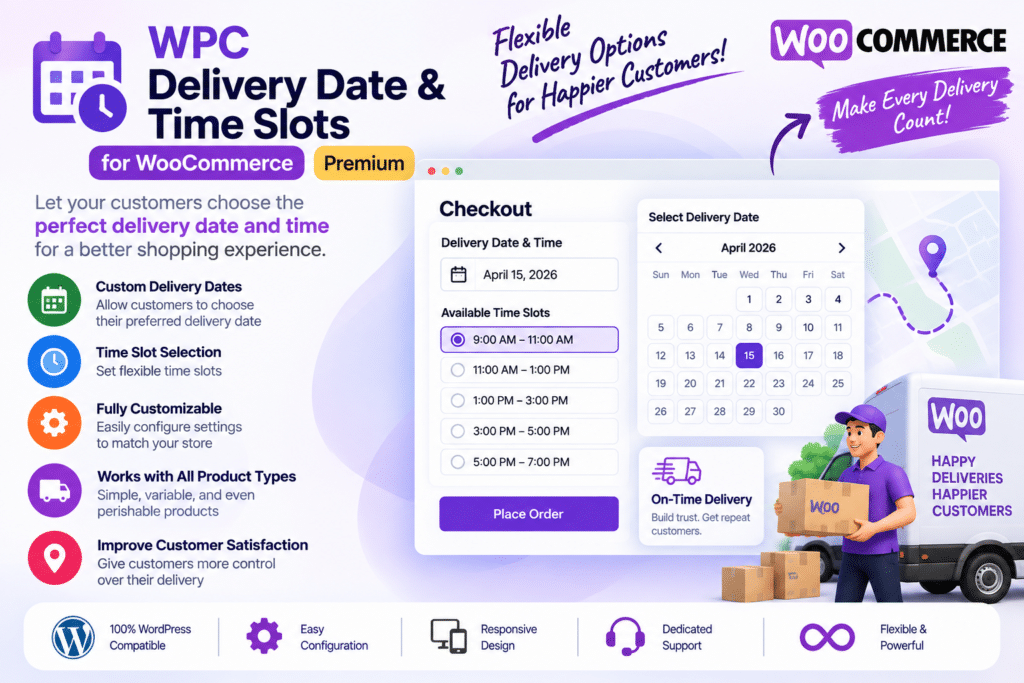
WPC Delivery Date & Time Slots for WooCommerce (Premium) is a practical WooCommerce plugin designed to give customers more control over when their orders are delivered.
Instead of leaving delivery timing unclear, the plugin allows shoppers to choose an available delivery date and time slot during the ordering process. This can make order fulfillment easier to organize while providing customers with a more convenient shopping experience.
It is especially useful for businesses where delivery timing matters, including restaurants, grocery stores, bakeries, flower shops, local delivery services, gift stores, and other WooCommerce businesses handling scheduled deliveries.
Key Features
- Delivery Date Selection – Allow customers to choose an available delivery date for their WooCommerce orders.
- Delivery Time Slots – Provide predefined time periods customers can select for delivery.
- Flexible Delivery Scheduling – Configure supported delivery schedules according to your business hours and workflow.
- Available Days Control – Decide which days customers can select for delivery.
- Time Slot Management – Create and manage different delivery time windows based on your requirements.
- Minimum Preparation Time – Give your team enough time to prepare orders before customers can select delivery.
- Delivery Restrictions – Control supported delivery availability based on configured rules and conditions.
- Checkout Integration – Add delivery date and time selection to the WooCommerce ordering experience.
- Order Information – Keep selected delivery details associated with the relevant WooCommerce order.
- Customer Convenience – Let shoppers select a delivery schedule that better fits their availability.
- Local Delivery Friendly – Useful for businesses offering scheduled delivery within specific service areas.
- WooCommerce Integration – Work within your existing WooCommerce store and order-management workflow.
- Responsive Experience – Provide delivery selection options across supported desktop, tablet, and mobile layouts.
Perfect For
WPC Delivery Date & Time Slots for WooCommerce Premium is ideal for restaurants, grocery stores, bakeries, flower shops, meal delivery businesses, gift shops, local retailers, pharmacies, food stores, same-day delivery businesses, and other WooCommerce stores that need scheduled order delivery.
Give Customers More Delivery Flexibility
Delivery convenience can play an important role in the overall shopping experience. Allowing customers to select a suitable date and time helps set clearer expectations before an order is placed.
For store owners, scheduled delivery information can also make it easier to plan order preparation, organize deliveries, and manage busy periods.
Simplify WooCommerce Delivery Scheduling
Improve your store’s delivery experience with WPC Delivery Date & Time Slots for WooCommerce (Premium).
With date selection, configurable time slots, delivery scheduling, checkout integration, and flexible availability controls, the plugin provides a convenient solution for WooCommerce businesses that need greater control over when customer orders are delivered.