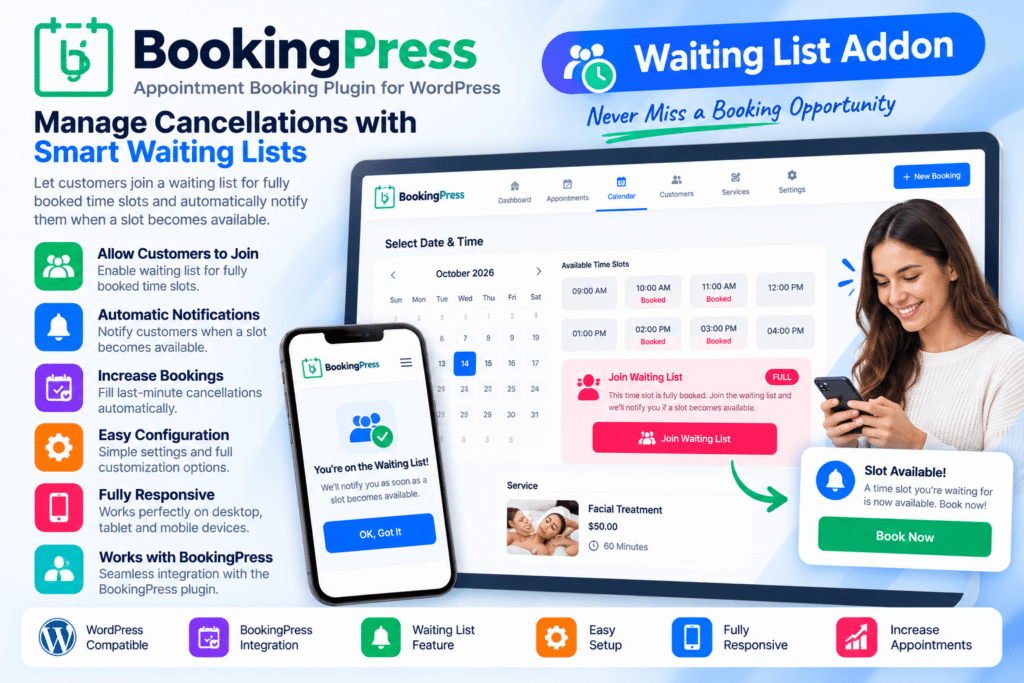
BookingPress Waiting List Addon is an extension for the BookingPress appointment booking system designed to help businesses manage customers who want an appointment when their preferred time slot is already full.
Instead of losing potential bookings when availability runs out, customers can join a waiting list for selected services, staff members, dates, or appointment slots where supported.
This makes the addon useful for salons, clinics, consultants, spas, fitness centers, tutors, and other appointment-based businesses where cancellations and schedule changes can regularly create new availability.
Key Features
- Appointment Waiting List – Allow customers to join a waiting list when supported booking slots are unavailable.
- BookingPress Integration – Works within a compatible BookingPress appointment-booking setup.
- Service-Based Waitlists – Collect waiting customers for selected services where supported.
- Staff Availability Support – Manage waitlist requests around supported staff or service-provider schedules.
- Date & Time Preferences – Capture preferred appointment timing based on available addon options.
- Customer Information Collection – Keep contact information connected with waiting-list requests.
- Cancellation Opportunity Management – Use newly available slots to accommodate customers already waiting.
- Waitlist Status Management – Review and manage supported waiting-list entries from your booking environment.
- Customer Notifications – Send supported notifications when availability changes or a slot becomes available.
- Reduced Lost Bookings – Give customers an alternative instead of leaving when an appointment is fully booked.
- Better Schedule Utilization – Fill newly opened slots more efficiently after cancellations or changes.
- Multi-Service Business Use – Useful for businesses offering several bookable services.
- Responsive Booking Experience – Keep supported waiting-list interactions usable on desktop and mobile devices.
- Appointment Workflow Improvement – Add an extra layer of flexibility to your existing BookingPress scheduling process.
Perfect For
BookingPress Waiting List Addon is suitable for salons, spas, clinics, therapists, doctors, dentists, consultants, coaches, tutors, fitness studios, beauty professionals, repair services, and other businesses that regularly deal with fully booked appointment schedules.
Turn Full Schedules into Future Bookings
A fully booked calendar does not always mean every appointment will stay occupied. Customers may cancel or reschedule, creating new availability at short notice.
The BookingPress Waiting List Addon helps you keep track of customers who are still interested in those times.
Instead of asking them to check your booking page repeatedly, you can maintain a structured waiting list and use supported notification tools when appointment availability changes.
Make Appointment Scheduling More Flexible
Improve your booking workflow with BookingPress | Waiting List Addon.
With appointment waitlists, customer tracking, availability management, notification options, and BookingPress integration, the addon provides a practical way to handle demand when popular appointment slots are already full.