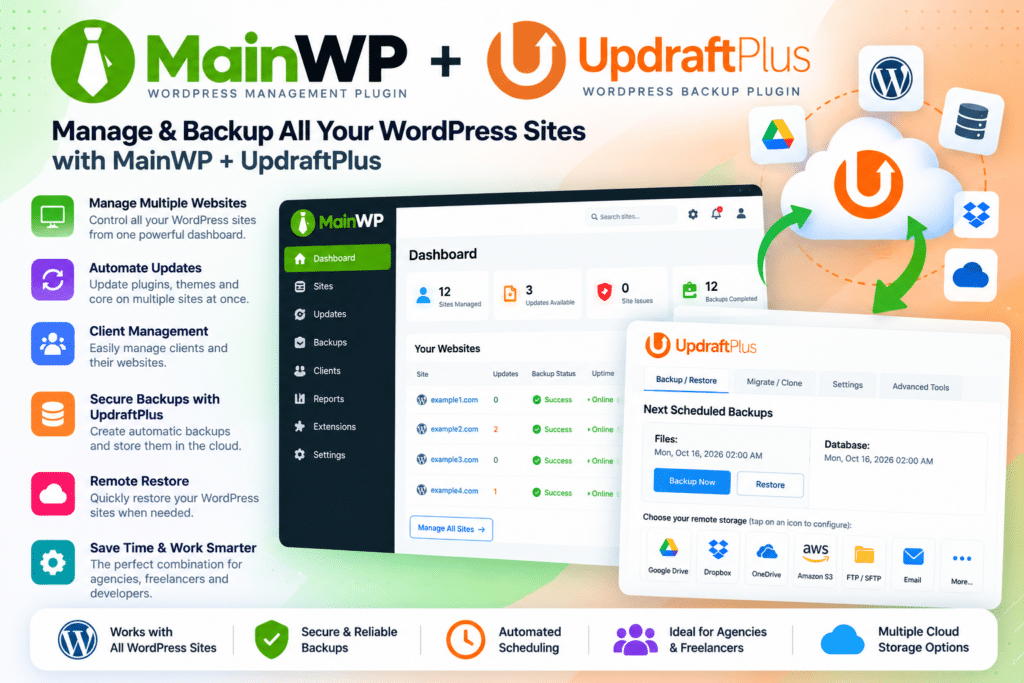
Instead of logging into every child website individually to manage backups, you can control supported UpdraftPlus settings, create backups, review existing backups, configure schedules, and restore supported sites from one centralized MainWP environment.
This makes the extension especially useful for agencies, freelancers, developers, and administrators managing multiple WordPress websites.
Key Features
- Centralized Backup Management – Manage supported UpdraftPlus backup settings from your MainWP Dashboard.
- Manual Backup Creation – Start backups for connected child websites without opening each site’s dashboard.
- Backup Restoration – Restore supported backups directly through the MainWP integration.
- Scheduled Backups – Configure supported file and database backup schedules for child sites.
- Existing Backup Management – Review available UpdraftPlus backups from the MainWP interface.
- All-Sites Backup View – View existing backups across connected websites from a centralized screen.
- Backup File Downloads – Download supported backup files directly through the extension.
- Database Backup Control – Manage supported WordPress database backup settings.
- File Backup Options – Configure supported themes, plugins, uploads, and other WordPress file backups.
- Must-Use Plugin Backup Support – Include supported MU plugins in file backup configurations.
- UpdraftPlus Settings Management – Push supported configuration changes to connected child websites.
- Multi-Site Workflow – Reduce repetitive backup-management work across multiple WordPress installations.
- MainWP Dashboard Integration – Keep website management and backup operations together in one interface.
- Agency-Friendly Administration – Useful for maintaining backups across multiple client websites.
Perfect For
MainWP | UpdraftPlus is suitable for WordPress agencies, freelancers, developers, website administrators, maintenance providers, hosting managers, client website managers, and anyone responsible for backups across multiple WordPress installations.
Manage Multiple Website Backups from One Dashboard
Managing backups site by site can become time-consuming when you maintain several WordPress websites.
MainWP UpdraftPlus brings supported backup controls into the MainWP Dashboard, allowing you to create backups, review existing files, configure schedules, and restore child sites without repeatedly signing into each WordPress installation.
This can make routine maintenance more organized and easier to scale as the number of managed websites grows.
Keep Backup Schedules Consistent
Consistent backup schedules are especially important when maintaining client or business websites.
The MainWP UpdraftPlus integration lets you manage supported UpdraftPlus schedules across connected child sites, helping you standardize how frequently databases and website files are backed up.
The current extension also includes an all-sites view for existing backups, making it easier to review backup availability across several sites from one place.
Simplify WordPress Backup Management
Manage website backups more efficiently with MainWP | UpdraftPlus – WordPress Backup Management Extension.
With centralized backup creation, restoration, scheduling, file downloads, existing-backup management, and child-site settings control, the extension provides a practical way to manage UpdraftPlus across multiple WordPress websites.