
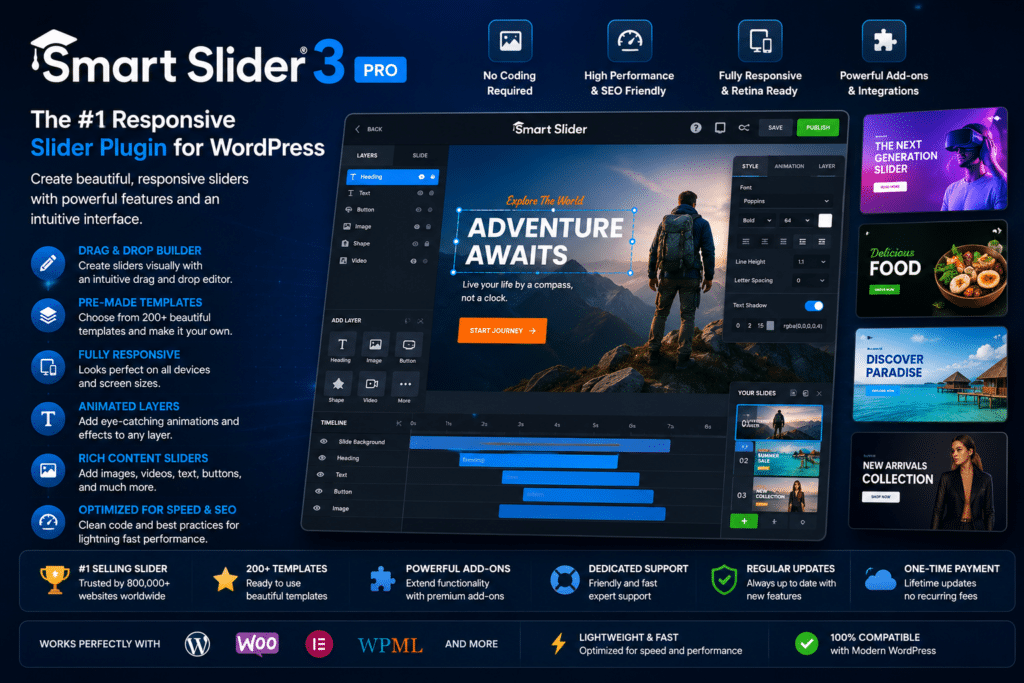
Smart Slider 3 Pro is a powerful WordPress slider plugin designed to help you create responsive sliders, carousels, hero sections, and engaging visual content without complicated coding.
Its visual editing experience gives you control over individual layers such as headings, text, images, buttons, and videos. This makes it useful for everything from a simple homepage slider to more advanced promotional sections and interactive presentations.
The Pro version expands the available design and animation capabilities, giving designers, businesses, bloggers, agencies, and WooCommerce stores more flexibility when creating attention-grabbing website sections.
Key Features
- Visual Slider Editor – Build and customize sliders through an intuitive visual interface.
- Responsive Sliders – Create designs that adapt to desktop, tablet, and mobile screens.
- Layer-Based Editing – Add and position text, images, buttons, videos, and other content within your slides.
- Advanced Animations – Create engaging transitions and animated effects for individual layers.
- Slider & Carousel Layouts – Build traditional sliders, content carousels, showcases, and other visual sections.
- Hero Sections – Design large homepage banners and hero areas that highlight your most important content.
- Dynamic Content – Create sliders using content from supported WordPress sources.
- Video Support – Incorporate video content into your slides for more engaging presentations.
- Flexible Navigation – Customize arrows, thumbnails, bullets, and other slider navigation elements.
- Background Effects – Enhance your designs with visual background and motion effects.
- Customizable Layouts – Control spacing, typography, positioning, and other design details.
- Mobile Optimization – Adjust slider content and layouts for smaller screens.
- Reusable Designs – Build slider designs that can be reused across different areas of your website.
- WordPress Integration – Add completed sliders to pages, posts, and other supported WordPress areas.
Perfect For
Smart Slider 3 Pro is ideal for:
- Business websites
- WooCommerce stores
- Landing pages
- Portfolio websites
- Blogs and magazines
- Agency websites
- Product showcases
- Photography websites
- Promotional banners
- Hero sections
- Content carousels
- Creative WordPress websites
Create More Than Basic Sliders
Smart Slider 3 Pro isn’t limited to rotating images. You can combine multiple content layers, animations, backgrounds, navigation elements, and responsive settings to create interactive sections that fit naturally into your website.
Use it to highlight products, promote special offers, showcase portfolio work, present featured articles, or create an impressive homepage hero section.
Bring Your WordPress Content to Life
Create professional and responsive visual experiences with Smart Slider 3 Pro.
With its visual editor, flexible layouts, advanced animations, dynamic content options, and responsive controls, Smart Slider 3 Pro gives you the creative freedom to build sliders and interactive website sections that help your most important content stand out.






