
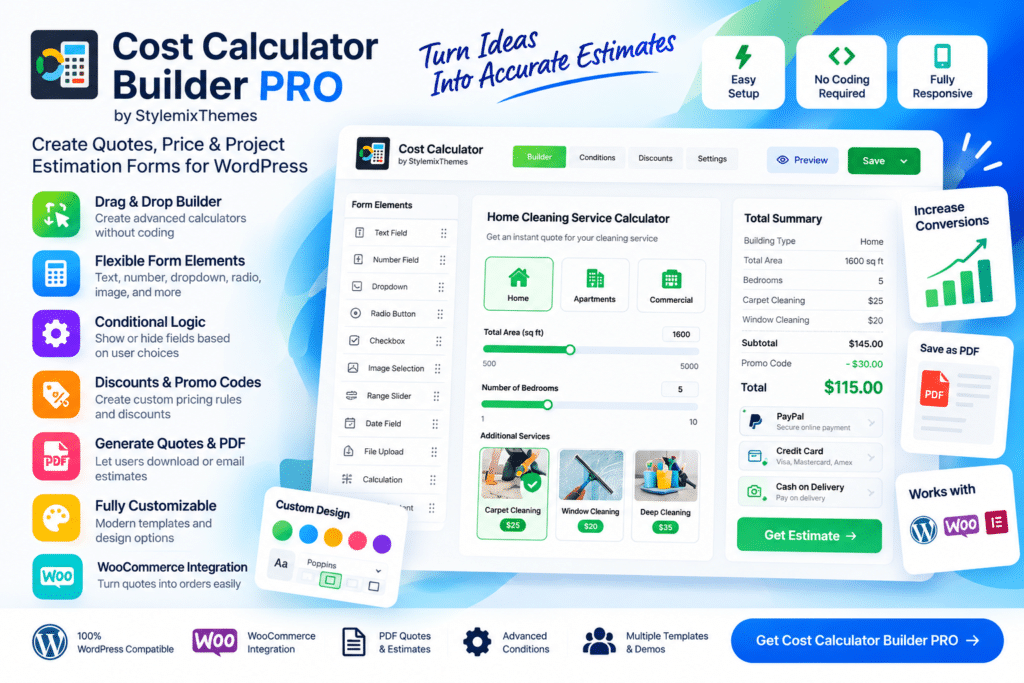
Cost Calculator Builder PRO is a WordPress plugin designed to help businesses create interactive cost calculators, price estimators, quote forms, and service pricing tools directly on their websites.
Instead of asking visitors to contact you for every basic pricing question, you can build calculators that let users choose options, enter quantities, and see an estimated total based on your configured pricing rules.
Whether you run a construction company, cleaning service, agency, printing business, delivery service, rental company, or custom service website, Cost Calculator Builder PRO can help turn complex pricing into a clearer and more interactive customer experience.
Key Features
- Visual Calculator Builder – Create pricing calculators through a user-friendly builder interface.
- Custom Formula Support – Build pricing logic around quantities, selections, ranges, and other supported variables.
- Multiple Input Fields – Use supported fields such as numbers, dropdowns, checkboxes, radio buttons, sliders, and quantity controls.
- Dynamic Price Calculation – Update estimated totals based on user selections.
- Conditional Logic – Show, hide, or change supported calculator elements according to user choices.
- Quote Request Forms – Let visitors submit their calculated estimate along with contact details.
- Payment Integration – Connect supported calculators with compatible payment gateways or eCommerce workflows.
- WooCommerce Compatibility – Use supported calculator functionality alongside WooCommerce products and services.
- Calculation Summary – Present users with a clear overview of selected options and estimated costs.
- PDF & Estimate Features – Generate supported estimates, summaries, or downloadable documents depending on configuration.
- Email Notifications – Send supported calculation or quote information to administrators and customers.
- Responsive Design – Keep calculators usable across desktops, tablets, and mobile devices.
- Custom Styling – Adjust supported colors, typography, spacing, and form appearance.
- Reusable Calculators – Build different calculators for separate services, products, or pricing models.
Perfect For
Cost Calculator Builder PRO is suitable for construction companies, cleaning services, moving businesses, printing companies, agencies, consultants, freelancers, rental businesses, logistics companies, repair services, event planners, and other businesses with configurable pricing.
Make Complex Pricing Easier to Understand
Some services are difficult to price with a simple fixed amount because the final cost depends on several variables.
Cost Calculator Builder PRO lets you turn those variables into an interactive calculator. Visitors can choose the options relevant to them and receive a preliminary estimate without needing to wait for a manual response.
This can make your pricing process clearer while also helping your team collect better-qualified enquiries.
Build Interactive Cost Calculators
Create flexible pricing tools with Cost Calculator Builder PRO – WordPress Cost Estimation Plugin.
With custom formulas, dynamic calculations, conditional logic, quote forms, payment integrations, responsive layouts, and WooCommerce compatibility, Cost Calculator Builder PRO provides a practical solution for creating interactive estimates on WordPress websites.






