
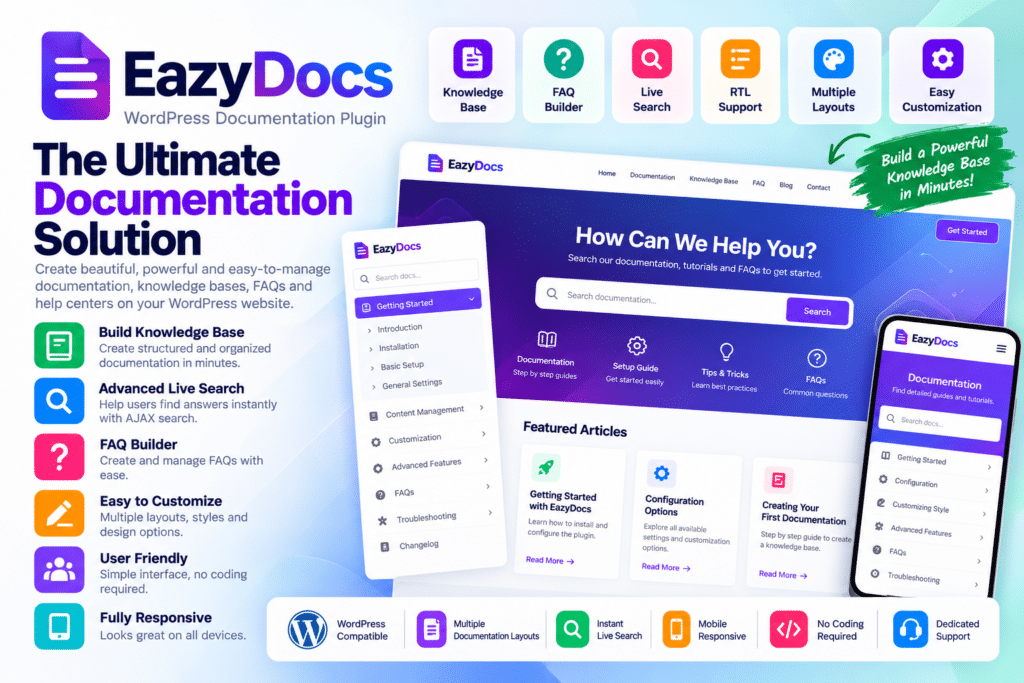
EazyDocs is a WordPress documentation plugin designed to help businesses, software companies, SaaS teams, product creators, and support teams build organized documentation and knowledge base websites.
It gives you a structured way to publish help articles, product guides, setup instructions, troubleshooting content, FAQs, and other support resources directly inside WordPress.
Whether you’re documenting a plugin, software product, online service, internal process, or customer support system, EazyDocs can help turn scattered information into a cleaner and easier-to-navigate documentation experience.
Key Features
- Documentation Management – Create and organize structured documentation directly inside WordPress.
- Knowledge Base Layouts – Present help content in clean, searchable documentation sections.
- Nested Documentation Structure – Organize supported docs into sections, categories, and subtopics.
- Drag-and-Drop Organization – Rearrange supported documentation content through a simpler editing workflow.
- Search Functionality – Help visitors find answers quickly with documentation search.
- Article Navigation – Make it easier for users to move between related documentation pages.
- Table of Contents – Improve long-form documentation with supported content navigation.
- Responsive Design – Keep documentation easy to read across desktop, tablet, and mobile devices.
- Custom Styling – Adjust supported typography, spacing, colors, and documentation appearance.
- Multiple Documentation Sets – Create separate documentation areas for different products or services where supported.
- Private Documentation – Restrict selected documentation content when compatible access controls are available.
- Feedback Options – Collect supported reader feedback on documentation usefulness.
- FAQ & Support Content – Use documentation pages for common questions, troubleshooting, and user guidance.
- WordPress Integration – Manage your documentation from the same environment as the rest of your website.
Perfect For
EazyDocs is suitable for software companies, SaaS businesses, WordPress plugin developers, theme developers, agencies, online services, support teams, membership sites, internal company knowledge bases, and businesses that need organized help documentation.
Make Support Information Easier to Find
Good documentation can reduce repetitive support requests by giving users a clear place to find answers before contacting your team.
EazyDocs helps organize technical information, product instructions, and troubleshooting content into a structure that is easier to browse and search.
This can improve the support experience for customers while also making it easier for your team to maintain and expand documentation over time.
Build a Professional WordPress Knowledge Base
Create organized help content with EazyDocs – WordPress Documentation & Knowledge Base Plugin.
With structured documentation, search, nested content, navigation tools, responsive layouts, customization options, and support-focused features, EazyDocs provides a practical solution for building documentation and knowledge base websites in WordPress.






