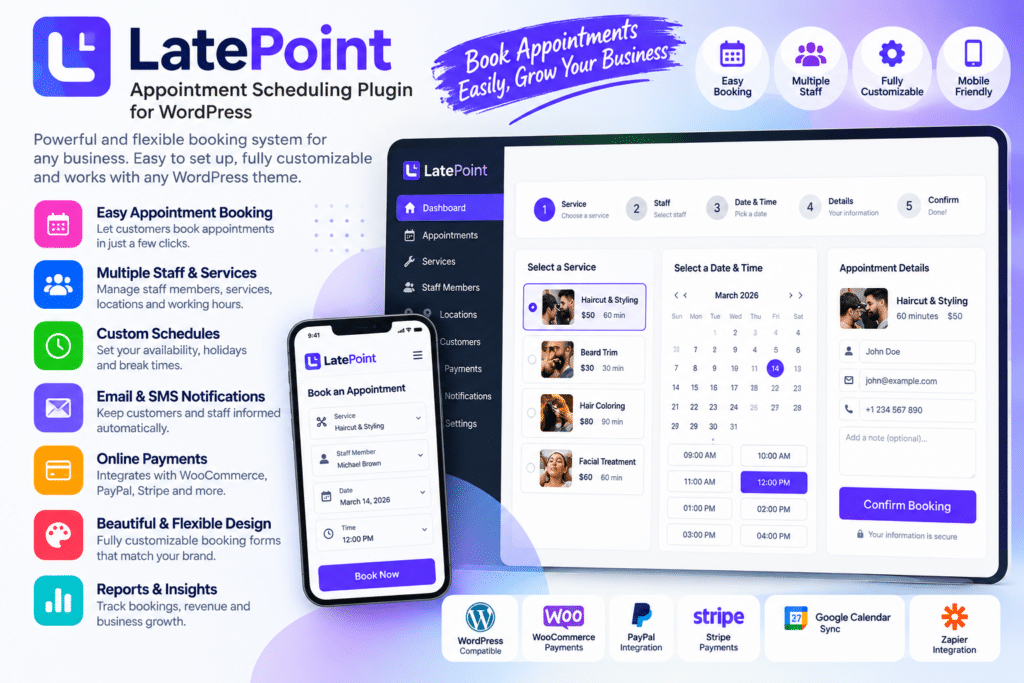
LatePoint is a WordPress appointment scheduling plugin designed to help businesses accept, manage, and organize bookings directly from their website.
It provides a streamlined booking experience for customers while giving website owners tools to manage services, staff members, schedules, availability, appointments, and customer information from one place.
Whether you run a salon, clinic, consulting business, fitness studio, coaching service, repair company, or other appointment-based business, LatePoint can help simplify online booking and reduce manual scheduling work.
Key Features
- Online Appointment Booking – Let customers schedule appointments directly from your WordPress website.
- Service Management – Create and organize multiple services with supported durations, prices, and settings.
- Staff & Agent Management – Assign supported services and schedules to individual team members.
- Availability Scheduling – Configure working hours, breaks, days off, and appointment availability.
- Customer Management – Keep supported customer information and booking history organized.
- Booking Calendar – Review upcoming and past appointments from a centralized scheduling interface.
- Multiple Locations – Manage supported appointment locations for businesses operating from more than one place.
- Payment Integration – Collect payments or deposits using compatible payment gateways where supported.
- Email & SMS Notifications – Send supported booking confirmations, reminders, and appointment updates.
- Customer Dashboard – Allow customers to manage supported appointments through their own booking area.
- Booking Form Customization – Adjust supported booking steps, fields, and appearance to better match your business.
- Rescheduling & Cancellation – Let customers or administrators modify supported bookings according to your rules.
- Responsive Booking Experience – Keep appointment booking easy to use across desktop, tablet, and mobile devices.
- Business Reporting – Review supported booking, customer, staff, and revenue-related information.
Perfect For
LatePoint is suitable for salons, spas, clinics, dentists, therapists, consultants, coaches, tutors, fitness studios, repair services, legal professionals, photographers, medical practices, and other appointment-based businesses.
Make Booking Easier for Customers
Phone calls and manual appointment scheduling can become difficult to manage as a business grows.
LatePoint gives customers a convenient way to choose a service, select a staff member or location where supported, pick an available time, and complete their booking online.
For your team, this can reduce repetitive scheduling work and provide a clearer view of appointments, availability, and customer information.
Simplify Appointment Management
Manage bookings more efficiently with LatePoint – Appointment Scheduling Plugin for WordPress.
With online booking, staff scheduling, service management, customer profiles, notifications, payment options, responsive forms, and calendar-based appointment management, LatePoint provides a practical solution for running an appointment-based WordPress website.