
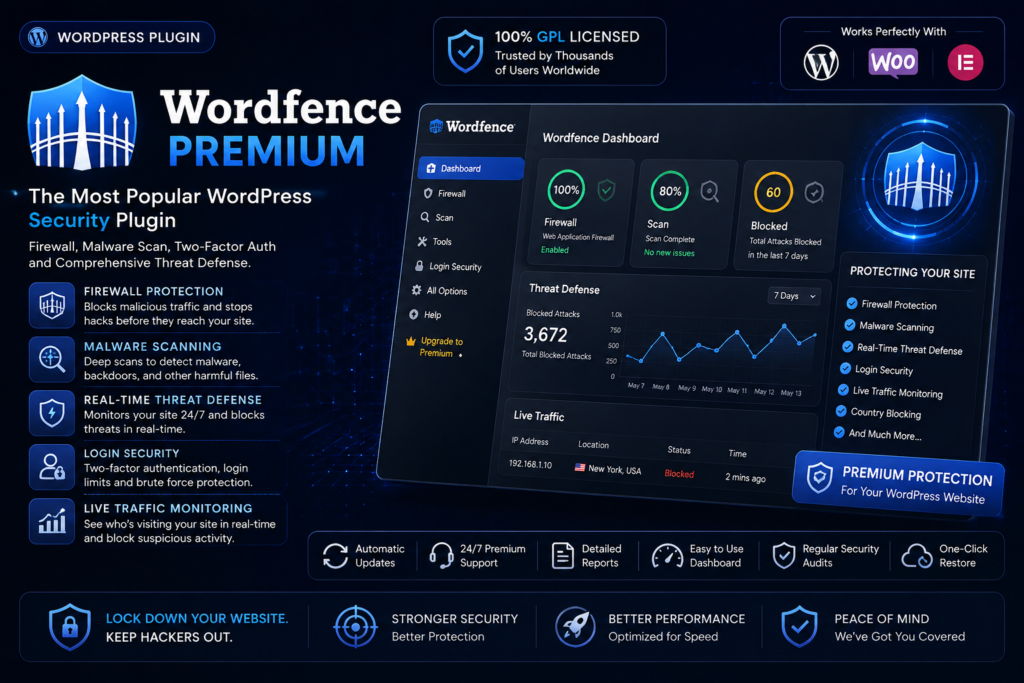
Wordfence Premium

Wordfence Premium is your ultimate security solution for WordPress websites. Designed to protect against malware and hacking attempts, it offers

Wordfence Premium

$2.39 - one-time

  • 🛡 Virus-scanned & clean
  • 🏅 Licensed under GPL — yours to keep
  • 🎧 One Year of support included
  • 🔒 Secure checkout
  • ↓ 0 downloads

Version history

1 release available — use the latest unless you need an earlier build.

  • v9.0.1 Current
    17 Sep 2026

$2.39

Overview

What you’re getting

Wordfence Premium is your ultimate security solution for WordPress websites. Designed to protect against malware and hacking attempts, it offers real-time threat intelligence and robust firewall features. With automatic updates and a powerful malware scanner, you can rest easy knowing your site is safe from emerging threats. Plus, the user-friendly dashboard provides easy access to critical security metrics and reports. What makes it stand out is its comprehensive approach to security, ensuring that you not only defend against attacks but also enhance your site’s overall performance.

Key Features

  • Real-time firewall protection to block malicious traffic instantly.
  • Advanced malware scanning that detects and removes threats effectively.
  • Country blocking feature to restrict access from specific regions.
  • Login security enhancements including two-factor authentication.
  • Scheduled scans and automatic updates for peace of mind.
  • Detailed security reports and alerts to keep you informed.
  • Live traffic views to monitor active visitors and potential threats.
  • Support for multi-site installations, perfect for network administrators.

Installation

Up and running in minutes

WordPress Plugin Installation

  1. Prepare the Plugin ZIP File

    Download the installable plugin ZIP file. If your download contains an outer package, extract it and locate the actual installable plugin ZIP.

    Prepare the Plugin ZIP File
  2. Upload the WordPress Plugin

    Log in to your WordPress dashboard. Navigate to Plugins → Add New Plugin → Upload Plugin. Choose the plugin ZIP file and click Install Now.

    Upload the WordPress Plugin
  3. Activate the Plugin

    After successful installation, click Activate Plugin. Complete any required configuration to start using the plugin.

    Activate the Plugin

FAQ

Questions, Answered

Is this the original product?

GPL NEST provides GPL-licensed WordPress products distributed under the applicable open-source license. We do not claim to be the original developer unless specifically stated.

Usage depends on the product’s GPL license and the terms shown on the product page. Please review the product information before installation.

When an updated version becomes available on GPL NEST, you can download it from your account according to your purchase or membership access.

Some premium features that depend on the original developer’s license key, cloud service, API, automatic updates, or external account may not be included.

Contact our support team if you have an issue with your download or installation. We’ll do our best to help.

GPL NEST MEMBERSHIP

Need More Than One Product?

Get access to thousands of WordPress themes and plugins with a GPL NEST membership.




