
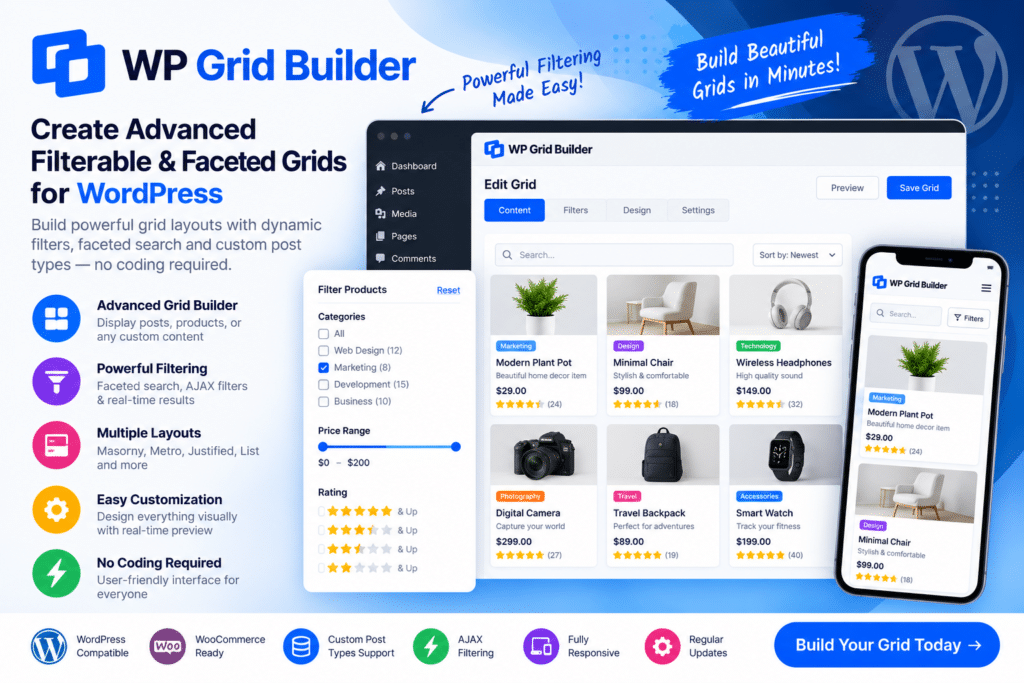
WP Grid Builder is an advanced WordPress grid and filtering plugin designed to help you display posts, products, portfolio items, and other content in organized, searchable layouts.
Instead of forcing visitors to browse through long lists of content, you can create filterable grids and faceted search experiences that help users narrow results according to relevant criteria.
This makes WP Grid Builder particularly useful for WooCommerce stores, directories, portfolio websites, blogs, listing platforms, and other WordPress projects with large amounts of structured content.
Key Features
- Advanced Grid Builder – Create professional grids for posts, products, portfolio items, and supported custom content.
- Faceted Search – Let visitors narrow results using multiple supported filtering criteria.
- AJAX Filtering – Update supported results dynamically without requiring a full page reload.
- WooCommerce Integration – Build filterable product grids and improve product discovery in supported store layouts.
- Custom Post Type Support – Display and filter supported custom post types alongside standard WordPress content.
- Multiple Facet Types – Create filters using supported checkboxes, dropdowns, ranges, search fields, buttons, and other controls.
- Card Builder – Design reusable cards for displaying individual content items inside your grids.
- Advanced Sorting – Allow visitors to sort supported content according to relevant criteria.
- Search Functionality – Add search controls to help users find specific content more quickly.
- Responsive Grid Layouts – Create layouts that adapt across desktops, tablets, and mobile devices.
- Pagination & Load More – Give visitors flexible ways to navigate larger collections of content.
- Dynamic Content Support – Build grids using supported custom fields, taxonomy information, and other dynamic data.
- Page Builder Integration – Use WP Grid Builder with supported WordPress page-building workflows.
- Developer-Friendly Customization – Extend supported functionality when more specialized implementations are required.
Perfect For
WP Grid Builder is suitable for WooCommerce stores, business directories, real estate websites, job boards, portfolio sites, blogs, news websites, listing platforms, online catalogs, recipe websites, educational resources, membership sites, and other content-heavy WordPress projects.
Help Visitors Find Content Faster
When a website contains hundreds of products, articles, properties, listings, or portfolio items, simple category navigation may not be enough.
Faceted filtering allows visitors to narrow a large collection using multiple characteristics. A shopper might filter products by category, price, or attributes, while a directory visitor could refine listings according to location, type, or other available information.
WP Grid Builder combines these filtering tools with customizable content grids, helping you create a more organized browsing experience without requiring visitors to repeatedly load separate pages.
Build Smarter WordPress Grids
Organize and filter your content with WP Grid Builder – Advanced Filterable & Faceted Grids WordPress Plugin.
With faceted search, AJAX filtering, customizable grids, card layouts, WooCommerce integration, sorting, pagination, and dynamic content support, WP Grid Builder provides a flexible solution for making large WordPress content collections easier to explore.






