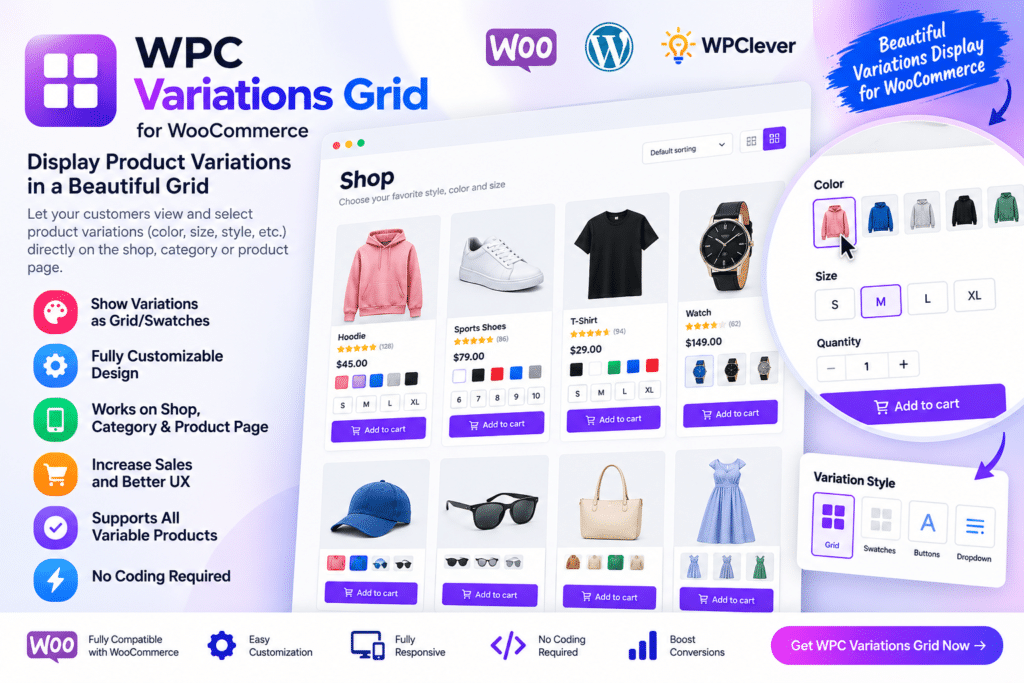
WPC Variations Grid for WooCommerce is a WordPress plugin designed to display variable product options in a clearer grid-style layout.
Instead of making customers open dropdown menus one option at a time, the plugin can present supported variations in a structured table or grid so shoppers can compare choices more quickly. This is especially useful for products with multiple sizes, colors, styles, packs, or other variation combinations.
Whether you sell clothing, wholesale products, accessories, food packs, or configurable items, WPC Variations Grid can make product selection easier and more visual.
Key Features
- Variation Grid Display – Show supported WooCommerce variations in a structured grid or table layout.
- Quick Product Comparison – Let shoppers compare available variation combinations more easily.
- WooCommerce Integration – Works with variable products inside compatible WooCommerce setups.
- Multiple Variation Options – Present sizes, colors, styles, quantities, and other supported attributes clearly.
- Price Display—Show supported variation pricing directly within the grid.
- Stock Information—Display available stock or availability details where supported.
- Quantity Selection—Allow customers to choose quantities for supported variations.
- Add-to-Cart Workflow – Make it easier to select and add supported product variations to the cart.
- Responsive Layout—Keep variation grids usable across desktop, tablet, and mobile devices.
- Product Page Enhancement—Improve the way complex variable products are presented to shoppers.
- Wholesale-Friendly Use – Useful for stores where customers need to order several variation combinations.
- Clearer Buying Experience – Reduce the need to switch repeatedly between dropdown selections.
- Flexible Product Use Cases—Suitable for fashion, food, B2B, accessories, and other variable-product stores.
- WooCommerce Product Management – Continue using standard WooCommerce variation data while improving front-end presentation.
Perfect For
WPC Variations Grid for WooCommerce is suitable for fashion stores, wholesale shops, food businesses, clothing brands, accessories stores, B2B sellers, electronics shops, beauty stores, multi-pack products, and other WooCommerce stores with many product variations.
Make Complex Products Easier to Buy
Products with several variation combinations can become difficult to browse when every option is hidden inside dropdown menus.
A grid-style layout can make those choices easier to understand by showing important variation information together. Customers can compare sizes, colors, prices, stock, or quantities without repeatedly changing selections.
This can be especially useful for wholesale or bulk-order stores where shoppers may want to purchase multiple variations of the same product.
Improve WooCommerce Variation Selection
Create a clearer product-buying experience with WPC Variations Grid for WooCommerce.
With grid-based variation displays, quantity selection, pricing, stock information, responsive layouts, and WooCommerce integration, the plugin provides a practical way to simplify the presentation of complex variable products.