
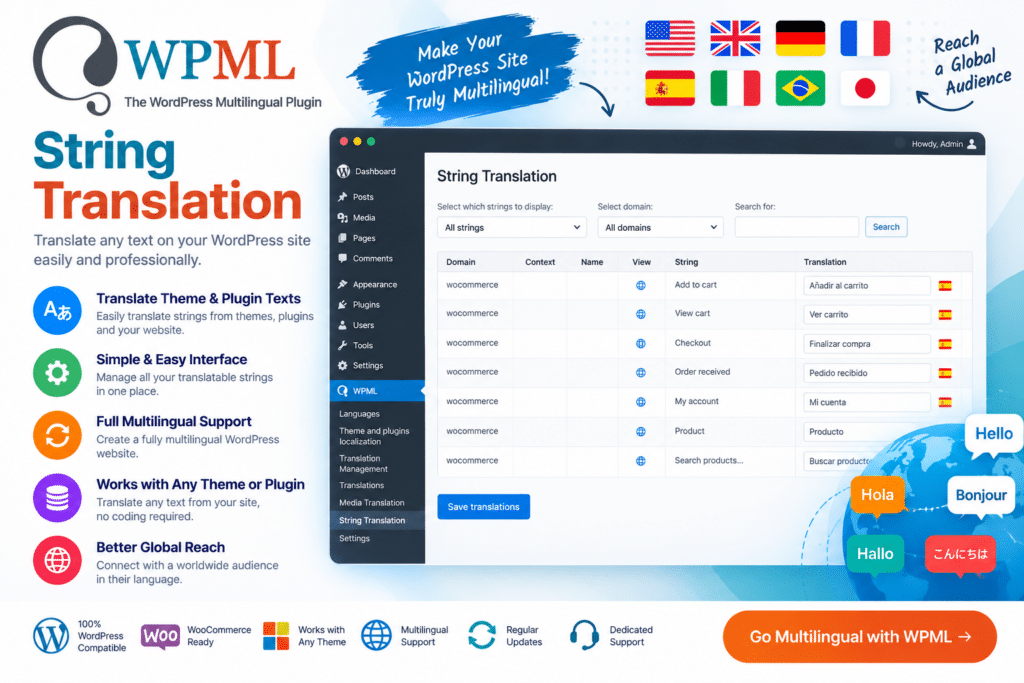
It can be used to manage interface text coming from supported themes, plugins, widgets, admin settings, and other areas of a multilingual WordPress website. Instead of editing translation files manually, website administrators and translators can manage supported strings through the WPML translation workflow.
For businesses, WooCommerce stores, blogs, and international websites using WPML, String Translation helps create a more complete multilingual experience by translating smaller interface elements alongside the main website content.
Key Features
- String Translation Management – Translate supported WordPress interface text from a centralized workflow.
- Theme String Translation – Translate supported text generated by your active WordPress theme.
- Plugin String Translation – Manage translatable strings coming from compatible WordPress plugins.
- Widget Text Translation – Translate supported widget titles, labels, and other interface content.
- Admin Text Translation – Work with supported strings stored within WordPress configuration and admin settings.
- Multilingual Interface Content – Translate buttons, labels, messages, headings, and other supported frontend text.
- String Search – Find registered strings more easily when working with websites containing large amounts of translatable content.
- Domain Organization – Organize supported strings according to their source or text domain.
- Translation Status Management – Keep track of supported strings and their translation status.
- Multiple Language Support – Manage string translations across the languages configured on your WPML website.
- WooCommerce-Friendly Workflow – Useful for translating supported store interface text when used with the appropriate multilingual setup.
- Theme & Plugin Compatibility – Work with translatable strings provided correctly by compatible themes and plugins.
- Centralized Translation Workflow – Reduce the need to manually edit language files for many common interface translations.
- WPML Integration – Works as part of the broader WPML multilingual WordPress environment.
Perfect For
WPML String Translation is useful for multilingual business websites, WooCommerce stores, blogs, corporate websites, membership sites, educational platforms, directories, international websites, agencies, and developers managing WordPress sites in multiple languages.
Translate More Than Posts and Pages
Creating a multilingual website involves more than translating articles and page content.
Visitors may also encounter buttons, form labels, widget headings, theme messages, plugin text, and other interface elements. Leaving these strings in the original language can make an otherwise translated website feel incomplete.
WPML String Translation helps bring supported interface text into the multilingual workflow so you can provide a more consistent experience across different languages.
Complete Your Multilingual WordPress Website
Manage interface translations with WPML – String Translation WordPress Multilingual Add-On.
With theme and plugin string translation, searchable strings, multilingual management, admin-text support, and integration with the WPML ecosystem, String Translation provides a practical solution for translating smaller pieces of text throughout WordPress.






